As students and parents get ready for the new school year, finding a solid budget laptop for 2026 matters more than ever. Models like the Lenovo IdeaPad Slim 3x and Apple MacBook Air M3 are popular picks because they’re easy to carry, last a long time on a charge, and give you a lot for the money. This guide walks through the best options, with a close look at the performance and battery life students actually need. We’ll cover which low-cost operating systems make the most sense, how to think about price vs. value, and what to buy if you want something that won’t feel outdated too soon. Each section is built to give practical advice, so students and parents can choose a laptop that fits school demands without blowing the budget.
Best 2026 Budget Laptops for Students
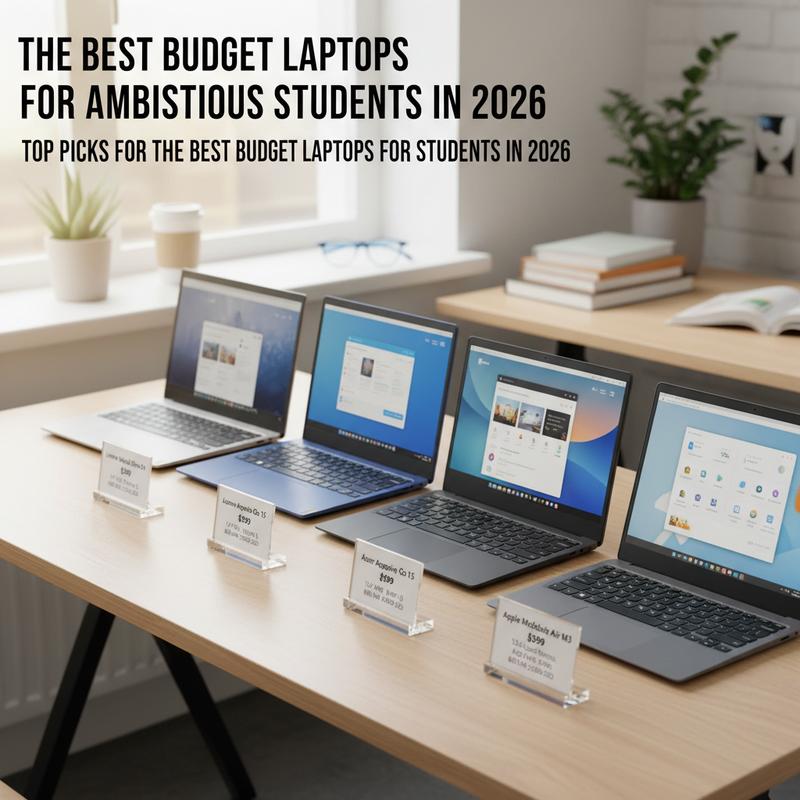
Students in 2026 have plenty of budget laptop options, and a lot of them are good enough for everyday schoolwork. Four standouts for price and usefulness are the Lenovo IdeaPad Slim 3x, Acer Aspire Go 15, Asus Chromebook CX15, and Apple MacBook Air M3. They all come in under $1,000 and make sense for students who are bouncing between campus, the library, and online classes at home.
Lenovo IdeaPad Slim 3x: A Solid All-Rounder
At the top of the list is the Lenovo IdeaPad Slim 3x. It hits a nice balance between speed and everyday practicality. At around $749, it has a sturdy feel and delivers over 16 hours of battery life, which is a big deal if you’ve got long days and don’t want to hunt for an outlet. The keyboard is comfortable, performance is strong for all-day multitasking, and it handles the usual student workload without drama. But the screen isn’t the highlight here, and that’s one of the trade-offs you’re making to keep the price down. Still, Windows 11 will feel familiar for school tasks now and job-related stuff later.
Acer Aspire Go 15: Cheap and Gets the Job Done
If you’re trying to spend as little as possible, the Acer Aspire Go 15 is hard to ignore. At $299, it’s built for the basics: writing papers, email, and hopping into video calls. The 10+ hour battery life is enough to cover a full day of classes for most students. Thing is, it’s not the fastest machine out there, and the webcam and screen won’t impress anyone. But for basic Windows tasks on a tight budget, it’s a practical pick.
Asus Chromebook CX15: Great for Web-Based Schoolwork
For students who mostly live in a browser, the Asus Chromebook CX15 is a strong budget option. It usually runs $219 to $269 and works well inside the ChromeOS setup. It’s light, easy to carry, and the keyboard stays comfortable even during longer study sessions. Battery life is shorter at about 7.5 hours, but the low price helps balance that out. It’s a good fit for students using cloud tools like Google Workspace.
Apple MacBook Air M3: A Nicer Option If You Can Stretch
The Apple MacBook Air 13-inch (M3) is the premium choice here, and it can make sense if your budget has a little extra room. The price is higher, but student discounts help a lot, and the M3 chip has plenty of power for heavier work like video editing or AI-related apps. macOS also plays nicely with a lot of education-focused software. Still, if you’re buying it for the long haul, it’s smart to consider extra RAM and storage so you don’t outgrow it too soon.
So, these laptops cover a solid mix of price, performance, and reliability, which lets students focus on school instead of stressing over tech. The main thing is matching the laptop to your actual needs and what you can comfortably spend, both for this year’s classes and what might come after graduation.
Performance and Battery Life in 2026 Budget Laptops
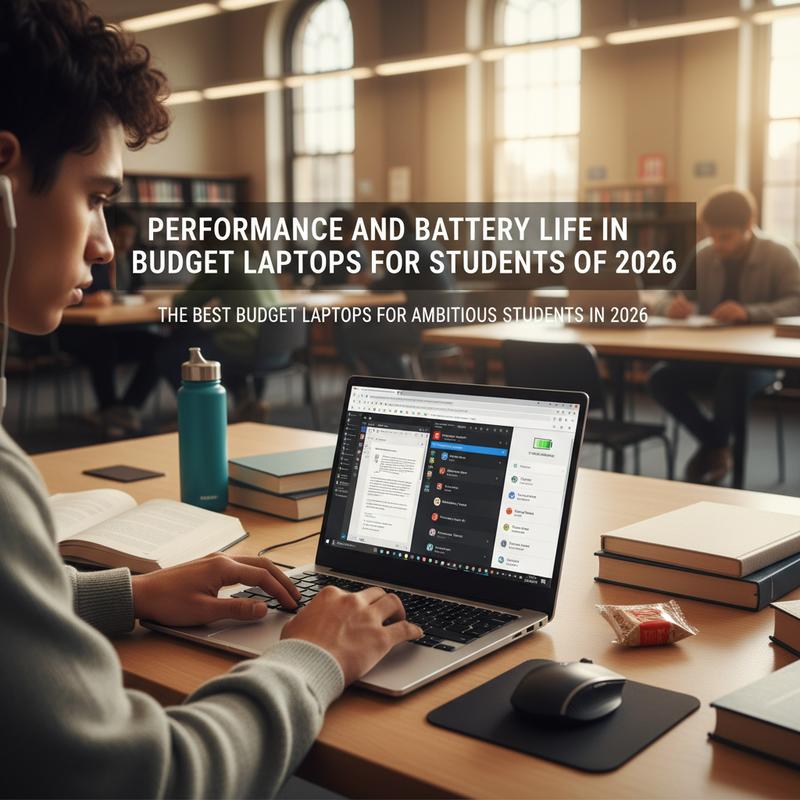
In 2026, budget laptops are doing a better job of meeting student needs, especially when it comes to day-to-day speed and battery life. Whether you’re leaning toward Windows, macOS, or ChromeOS, there are good options at different price points that can fit both schoolwork and your budget.
For Windows laptops, the Acer Aspire Go 15 is a go-to choice if you just need the essentials. It costs under $300 and gets more than 10 hours of battery life, which is usually enough to make it through classes and homework without plugging in. The base version handles basic tasks fine, but there’s also an upgraded model with an AMD Ryzen 7 processor, 16GB of RAM, and a 512GB SSD if you need more speed without jumping to a totally different price tier.
The Lenovo IdeaPad Slim 3x is another strong Windows pick if you want better overall performance and longer battery life. At about $749, it can hit around 16 hours on a charge, which is great for busy campus days. The screen isn’t the most vivid, but the efficiency, Windows 11 experience, and multitasking ability make it a dependable choice for students who tend to run a lot at once.
On the macOS side, the MacBook Air 13-inch (M3) gives you a more premium feel and extra horsepower, which can be worth it for students who do more than basic work. The M3 chip handles everyday tasks easily and can also take on heavier projects like video editing and AI-related apps. And while it starts out pricier, student discounts can bring it closer to budget territory. Its light weight and strong battery life make it a good fit if you’re always on the move.
If your work is mostly online, the Asus Chromebook CX15 running ChromeOS is an easy, low-cost option. It’s around $269 and sometimes drops to $219 during sales. It’s best for web and documents, and it keeps things simple with an interface that’s easy to learn. Battery life is practical for getting through the school day, especially if your classes are built around cloud tools.
At the end of the day, the “best” budget laptop in 2026 depends on what you actually do day to day and what you want to spend. Windows laptops cover the widest mix of tasks, while macOS and ChromeOS shine in more specific situations. Whatever you pick, keep performance and battery life at the top of your list. And if you’re still deciding whether to fix what you have or upgrade, this cost-benefit guide is worth a look.
Best Low-Cost Operating Systems for Students in 2026
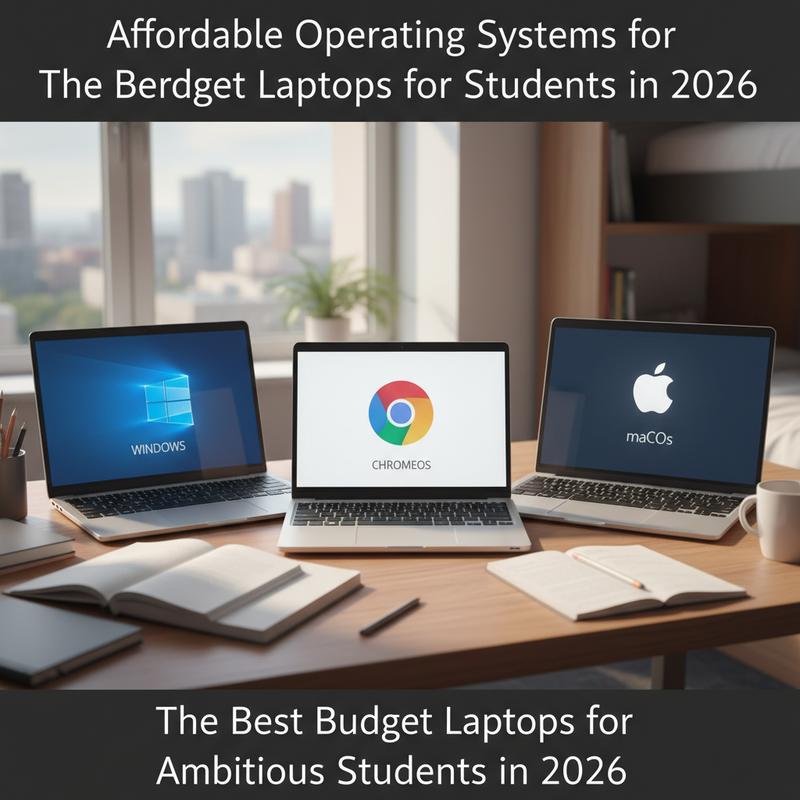
In 2026, budget laptops for students usually come down to three operating systems: ChromeOS, Windows 11, and macOS. Each one has its own strengths, and picking the right one can make schoolwork a lot easier (and cheaper).
ChromeOS is often the simplest and most affordable route. It’s built around cloud apps, so students can jump into Google Docs, Zoom, and other web tools without needing powerful hardware. The Asus Chromebook CX15, priced around $269 (or $219 on sale), is a good example of what ChromeOS does well: notes, research, and basic online tasks. But if you need heavy multitasking or more demanding programs, it may feel limited. Still, for web-first schoolwork, it’s a clean and easy setup.
Windows 11 is the flexible option that covers the widest range of student needs, from writing papers to light multitasking. Laptops like the Acer Aspire Go 15 and Lenovo IdeaPad Slim 3x take advantage of Windows 11’s app support, with prices starting at $299. You may have to accept trade-offs on cheaper models, like slower performance or washed-out screens. But on the flip side, Windows gives you access to a huge range of software that some classes still require.
macOS sits on the higher end, but it’s known for a smooth experience and long-term reliability. While Macs usually cost more upfront, models like the Apple MacBook Air M3 can be more reachable with student discounts. You’re paying for build quality, strong features, and the M3 chip, which can handle everything from AI-focused coursework to video editing. If you want something that can last for years, it can be a smart buy.
When you’re choosing an OS, think about what you need right now and what you might need later. ChromeOS is best for low-cost, web-based work, Windows 11 gives you broad compatibility in the mid-range, and macOS is the premium option when you want extra power and longevity. Picking the right one helps your laptop support your schoolwork instead of getting in the way.
Prices and Value: Best Budget Laptops for Students in 2026

Students don’t just need a cheap laptop in 2026—they need one that’s worth the money. And the good news is that it’s easier than ever to find a laptop that balances price, performance, and battery life without feeling like a compromise in every area.
Lenovo IdeaPad Slim 3x is one of the stronger “spend a bit more, get a lot more” options. At around $749, it delivers strong performance and a nice overall feel. The big win is battery life: more than 16 hours, which is perfect for long days on campus. You also get a comfortable keyboard and a clean design that feels a step above many budget machines. The main downside is the screen, which is just okay and won’t look as bright or punchy as some students might want.
If the budget is tight, the Acer Aspire Go 15 is a practical pick at $299. It’s good for the basics—documents, email, and everyday schoolwork—and it still manages over 10 hours of battery life. It’s comfortable enough to use for long stretches too. But you’re making trade-offs: it’s slower, and the webcam and display are pretty weak. Still, if you choose a higher configuration, you can get a noticeable performance boost and keep it useful for longer.
The Asus Chromebook CX15 (usually $219 to $269) is a strong value for students who stick to web apps. It’s light, easy to carry, and holds up well for school travel. Battery life is shorter at about 7.5 hours, but for the price it’s still a good deal, especially for Google Docs, research, and other internet-heavy coursework. It’s not great for heavy multitasking, but for the basics it works.
And if you want more power and don’t mind paying more, the Apple MacBook Air M3 is a tempting step up. After the M4 release, the M3 model tends to cost less, and student discounts can push it into a more reasonable range. You’re getting a thin, well-built laptop with an M3 chip that can handle demanding work like video editing. For longer use, it’s smart to bump up RAM and storage so it stays comfortable years down the road.
When you’re choosing, focus on what you really need and what you can spend without regret. A laptop with 10+ hours of battery life and an OS that fits your day-to-day tools will usually feel like a better buy. Prices move around a lot, so keep an eye on sales and pay attention to SSD/RAM options. If you’re weighing repair vs replacement, this guide adds helpful context.
Future-Proof Features for Student Budget Laptops

In 2026, buying a budget laptop as a student isn’t just about getting through today’s homework. You also want something that won’t feel outdated next year. AI tools, hybrid classes, and heavier cloud-based work are becoming normal, so future-proofing matters if you’re trying to avoid replacing your laptop too soon.
Prioritizing Processor Capabilities: The processor is what decides how well your laptop holds up over time. If you can, look for models with newer CPUs like the Intel Core Ultra Series 2 (Lunar Lake) or AMD Ryzen AI 300. These chips include Neural Processing Units (NPUs), which help with AI tasks that are becoming more common in school. Tools like Grammarly for writing or Copilot for coding are more likely to run smoothly with that extra support, especially during heavier workloads. And if you’re curious where this is headed, examples from Snapdragon X laptops show why NPUs matter for keeping a laptop useful longer.
Opting for Sufficient RAM and Storage: For RAM, 16GB LPDDR5X should be the minimum if you want comfortable multitasking—think Chrome tabs, Zoom, and coding tools all running together. Puget Systems tests show 16GB systems can be up to 40% faster at multitasking than 8GB setups. Storage matters too: aim for at least 512GB of SSD space so you can keep big files, datasets, and offline AI models without constantly running out of room or slowing things down.
Battery Life and Portability: Hybrid learning isn’t going away, so battery life still matters a lot. Try to pick something that can run for over 15 hours if you’re regularly away from outlets all day. And weight matters too—if you’re carrying it to class every day, lighter is just easier.
Display and Build Quality: A tougher build and a better screen make a laptop nicer to use and more likely to survive daily wear. Full HD (1080p) with anti-glare is a good target, especially if you work in bright rooms or outside. Some laptops also have military-grade certifications, which can help if you’re worried about bumps and drops.
Connectivity and Upgradability: If you want a laptop that stays current, look for Wi-Fi 7 and Bluetooth 5.4 support for faster, more stable connections. That can matter more as schools use more VR/AR tools and real-time online platforms. And if you can upgrade RAM or the SSD later, that’s a huge plus—it lets you extend the laptop’s life instead of replacing the whole thing.
Bottom line: a little planning now goes a long way. If you choose a budget laptop with the right processor, enough RAM and storage, good battery life, and modern connectivity, you’ll be set for today’s classes and whatever the next few years bring.
Final thoughts
In 2026, students have plenty of budget laptop choices that aren’t just cheap—they’re genuinely capable, with good performance, long battery life, and specs that match real school needs. Lenovo, Acer, Asus, and Apple all have options for everything from basic browsing to heavier multimedia work. This guide covered the top picks, the big things to watch (like battery life and operating system), and how to think about price vs. value. And by keeping future-proofing in mind, students and parents can buy something that stays useful for the long run.
Need help picking one and getting it set up the right way? IT Carolina can help you choose a laptop that fits your budget and get it ready for school—book a consult whenever you’re ready.
Learn more: https://itcarolina.com/about/
About us
At IT Carolina, we know students need laptops that are reliable, affordable, and fast enough for schoolwork, streaming, and light gaming without constant headaches. Our team helps you choose good-value laptops and get them set up properly so they run well from day one. That includes setting up school tools, improving system speed, and getting Wi-Fi working the way it should. Whether you’re getting ready for high school or college, we’ll help you get everything student-ready quickly and without overspending.