In 2026, mesh Wi-Fi systems are what most people use to get fast, steady internet throughout big homes—especially places over 4,000 square feet or with multiple floors. With Wi-Fi 7 improvements, these systems can handle multi-gig speeds and use AI tuning to keep things running smoothly. You can also pick setups that fit right into a smart home, with support for Matter and Thread. When you’re choosing one, focus on coverage, how easily you can add more nodes, what Ethernet ports you get, and overall speed. This guide compares top-rated systems, breaks down the newer tech, talks through smart home support, and gives you a clear buying guide to help you pick what fits your home.
Top Mesh Wi-Fi 7 Systems for Big Homes in 2026

Home networking in 2026 looks a lot different thanks to Wi-Fi 7 (IEEE 802.11be), which raises the bar for speed and reliability—especially in large houses. Homes over 4,000 square feet with 50+ devices need a network that can keep up without dropping coverage. Wi-Fi 7 helps with that, with theoretical speeds up to 46 Gbps. And features like Multi-Link Operation (MLO) help keep latency low and performance steady, even when tons of devices are online at the same time.
When you start looking at mesh Wi-Fi systems built around this technology, a few stand out for different reasons. The Netgear Orbi 970 is the heavy hitter for big spaces. It uses a quad-band design with a dedicated 6GHz backhaul, which helps it push strong speeds and wide coverage across multi-story homes. In real-world tests, it kept over 95% signal retention even out to 100 feet through multiple walls.
If you want something that’s simple to set up and easy to live with, the Eero Max 7 is a solid pick. It works smoothly with the Amazon ecosystem and smart home gear like Echo and Alexa, and it can cover up to 7,500 square feet. It’s tri-band (not quad-band like the Orbi 970), but its TrueMesh tech adjusts routing on the fly to keep performance steady.
If you’re trying to keep costs down without giving up key features, the TP-Link Deco BE85 is worth a look. It offers a tri-band setup with Matter and Thread support, and it can cover up to 9,000 square feet. You also get 10G ports, plus support for wired backhaul and strong device capacity—nice perks for the price.
And if you like getting hands-on with settings and tuning your network, the Asus ZenWiFi BQ16 Pro gives you more control. It’s quad-band, works with AiMesh so you can mix it with other Asus gear, and it includes Trend Micro-powered security to help protect your connected devices.
Each of these top-rated systems highlights a different reason Wi-Fi 7 is such a big upgrade for large homes in 2026. Orbi is about power and coverage, Eero keeps things simple and smart-home friendly, TP-Link brings strong value, and Asus is built for people who want deeper control. Thing is, they’re not just faster—these systems help keep modern connected homes running smoothly day to day.
New Mesh Wi-Fi Tech in 2026

Mesh Wi-Fi systems in 2026 have changed a lot to meet the needs of larger homes, driven mainly by Wi-Fi 7 and early Wi-Fi 8 work. The goal isn’t just “coverage,” but steady, dependable connections everywhere. Most of the newer systems lean on tri-band support (2.4 GHz, 5 GHz, and 6 GHz). That setup matters because it works with Multi-Link Operation (MLO) to improve performance and cut lag, letting devices hop between bands under one SSID without you having to think about it. And with new spectrum options, you get fewer slowdowns and less interference in busy areas.
Wi-Fi 7 is the main upgrade here, with potential speeds up to 46 Gbps using 320 MHz channels. It can support up to 16 spatial streams, which helps with multi-gig internet plans and heavy use like 8K streaming—common needs in smart homes now. Automated Frequency Coordination (AFC) is another big part of the story. It helps shift 6 GHz into Standard Power mode, which can extend coverage to more than 50 feet, making it more practical for large properties.
Now, Wi-Fi 8 prototypes have already shown up at CES and MWC in 2026. They’re expected to bring Ultra High Reliability (UHR), with claims of up to a 25% boost in real-world speeds and lower latency. Features being discussed include Coordinated Spatial Reuse (Co-SR), which adjusts signal strength in dense areas to improve efficiency, and Coordinated Beamforming (Co-BF), which aims signals toward active devices to cut down interference and keep connections clearer across big homes.
Mesh systems in 2026 also fit better into smart home setups. Most support Matter and Thread, which helps devices work together without extra bridges. Systems like Netgear’s Orbi 770, even though it’s pricier, use tri-band Wi-Fi 7 to cover large spaces while also working as a full smart home hub. On the flip side, setups like Eero 7 can be efficient and may include cellular backups, but they can come up short if they don’t offer 6 GHz backhaul flexibility, which limits range.
And it’s not just indoors. TP-Link Deco Outdoor nodes, for example, add IP65 weatherproofing, which helps keep your network running outside in tougher conditions. Pair that with Power over Ethernet (PoE), and you’ve got more options for where you place nodes so you can cover patios, garages, and wide outdoor areas.
AI features are also becoming a bigger part of these systems. Some include AI-driven tuning that looks for issues, shifts traffic around, and keeps performance stable—especially helpful when you’ve got 100+ devices across multiple floors. That kind of automation can reduce dropouts in big homes, and it can even work well for multi-building properties.
Wi-Fi 8 will take time to fully roll out, but plenty of homeowners and businesses are jumping on Wi-Fi 7 now to meet current demands. With symmetrical multi-gig plans becoming common, these upgrades support the speeds people pay for today and set things up for what’s coming next.
Smart Home Support with Mesh Wi-Fi Systems
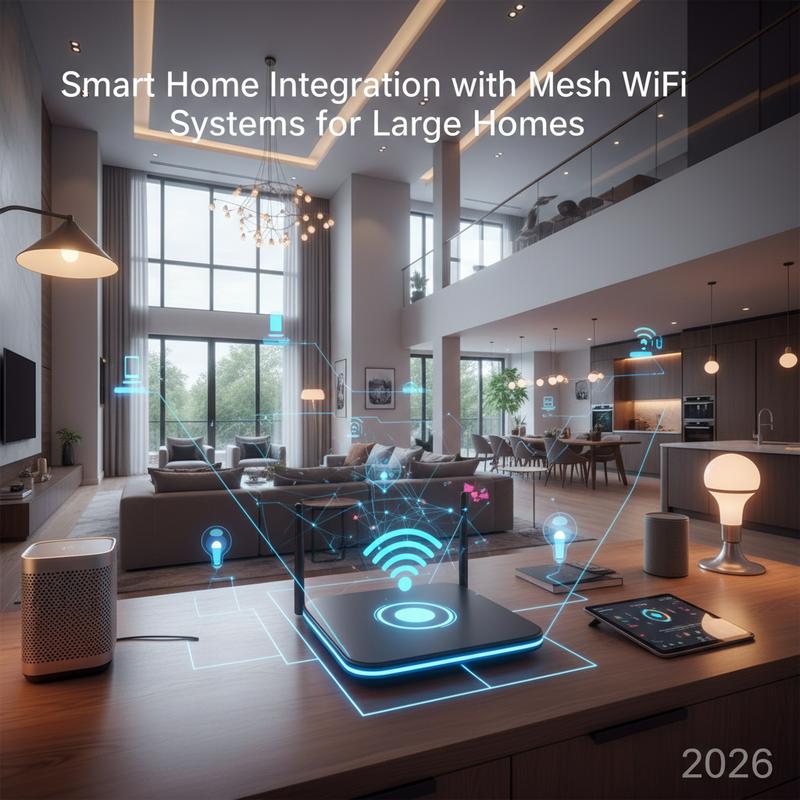
As homes get smarter and the device count keeps climbing, reliable connectivity matters more than ever. In 2026, mesh Wi-Fi systems aren’t just “routers” anymore—they’re often the center of a smooth smart home setup, especially in large spaces. Systems like the TP-Link Deco BE63, Eero, and Google Nest Wifi Pro help homeowners build a connected home that can keep up with a tech-heavy lifestyle without constant Wi-Fi headaches.
The big win with mesh is simple: it gets rid of dead zones. Standard routers can struggle with thick walls or multiple stories, but mesh systems use several nodes working together to spread a consistent signal. That matters a lot for smart home gear, since things like cameras, locks, and sensors need steady connections all day and all night.
Wi-Fi 7 (802.11be) also pushes the idea of planning ahead. These systems are built to handle high bandwidth without falling apart from lag or interference, which is a real concern when you’ve got lots of different devices that all expect stable performance 24/7.
For bigger homes, it’s smart to focus on protocol support as much as speed. Systems that handle both Wi-Fi 6E and Wi-Fi 7 give you more flexibility as your IoT setup grows. And models like Eero and Google Nest Wifi Pro that include Thread and Matter support help you avoid compatibility problems across Apple, Google, and Amazon devices. It also cuts down on extra hubs, which keeps your setup cleaner and easier to manage.
Thread and Matter also help take pressure off your main Wi-Fi network. Thread’s self-healing mesh setup can be especially useful when devices are spread all over a large property. Still, it helps when systems like Eero and Google Nest can work as Thread border routers, tying different devices and protocols together while keeping performance stable.
Other smart home mesh options like Zigbee and Z-Wave can extend things even further. Zigbee can handle over 65,000 devices, and Z-Wave supports stable connections for up to 232 devices. That’s useful if you’ve got lots of home automation gear and want reliable connections for controls and monitoring.
For the best results, node placement matters. If you can use wired backhaul, do it—it usually improves speed and cuts lag. And it’s worth checking that your devices support Matter/Thread so you don’t get stuck in a single ecosystem that limits what you can add later.
As Matter keeps improving lighting and scene controls, many homeowners use hubs like SmartThings or Home Assistant to pull everything together. Setting up a dedicated IoT VLAN on your mesh network can also improve security, which is helpful when you’ve got dozens of connected devices. For more on staying secure, see these tips on Wi-Fi password security.
How to Pick the Right Mesh Wi-Fi for a Big Home in 2026

In large homes where the space often goes beyond 4,000 square feet, getting reliable Wi-Fi can feel like a constant battle. Standard routers often can’t reach everywhere, which leads to dead zones and annoying dropouts. Mesh Wi-Fi is built to fix that by placing multiple connected nodes around the home so you get steady coverage. It’s especially helpful in multi-story homes where signals get blocked by floors, walls, and other obstacles.
One of the biggest things to look at is coverage area. Most nodes cover about 1,500 to 2,500 square feet each. So for bigger homes, planning on at least three to four nodes is usually a good idea. Spacing nodes about every 30 to 40 feet can help keep coverage consistent without weak spots.
You’ll also want to pay attention to Wi-Fi standards. Wi-Fi 6E (802.11ax) is still a strong option with good speeds and low latency, but Wi-Fi 7 (802.11be) pushes performance further. If you want to keep your network relevant for longer, Wi-Fi 7 support can be a smart move. But backward compatibility still matters, since plenty of older devices will be on your network for a while.
For big homes, speed and bandwidth add up fast. Aim for systems that can deliver 5 to 10+ Gbps total throughput so everyone in the house—and all the smart devices—can stay online without slowdowns. Tri-band systems (one 2.4GHz band and two 5GHz bands) usually handle heavy device loads better, and OFDMA helps keep things moving when lots of devices are connected at once.
Backhaul technology is another major piece. Wired backhaul usually gives you the best performance because it reduces interference and keeps speeds more consistent. But if running Ethernet isn’t realistic, choosing a system with a dedicated wireless backhaul band can still make a noticeable difference.
Smart management features can make life easier, too. A good mobile app helps with setup and day-to-day monitoring, and it’s nice to have options like parental controls, device prioritization, real-time stats, and automatic updates. Security also matters—look for WPA3 encryption, regular security updates, and a built-in firewall so your network isn’t an easy target.
If you’re trying to keep spending under control, Wi-Fi 6 (non-E) systems can still be a strong value. Dual-band may be enough for more typical use, and many starter kits come with two to three nodes you can expand later. And if you’re building out a smart home, Matter support can be a helpful bonus alongside reliable coverage.
To get a mesh setup that performs well in a large home, keep it simple: pick the newest Wi-Fi standard you can reasonably afford, plan for enough nodes, and stick with brands that provide long-term support and frequent firmware updates. Now, your home layout, device count, and how you use the internet every day should guide the final pick—so you end up with a network that stays fast and reliable room to room.
Final thoughts
Picking the right mesh Wi-Fi system matters a lot for homeowners in 2026 who want strong internet across a large house. Wi-Fi 7 upgrades and better smart home support make these systems a smart buy for many families. Still, it’s worth weighing coverage, scalability, and smart home compatibility before you choose. When you combine what the top systems do well with a clear view of the newer tech and your smart home needs, you’ll end up with reliable, high-speed Wi-Fi in every room.
Need help getting mesh Wi-Fi set up in a large home? IT Carolina can help you plan it out and get everything running smoothly, so streaming and browsing stay consistent all around the house. Reach out anytime if you want a setup that fits your space.
Learn more: https://itcarolina.com/about/
About us
IT Carolina provides mesh Wi-Fi options for large homes, helping you get steady, wall-to-wall coverage. Our team can help with newer Wi-Fi tech, improve network performance, and cut down on dead zones. Whether you’re streaming 4K videos or keeping smart devices running reliably, IT Carolina can help you build a home network that just works.