Setting up a guest Wi-Fi network at home isn’t just a nice extra. It’s one of the easiest ways to make your network safer. When guest traffic is kept separate from your main network, your private data is better protected and you can keep bandwidth from getting hogged. This guide explains why a guest Wi-Fi network matters, how to set it up on popular routers, and what you gain by keeping guest access separate. Each section builds on the last, so you can set up a secure guest network without a headache.
Guest Wi-Fi Security

Keeping your home or business network safe matters a lot, especially with the constant stream of security threats online. One simple step that helps is turning on a guest Wi-Fi network. It keeps your main network a bit more protected and gives you more control over who can get anywhere near your personal data.
The main benefit is separation. A guest Wi-Fi network keeps guest devices away from your internal systems by using a different SSID than your regular network. That creates a clear wall between basic internet access and the parts of your network that actually matter. It also lowers the chances of a guest device spreading malware or poking around where it shouldn’t. And yes, even people you trust can show up with a phone or laptop that has security holes.
A guest network can also cut down on abuse. If someone’s up to no good, they can’t easily use your network as a jumping-off point to attack other targets. And since guests never see your main Wi-Fi password, there’s less risk of your real credentials getting exposed. That said, you can tighten things even more with access controls and captive portals. These are the “checkpoint” pages that make people accept terms or sign in before they get online, which helps discourage casual misuse.
Monitoring and logs give you a clearer view of what’s happening on your network, and that’s useful for security. Each login can create a record, so you can see who’s connected now and look back later if something seems off. This kind of oversight can help you spot unusual behavior and also makes it easier to provide documentation if it’s ever requested for legal reasons.
Guest networks also help you manage traffic so important work doesn’t slow to a crawl because someone’s streaming. Tools like bandwidth limits, session time caps, and traffic prioritization can keep things running smoothly and protect apps that actually need stable performance. And if your router supports it, DNS filtering can block risky or harmful content before it ever reaches a device on your network.
Network segmentation matters here too. Using separate VLANs tied to separate SSIDs gives you virtual separation that’s cleaner and safer. Your firewall or router acts as the gatekeeper, controlling internet access while keeping guest traffic away from internal traffic. Some setups also assign unique public IPv4 addresses to guest users through PAT policies, which makes it harder for your network to be used as an attack path.
So, a guest Wi-Fi network isn’t just for convenience. It’s a practical security step that helps prevent unwanted access, limits malware risk, and reduces the chance of misuse. As threats change over time, keeping your routers and access points updated and following strong segmentation practices is a smart way to stay protected.
How to Set Up Guest Wi-Fi on Popular Routers
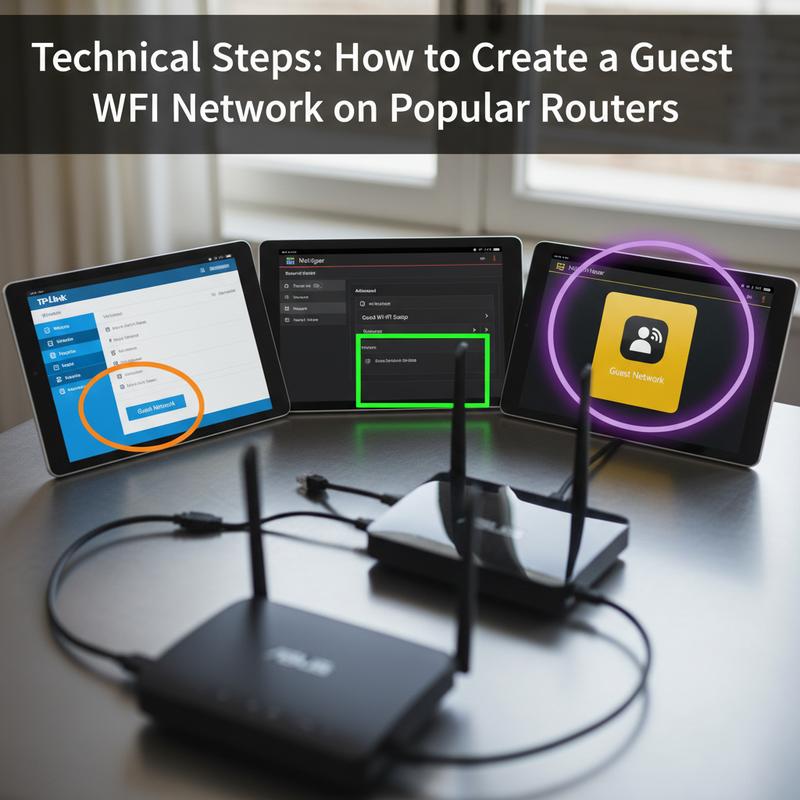
Setting up a guest Wi-Fi network is one of the easiest ways to make a home or business network safer. By keeping guest access away from your main network, you reduce the chance of exposing private files, smart home devices, or other connected gear that you don’t want strangers (or random devices) touching.
The exact menus differ by router, but the overall process is usually pretty similar. Once you know the basic steps, you can set this up even if you’re not especially technical.
General Setup Instructions
First, log in to your router’s web interface. Most of the time, you’ll type your router’s IP address into a browser and sign in with the admin username and password. After that, look for a ‘Guest Network’ section, usually under Wireless or Wi-Fi settings. Turn the guest network on, choose the SSID (network name), and set a strong, unique password. Save your changes, and you’ll have a separate Wi-Fi network for guests that doesn’t expose your main network.
Router-Specific Configurations
The basics are the same, but the buttons and names can shift depending on the brand.
NETGEAR Routers: On NETGEAR routers (including Nighthawk models), log in through the web interface and find the ‘Guest Network’ tab. Turn it on, set your SSID, and add a password. On the flip side, you can also do this in the Nighthawk app, which makes it easy to manage—and sometimes even share access with a QR code.
TP-Link Routers: Sign in to the TP-Link web management interface. Go to Advanced settings, then WiFi Settings, then Guest WiFi. Enable the 2.4GHz band, the 5GHz band, or both, then set the SSID and password. Keep encryption set to WPA2 or higher for better security.
ASUS Routers: Log in using the router’s LAN IP or through ASUS Router management. Go to Settings, then WiFi, and open Wireless Settings to find the ‘Guest Network’ tab. Set it up from there.
If you’re more advanced and running OpenWrt, you’ll usually set this up by creating bridge devices and firewall zones so you can control segmentation and security rules more precisely.
Security Enhancements
Setting up the guest network is step one, but locking it down matters just as much. WPA2 encryption is the usual recommendation, but don’t assume it’s enabled—double-check your settings. It helps prevent people from snooping on guest Wi-Fi traffic and keeps the network safer overall.
At the end of the day, a guest Wi-Fi network is a small setup task that goes a long way. It keeps your network cleaner, protects your devices, and follows common best practices for Wi-Fi security.
Guest Wi-Fi Benefits: Security, Compliance, and Customer Insights
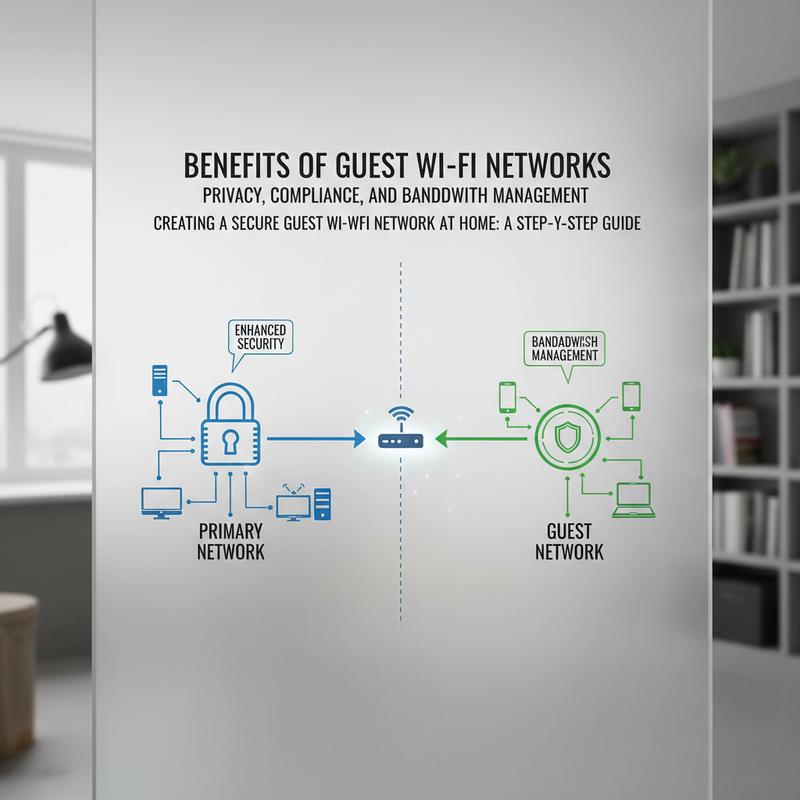
Guest Wi-Fi networks aren’t only about being polite to visitors. They can support security, help with compliance, and even give businesses useful ways to understand customer behavior. Thing is, as more organizations rely on data to shape customer experiences, guest Wi-Fi can be a practical bridge between anonymous visitors and meaningful interaction.
With guest Wi-Fi systems, businesses can collect analytics about usage patterns and preferences. That can feed into smarter customer engagement and better business decisions. When guests are sent to a custom landing page, companies can raise brand awareness and run marketing campaigns tied to what people are doing at that moment. That same data can also help improve store layout and product placement by showing what customers are interested in in real time.
Guest networks can also help meet compliance requirements. With breaches happening all the time, keeping guest access separate is a basic step that reduces risk. Businesses can support privacy laws and local rules by applying restrictions that match the region they’re operating in. And by setting location-based policies, they’re better positioned to protect sensitive information and meet requirements like the GDPR.
From a security standpoint, the separation is still the big win. Keeping the guest network away from the internal network helps protect core systems from unauthorized access. This can be done with separate SSIDs, or with tighter setups like VLANs that create virtual network segments. Some environments also assign unique public IP addresses to guest traffic, which adds another layer of separation.
Bandwidth control is another big plus. Options like bandwidth throttling help make sure guest usage doesn’t slow down the network for critical work. DNS logging can also offer clues about user behavior, which helps when troubleshooting slowdowns or spotting possible security issues. And when guest Wi-Fi ties into SIEM systems, teams can get real-time alerts about suspicious activity, which makes it easier to respond quickly.
So, a properly set up guest Wi-Fi network isn’t just an add-on. It’s a key part of a modern IT plan, helping create a safer, more engaging, and more compliant environment. If you want more help on related tech choices—like hardware upgrades or whether pre-built options make sense—visit DDR5 alternatives and more.
Final thoughts
Setting up a guest Wi-Fi network comes with real benefits for cybersecurity, privacy compliance, and day-to-day network control. Spend a little time on the setup, and you can keep your main network safer while still giving guests easy access. Most routers make it pretty simple, thanks to straightforward web dashboards and mobile apps. If you’d rather not mess with the details, experts like the team at IT Carolina can help make sure your whole setup is tuned for both performance and security.
Want your guest Wi-Fi set up the right way? Reach out and we’ll help you get it sorted.
Learn more: https://itcarolina.com/about/
About us
IT Carolina helps bring modern tech into your home without turning it into a weekend-long project. Our team can set up a separate guest Wi-Fi network so your main network stays protected and your connection stays reliable. The goal is simple: guests get easy Wi-Fi, you keep your privacy, and everything keeps running smoothly. You can count on IT Carolina for secure, straightforward home networking that keeps everyone connected and entertained.