Choosing the right monitor setup can revolutionize how you work, but the decision between dual monitors and an ultra-wide screen is far from straightforward. For remote workers, small business owners, and office staff, the optimal choice could significantly impact productivity and comfort. This article will explore multitasking potential, ergonomics, and visual immersiveness of each setup. Discover how dual monitors and ultra-wide screens uniquely cater to different work styles and determine which is best for your professional needs.
Balancing Act: Multitasking Efficiency in Monitor Configurations
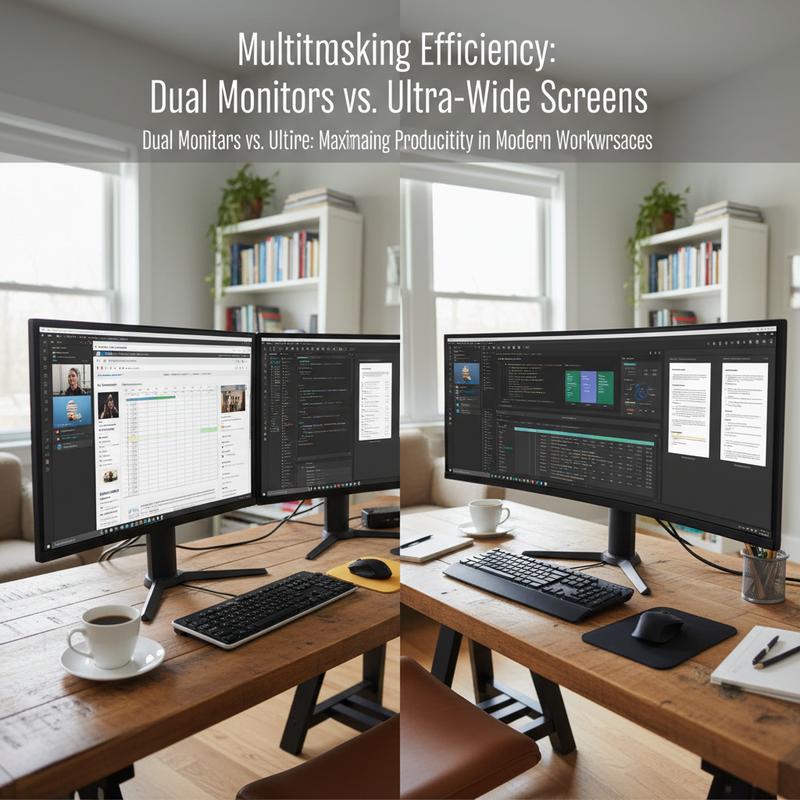
When it comes to enhancing productivity through multitasking, the choice between dual monitors and an ultra-wide screen is pivotal. Each setup offers distinct benefits that cater to different working styles and preferences, all while influenced by the nature of one’s daily tasks.
Dual monitors have become a staple in many work environments due to their unparalleled flexibility. This setup allows users to distribute and organize tasks across separate screens, facilitating a clear distinction between them. For instance, a software developer might code on one display while referencing documentation on another, seamlessly modulating between tasks without overlapping information. The independent adjustment potential of each monitor also supports ergonomic comfort, as users can tilt and adjust each screen to reduce eye and neck strain.
However, dual monitors do present challenges, such as the visual interruption caused by bezels—the physical edges of the screens. For tasks that require a smooth, continuous display, such as spreadsheet analysis or video edits, these bezels can be disruptive. Moreover, the setup demands more desk space and involves managing extra cables, which can contribute to a cluttered workspace.
On the flip side, ultra-wide monitors offer a bezel-free, continuous view that supports an immersive experience, ideal for projects requiring cohesive data presentation, like design and creative work. The expansive screen real estate accommodates multiple windows neatly, reducing the need for constant switching—a boon for streamlining workflows. Additionally, with fewer cables and accessories, ultra-wide screens promote a cleaner workstation aesthetic and simplify setup.
The ergonomic advantages are significant as well. The curvature of many ultra-wide monitors takes into account the human eye’s natural field of view, minimizing the need for head movement and reducing neck strain during prolonged use. This can greatly enhance comfort, making them especially appealing for professionals who spend extended periods in front of their screens.
However, ultra-wide monitors have limitations. They can be costlier, with high-end models demanding a substantial investment. Furthermore, some software may not fully utilize the available screen width, resulting in awkward layouts or unusable display areas.
In the end, the decision between dual monitors and an ultra-wide screen for multitasking efficiency hinges on personal workflow and preferences. For those needing varied task segregation and incremental upgrades, dual monitors may be the best option. On the other hand, users seeking a seamless, immersive experience with minimal desk clutter may find ultra-wide screens more suitable. Consider your specific needs, space constraints, and ergonomic requirements when selecting the most effective setup. For more ideas on how to optimize your home office for productivity, consider visiting this home office guide.
Ergonomics Unveiled: Crafting a Comfortable and Healthy Workspace
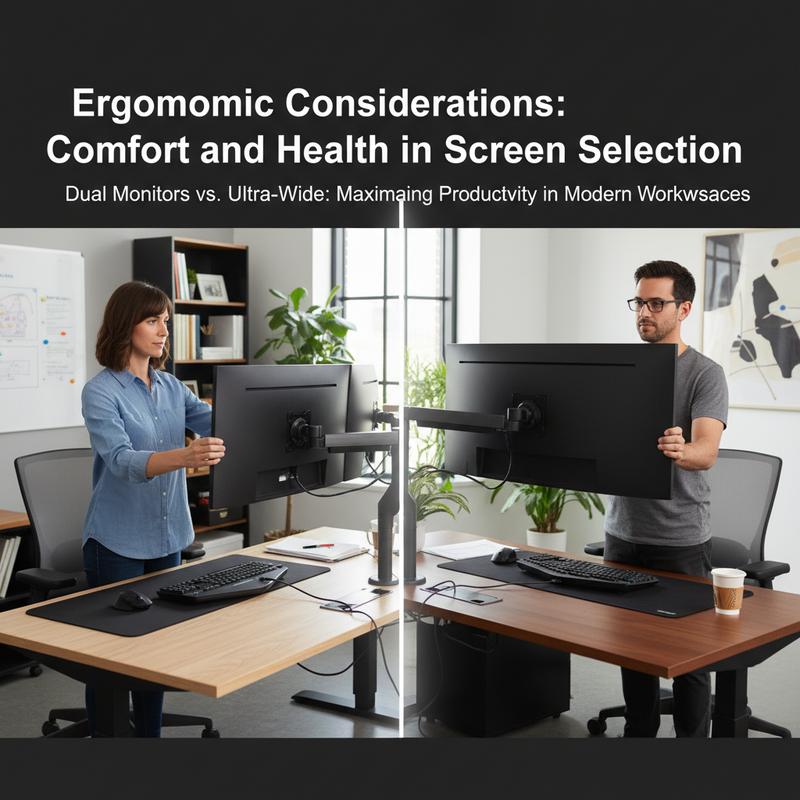
In the ongoing debate of dual monitors versus an ultra-wide screen, the element of ergonomics plays a critical role in determining which setup could actually boost productivity without compromising health. The choice isn’t merely about how effectively you can multitask or how visually seamless the display is; rather, it’s intrinsically linked to how comfortably and healthily you can maintain that efficiency over time.
Selecting the right screen is pivotal in preventing musculoskeletal issues, eye strain, and overall fatigue. The first consideration should always be screen height and position. With either setup, the top of the screen should ideally be at or just below eye level, facilitating a neutral head position. This placement mitigates neck strain, encouraging a longer, more comfortable viewing experience.
Viewing distance is equally important; around 20–30 inches, or roughly an arm’s length, is ideal for minimizing eye fatigue. This ensures you can take in the entirety of the display without unnecessary head movement, whether you’re working with multiple smaller screens or examining a large, continuous ultra-wide display.
The adjustability of your monitors can be a game-changer. Dual monitors often offer more flexibility, allowing for custom configurations that suit specific tasks—be it portrait orientations for coding or varying resolutions for detailed design work. An ultra-wide monitor, although generally less adjustable in terms of orientation, can be adjusted in terms of height and tilt, helping you maintain a comfortable posture.
Additional display features like flicker-free technology, blue light filters, and anti-glare coatings can significantly affect comfort levels, particularly during extended work sessions. These features work together to reduce eye strain and adapt screen brightness according to the ambient lighting, making your workspace more harmonious and less taxing on your eyes.
Consideration must also be given to desk and chair compatibility. Your desk should support positioning where your elbows rest at a 90-degree angle, and a chair with proper lumbar support ensures that when combined with the correct monitor setup, your body’s posture remains aligned and stress-free. Websites like itcarolina.com offer helpful insights into setting up home offices that align with these ergonomic principles.
By fostering an ergonomic workspace, you not only reduce the risk of repetitive strain injuries and visual discomfort but also enhance your concentration and productivity. Ensuring that your screen setup and overall desk environment are ergonomically sound is an investment in your comfort, health, and efficiency, making either setup more than just a tool—it’s a means to a healthier work life.
Visual Immersion: Delivering Focus and Engagement with Dual vs. Ultra-Wide Monitors
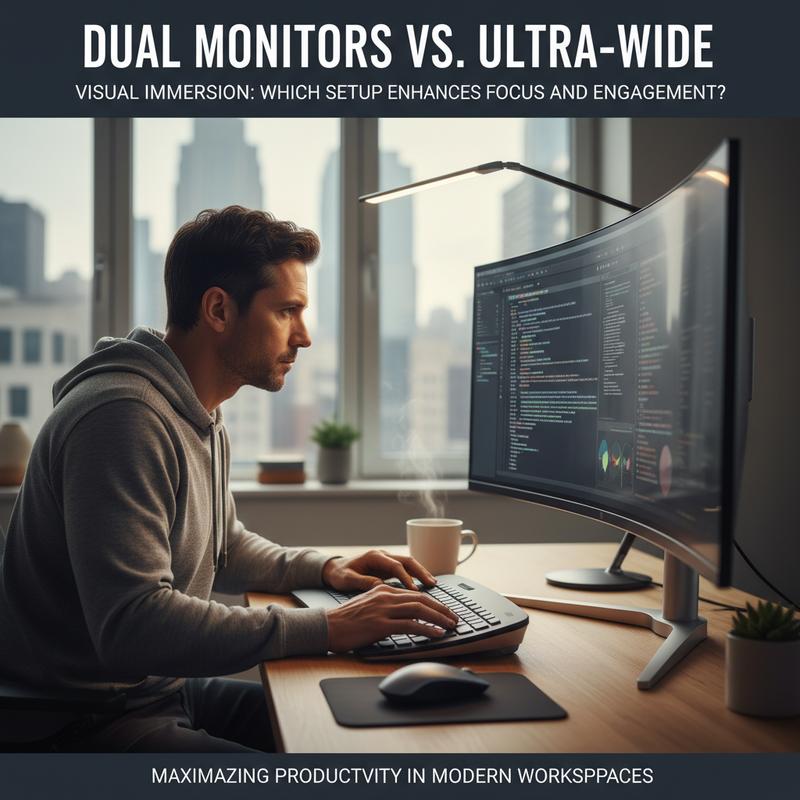
In the quest for optimal productivity, the debate over dual monitors versus ultra-wide displays often extends beyond mere efficiency metrics, reaching into realms of focus and engagement. Indeed, how your visual setup affects your immersion in work can significantly impact your ability to concentrate and remain invested in tasks, particularly those requiring complex visual processing or sustained attention.
Dual Monitors: Clarity and Flexibility
For those juggling multiple applications, dual monitors offer a significant advantage by separating tasks clearly across two screens. This physical delineation helps mitigate distractions by allowing users to dedicate each monitor to specific applications, thus fostering a mental segmentation of tasks. The clear division can boost focus by anchoring attention to distinct workspaces, reducing the cognitive load associated with context switching. However, while this setup enhances multitasking, the presence of bezels and the need for precise neck movements between screens can sometimes interrupt immersive thinking, especially for extensive visual tasks.
Ultra-Wide Monitors: Seamless Visual Experience
On the other hand, ultra-wide monitors provide a seamless visual experience that can significantly enhance immersion. Without the interference of bezels, users experience an unbroken expanse, which enhances workflow fluidity, particularly beneficial for large spreadsheets, video editing, or creative design. This continuous visual field supports a natural peripheral view, reducing the physical and cognitive disruptions caused by crossing visual boundaries. The gentle curve of many ultra-wide displays also aligns more naturally with the human field of vision, promoting a settled focus by minimizing the eye strain associated with frequent horizontal neck movement.
Interactive and Sensory Engagement
Whether using dual or ultra-wide monitors, the level of engagement can be further enhanced through interactive elements. For instance, adding responsive environments where elements on screen react to user input enriches the experience, making tasks more engaging. Integrating high-quality audio that corresponds with visual cues can also deepen attention and presence, mimicking immersive systems like VR.
Ultimately, the choice between dual and ultra-wide comes down to personal preference and specific workflow demands. For those who thrive on clarity and distinction, dual monitors may offer the structured engagement needed. In contrast, individuals who prefer uninterrupted visual storytelling might find ultra-wide displays more conducive to focus, allowing them to immerse themselves seamlessly into their digital environments.
In this balancing act, it is crucial to consider the nature of your work and how your visual setup can facilitate not just task completion, but genuine engagement. For more insights on choosing the right visual and technical setups to suit different needs, you might want to explore further resources such as our home office setup guide.
Final thoughts
In selecting between dual monitors and an ultra-wide screen, consider what aligns best with your workflow. Dual monitors may provide multitasking flexibility ideal for tasks requiring frequent window switching, while ultra-wide screens offer an all-encompassing view that enhances immersion and focus. Regardless of choice, ensure ergonomic adjustments fit your needs to support long-term health and efficiency. Tailor your decision to the unique demands of your remote or office work environment for optimized productivity.
Maximize your work-from-home efficiency—get expert help setting up the perfect monitor configuration today with IT Carolina!
Learn more: https://itcarolina.com/about/
About us
IT Carolina isn’t just for gamers—we’re your go-to tech partner for professional home office setups. Whether you’re running a small business, working remotely, or managing an office team, our IT specialists help you choose and configure the ideal display setup, whether that’s dual monitors for multitasking or an immersive ultra-wide screen. From optimizing your PC performance to managing connectivity and workspace ergonomics, we ensure your remote office runs smoothly and efficiently—so you can focus on what matters most: getting things done.