As online threats keep changing, and security tools keep trying to keep up, picking between free and paid antivirus can feel like a bigger deal than it used to be—especially on Windows. In 2026, Microsoft Defender Antivirus (the old Windows Defender) is still built right into Windows 10 and 11 and gives most people solid protection out of the box. But the big question is the same: is it enough, or is paid antivirus still worth it? Below, we’ll look at how free vs. paid options compare, what “must-have” security actually means, whether low-risk users can stick with Defender, and when it makes sense to pay for extra protection. The goal is simple: help you figure out whether Defender fits your needs right now.
Free Windows Defender vs. Paid Antivirus in 2026
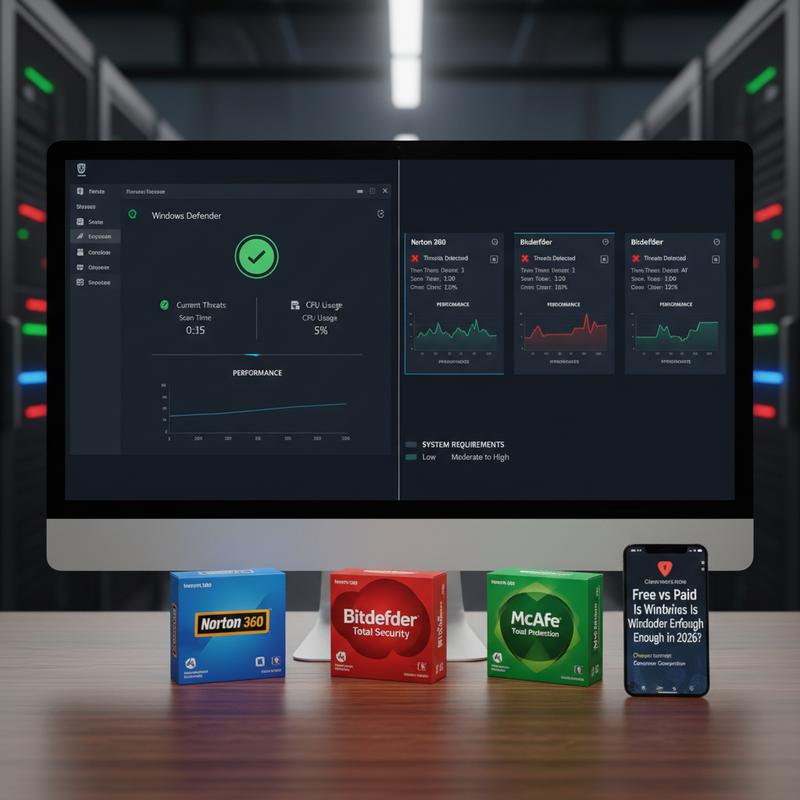
In 2026, people are still arguing about whether Windows Defender can handle antivirus duties on its own. Testing from AV-Test and AV-Comparatives shows that Windows Defender (now Microsoft Defender Antivirus) often scores close to paid tools like Norton when it comes to detection. For most Windows 10 or 11 users, that’s usually enough—especially if you keep your system updated and don’t click sketchy stuff.
That said, the real choice comes down to what you do on your PC. Defender is strong at the basics, like malware detection, and it often lands near the top in lab scores. SE Labs and AV-Comparatives results also back up that it can stop a lot of threats using real-time protection plus cloud checks. But where paid antivirus starts to separate itself is in the “extras” and how it affects your PC while it’s working.
On performance, Defender has the advantage of being built into Windows, so it updates easily and keeps learning as Microsoft improves it. Still, scans can feel heavy, and some people notice slowdowns. And on older PCs, that slowdown can be a real annoyance. Paid options like Bitdefender often run a bit lighter, especially during full scans.
Phishing is one area where paid antivirus tends to do better. Defender can fall short on some phishing-focused tests, including the EICAR test for phishing defenses. Paid suites usually do a stronger job catching shady links and fake login pages, which matters a lot if you’re frequently dealing with emails, downloads, or unfamiliar websites.
And then there are the extra features. Paid antivirus packages often bundle things Defender doesn’t include, like VPNs, password managers, and parental controls. For people who deal with sensitive info or want protection across multiple devices, those add-ons can be genuinely useful.
So, if you’re doing high-risk stuff, want stronger phishing coverage, or just care a lot about smooth performance, paid antivirus can be worth it. But if you browse carefully, download apps from official sources, and keep Windows updated, Defender is a dependable option that doesn’t need much babysitting.
If you want Defender to do its best work, make sure real-time protection and cloud-delivered protection are turned on. And if you want extra peace of mind, you can run an occasional third-party scan now and then. With that setup, Defender works well for a lot of people.
For a detailed guide on how to manage your computer’s performance when using antivirus software, consider exploring this resource.
Advanced Security: Defender Basics vs. Paid Antivirus Extras in 2026
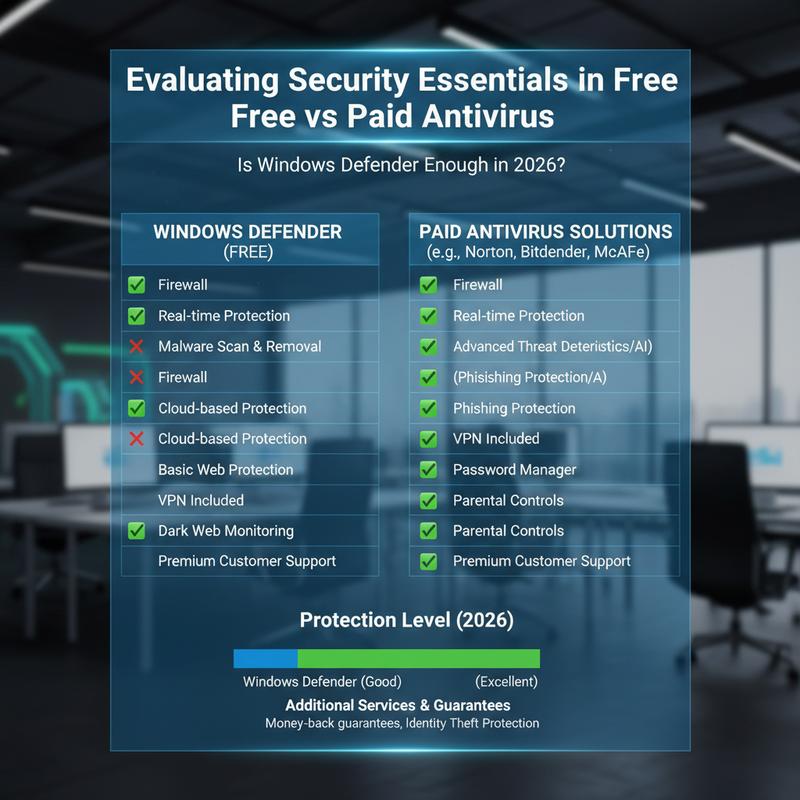
Picking between a free option like Windows Defender and a paid antivirus is still a common problem in 2026. Threats keep getting smarter, so it helps to know what each option actually covers—and what it doesn’t. Microsoft Defender Antivirus comes built into Windows and gives most people a strong starting point. But when you line it up next to paid tools, the differences start to matter depending on how you use your PC.
Windows Defender works closely with Windows, which means updates and security changes usually happen automatically along with normal system updates. Features like exploit protection, Controlled Folder Access (to help block ransomware), and SmartScreen (for website and download reputation checks) give you a solid safety net against a wide range of threats. In 2026, Defender has also improved things like threat response and data loss prevention, with additions such as advanced attack blocking, improved network detection and response (NDR), and endpoint security managed through controlled policies. And its use of machine learning to sort and prioritize alerts helps cut down on “noise,” so you’re not constantly second-guessing every warning.
For many home users who stick to decent online habits, Windows Defender can be all they need. It generally runs quietly in the background and fits naturally into the Windows setup. But while Defender’s core detection is strong, it may not cover every situation—especially if you’re doing riskier things online or you want more tools built in.
Paid antivirus solutions usually add extra layers that can matter for certain people. That can include better zero-day defenses, less slowdown, and fewer false positives. They also tend to bundle add-ons like VPNs, password managers, and dark web monitoring, which can be helpful if you want more than basic malware protection. And if you’re in a situation where sensitive data or targeted attacks are a real concern—like some business use cases—those extras can move from “nice to have” to “pretty necessary.”
In the end, whether Defender is enough depends on your day-to-day use. If you’re low-risk and mostly stick to normal browsing and trusted sources, Microsoft’s built-in protection is usually fine. But if your online life includes higher-risk activity or you need more privacy tools, paying for antivirus can still make sense. Either way, keep real-time protection on and stay current with updates, and you’ll be in a much better spot.
For those unsure of their requirements or who might be feeling overwhelmed by the complexity of cybersecurity decisions, understanding how AI and remote support are changing computer help can be a useful resource. Learning more about such evolving technologies can provide further clarity on the efficacy and scope of modern antivirus solutions how ai and remote support are changing computer help.
Low-Risk Users: Is Windows Defender Enough in 2026?
In 2026, staying protected online can feel like a lot, mainly because there are so many antivirus choices. But for low-risk users—people who mostly browse normal sites, install apps from official sources, and keep Windows 10 or 11 updated—Microsoft Defender Antivirus is usually a strong option, and you may not need to pay for anything else.
Defender has improved a lot over the years, using tools like machine learning, cloud-delivered protection, and real-time monitoring. Those upgrades help it score high in malware detection tests from labs like AV-Test and AV-Comparatives, and it often lands close to well-known paid tools like Bitdefender for core protection. For low-risk users, that’s a good sign that Defender can handle the everyday stuff.
One of Defender’s biggest upsides is how tightly it fits into Windows. It works with Windows Update automatically, so new security definitions arrive without you having to think about it. It also connects with other Windows security tools like BitLocker, giving you a broader setup that’s easier to manage. And that matters, especially if you’re on older hardware and don’t want your system bogged down.
To get the best results from Windows Defender, you’ll want to check a few settings. Make sure real-time protection and cloud-delivered protection are enabled, since those do a lot of the heavy lifting. If you’re okay with it, turning on automatic sample submission can also help, because it lets Microsoft react faster when new threats show up.
Still, Defender isn’t perfect for every situation. If you’re dealing with highly sensitive info or you’ve got data you really can’t risk losing, the added layers from paid antivirus might be worth it. Paid suites often include things like VPNs, stronger phishing protection, and secure banking tools. That might be overkill for low-risk users, but it can be a big deal for higher-risk ones.
Even though Defender is free, it’s not “basic.” It does well against zero-day threats thanks to Microsoft’s security intelligence network. But paid tools often do better on phishing tests and can produce fewer false positives, which is worth thinking about if you need your workflow to stay smooth and interruption-free.
So, if you browse carefully and keep Windows updated, Windows Defender is usually enough for low-risk users in 2026. No upgrade needed as long as your habits stay smart and your settings are in good shape. For a practical guide on maintaining system efficiency while using Defender, consider exploring ways to revitalize a slow computer.
When It’s Time to Pay for Antivirus in 2026
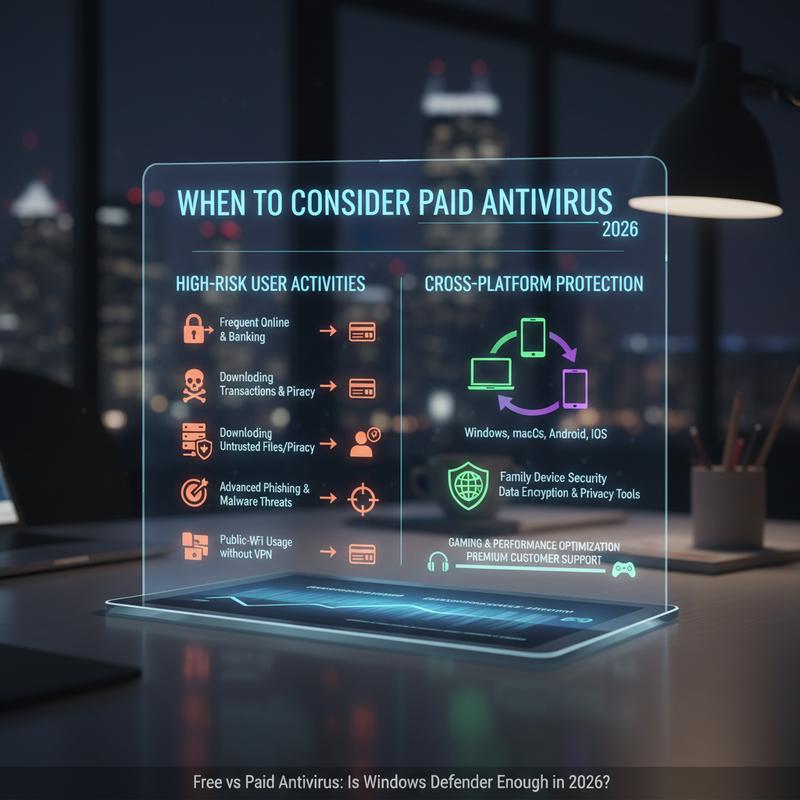
In 2026, most of the antivirus debate comes down to this: is Microsoft Defender enough, or do paid tools still offer something you’ll actually notice? For many people who live mostly in the Microsoft ecosystem, Defender covers a lot. You get real-time malware protection, integration with Microsoft’s browser, and filters like SmartScreen. And for many systems, it does all that without causing major slowdowns. But in certain cases, paying for antivirus can still add useful protection and convenience.
If your routine is pretty standard—web browsing, email, and downloading apps from trusted sources—Windows Defender is usually fine. It offers strong malware detection that can compete with some paid tools, without costing you anything. And if you already pay for Microsoft 365, you may also get extra benefits like dark web monitoring and a large amount of cloud backup storage.
But if your online habits are riskier, the limits of a free option can show up faster. People who visit unverified sites, use torrents, or handle sensitive data may want the stronger defenses found in paid products. That can mean better ransomware protection, stronger detection for unknown threats, and extras like secure file shredders. And if privacy is a big concern, paid suites often bring tools like VPNs, password management, and identity theft protection.
On the flip side, families and households with a mix of devices—Windows PCs, Macs, and phones—may prefer a paid suite that covers everything under one account. Many also include parental controls. Some packages even bundle identity insurance and credit monitoring, which can be appealing if privacy is your main worry.
Paid support can also matter more than people expect. If you want help setting things up, need guidance often, or like having someone to call, paid antivirus can include perks like phone support. Some plans also include sandbox tools to test suspicious files and features aimed at blocking webcam-related threats, which usually don’t come with free protection. It’s not just about security—it’s also about convenience and confidence.
When you’re deciding whether to stick with Defender or move to a paid option, match your real habits to what you’re getting for the money. Defender scales well for everyday use, but if you notice gaps—especially around higher-risk activity or multi-device needs—paying for more coverage can be a smart move. In the end, the “right” pick is the one that fits how you actually use your devices.
For a deeper dive into maintaining digital security across devices and the potential integration capabilities of antivirus solutions, explore password manager for business scenarios where robust password management forms a critical aspect of comprehensive security strategies.
Final thoughts
Choosing between free and paid antivirus in 2026 really comes down to what you do online and how much risk you’re willing to take. Microsoft Defender is a strong choice for most Windows users, and the built-in Windows integration makes it easy to keep protected without much effort. But if you’re doing higher-risk activities, working with sensitive information, or you want extras like better phishing protection and privacy tools, paid antivirus can be worth it. Thing is, both options have a place—just pick the one that matches your habits and helps you feel comfortable using your devices day to day.
Not sure if Windows Defender is enough in 2026? Need help picking what makes sense for your setup? IT Carolina can walk you through it and help tune your security settings.
Learn more: https://itcarolina.com/about/
About us
At IT Carolina, we know PC security matters just as much as speed—whether you’re gaming, working, or doing a bit of both. If you’re sticking with Windows Defender or thinking about a paid antivirus, we help you choose what fits your needs. We can review your system, tighten up your security settings, and install the right protection so you stay safe without turning your computer into a slow mess. From malware cleanup to real-time tuning, IT Carolina is here to help you lock things down and keep everything running well.