Imagine uncovering a vast archive of your personal data stored by Google. The process of accessing this information can be enlightening, yet unsettling. However, it doesn’t have to end with this discovery. By understanding exactly what data is collected, you can take tangible steps to manage your digital footprint. This guide will walk you through reviewing your digital dossier, exploring your activity history, managing permissions for Google’s AI, and adjusting account settings to enhance your privacy. Each chapter of this guide is designed to empower you with knowledge and tools to control your personal information. From accessing your stored data to fine-tuning privacy settings, learn how to navigate Google’s ecosystem with confidence and safeguard your online presence.
Mastering Your Digital Dossier: Unlocking Google’s Data Insights

When you consider the vastness of personal data exchanged in the digital age, Google’s Takeout service emerges as a powerful tool to reclaim control over your digital dossier. A digital dossier is the wealth of information that companies like Google maintain about you through the usage of their services. Understanding this collection is crucial to managing your privacy effectively.
Beginning your journey into Google’s data insights starts with Google Takeout, a tool designed to let users arch their entire digital history stored across multiple Google services. To utilize this, simply head over to takeout.google.com, ensuring you are logged in to your Google account. The initial screen can seem overwhelming, with seemingly endless options ranging from Gmail interactions to YouTube history.
To manage this effectively, begin by deselecting all options to avoid exporting unnecessary data. Then, selectively choose the services you wish to investigate, such as My Activity, Location History, YouTube, and others that pertain to your interests. For those pursuing complete transparency, opting for ‘Select all’ will capture every corner of your Google experience.
Once your data selection is finalized, the next step is to customize your export settings. You can specify the file type—whether ZIP or TAR—and the preferred file size, with a maximum of 50GB per file. Additionally, you can determine if this export should be a one-time affair or if you desire periodic updates. This is particularly useful for those committed to routine privacy audits.
After confirmation, Google processes the request, which can vary in duration depending on the data volume. Once ready, a download link will be provided via email, granting access to data stored in readable formats like JSON or HTML. This transparency offers an enlightening synopsis of your online behaviors and interactions.
For those seeking to dive into activity without the full download process, visiting myactivity.google.com endeavors a chronological exploration of your digital interactions. Here, you can not only view but also manage or delete specific entries that you deem irrelevant or intrusive.
Additionally, the Data & Privacy page offers a summary of your ongoing engagement with Google’s ecosystem. This comprises your Web & App Activity, Location History, and even YouTube recommendations. Understanding and configuring these settings empowers you to tailor your online presence according to your privacy preferences.
Furthermore, given the growing focus on AI and personalization, visiting service-specific tools becomes invaluable. Via Google’s Gemini AI privacy settings, you can manage saved data from AI interactions and refine your ad personalization through myadcenter.google.com. Such tools offer a granular approach to what you wish to share and what remains private.
Lastly, recognize the inherent limitations. Exports might omit real-time data, data from third-party apps, and sometimes, due to administrative controls, data from Workspace accounts. While these tools provide robust privacy management, staying informed about Google’s privacy policy updates ensures your measures remain current.
Navigating and understanding your digital dossier isn’t merely about retrieval—it’s about reclaiming your narrative in the digital realm. With Google’s comprehensive tools, users are not passive participants but empowered stewards of their digital identities.
Exploring Your Digital Footprints: Navigating Google My Activity
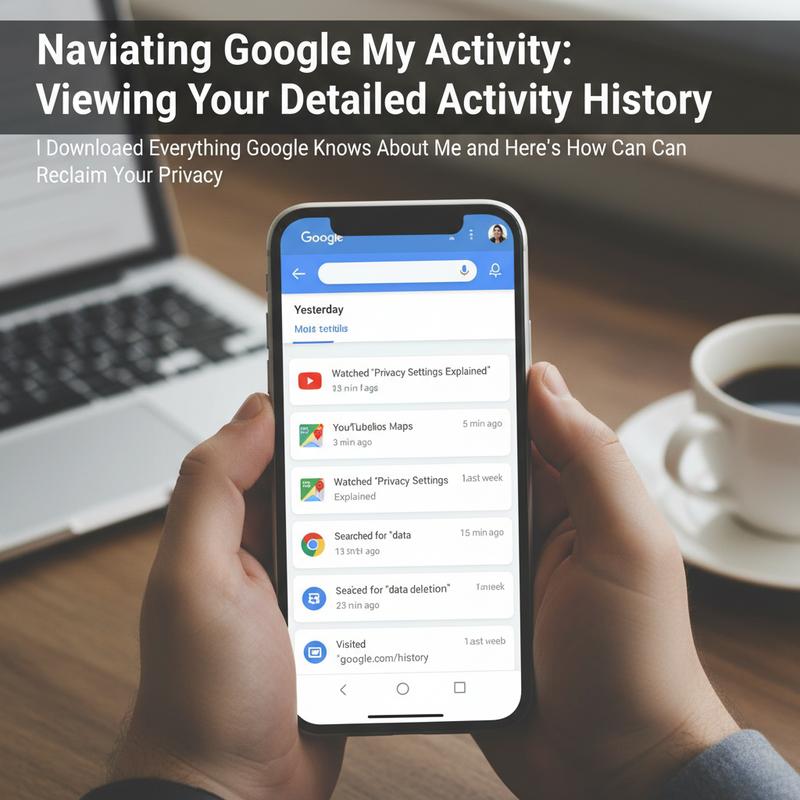
In an era where our online actions are meticulously recorded, Google My Activity serves as a retrospective view of your digital journey. It offers a window into the full breadth of your interactions within the Google ecosystem, revealing how deeply Google has entwined itself with your daily life. Accessing this feature can be a watershed moment for many, providing clarity on the extent of Google’s reach and the granularity of information it retains.
To embark on this journey, open a web browser on any device and navigate to myactivity.google.com. Once signed in, this portal instantly unveils a chronological list of your activities across Google services. Whether it’s searches conducted, videos watched on YouTube, locations navigated through Maps, or app interactions, each action is captured with timestamp precision. For many users, realizing that these records can stretch up to a year back can be both enlightening and concerning.
The interface conveniently allows you to filter this extensive history by specific products like Search, YouTube, or Chrome, and by time frames such as the last 7 or 30 days, or even over an entire year. You can also set custom ranges to pinpoint particular periods. This functionality reminds us that, while the digital world may feel ephemeral, the imprints left behind are anything but.
On Android devices, accessing this information is seamlessly integrated into the settings. Under the Google Account section, you can explore ‘Data & Privacy’ and select ‘My Activity’ to view this comprehensive log. Here, Google offers not just a passive record but an interactive experience. You can sift through your data, selectively delete individual entries, or choose broader deletions based on specified time ranges. The ability to delete is crucial for users seeking to reclaim some measure of privacy or simply wishing to clear the slate of past activities.
Another vital tool available under Google My Activity is the capability to pause future data collection. By visiting the activity controls menu, you can halt the collection of data concerning Web & App Activity, Location History, and more. Pausing these settings doesn’t erase past records but serves as a pre-emptive measure, preventing future interactions from being as extensively logged. For those particularly concerned about privacy or wanting to maintain a low profile, this can be an empowering feature.
However, it’s important to understand the limitations of this tool. While pausing activities or using Incognito mode might reduce data recording, they do not offer complete anonymity. In fact, turning off certain settings may inadvertently disable some Google features or reduce the personalization of services you rely on. Thus, a careful balance must be struck between privacy and the convenience Google services offer.
Recognizing the treasure trove of personal information accessible through Google My Activity is a step towards understanding how your digital persona is constructed and maintained. For optimal privacy control, users should routinely check these settings, ensuring they are comfortable with the level of information being tracked. For additional discussions around digital privacy concerns and how they intersect with technology, visit our blog.
Defending Privacy: Controlling Gemini’s Intrusive Data Tracking

In the digital age, privacy often feels like a luxury reserved for the tech-savvy or elite. However, understanding and managing your privacy is within reach, especially when it comes to controlling the data collected by Google’s Gemini AI. This powerful AI assistant is designed to support and streamline digital interactions across multiple apps and devices. Yet, its extensive capabilities come at the cost of significant personal data processing. By adjusting Gemini’s permissions, users can reclaim some control over their digital presence.
Gemini AI integrates seamlessly across Google’s ecosystem, quietly collecting and analyzing user data to optimize its functionalities. But for those of us who value privacy over personalization, there are several steps we can take to limit this data collection. On Android devices, this begins with disabling activity tracking. To do this, open the Gemini app, navigate to the settings via your profile icon, and turn off the “Gemini Activity” setting. This action stops the AI from logging your interactions, ensuring your conversations are not utilized to train AI models further.
Another significant step is altering your default digital assistant. This measure prevents Gemini from automatically launching in response to voice commands or key presses. By navigating to Settings > Apps > Default Apps > Digital Assistant App, you can select another assistant or none at all, thereby securing an added layer of privacy and control over your device’s interactions.
Additionally, you can take direct action by force-stopping or disabling the app through Settings > Apps. This not only conserves system resources but also ensures that Gemini is not running inconspicuously in the background. Furthermore, adjust app permissions by accessing Settings > Apps > Gemini > Permissions to restrict access to your microphone, location, and other sensitive data points.
For users of Google Workspace applications like Gmail or Drive, disabling smart features effectively curbs Gemini’s influence. In Gmail, enter the settings menu, navigate to “Smart Features,” and deactivate them. This action reduces the AI’s ability to personalize your experience by tailoring suggestions based on historical data from your interactions.
In Chrome, another domain where Gemini thrives, users should scrutinize their browser settings. By visiting chrome://settings/ai, users can toggle off experimental features associated with Gemini. Managing chrome permissions further shields your browsing data. By controlling access to page content and other sensitive data points through these settings, you can avert analysis of your web usage.
These changes represent practical steps toward enhancing digital privacy. Regular reviews of your Google settings are advisable to track and adjust data permissions actively, shielding personal information from unintentional exposure. Some users might prefer reverting to Google Assistant for a less intrusive interaction or setting “None” as their default assistant for maximum privacy.
By implementing these privacy measures, users can effectively curtail Gemini’s data collection and safeguard their online behaviors. Reassessing these settings periodically ensures continued protection, giving users peace of mind in an era where digital privacy is paramount. For further insights on AI evolution and privacy implications, visit this comprehensive blog.
Taking Charge of Privacy: Customizing Your Google Account Settings
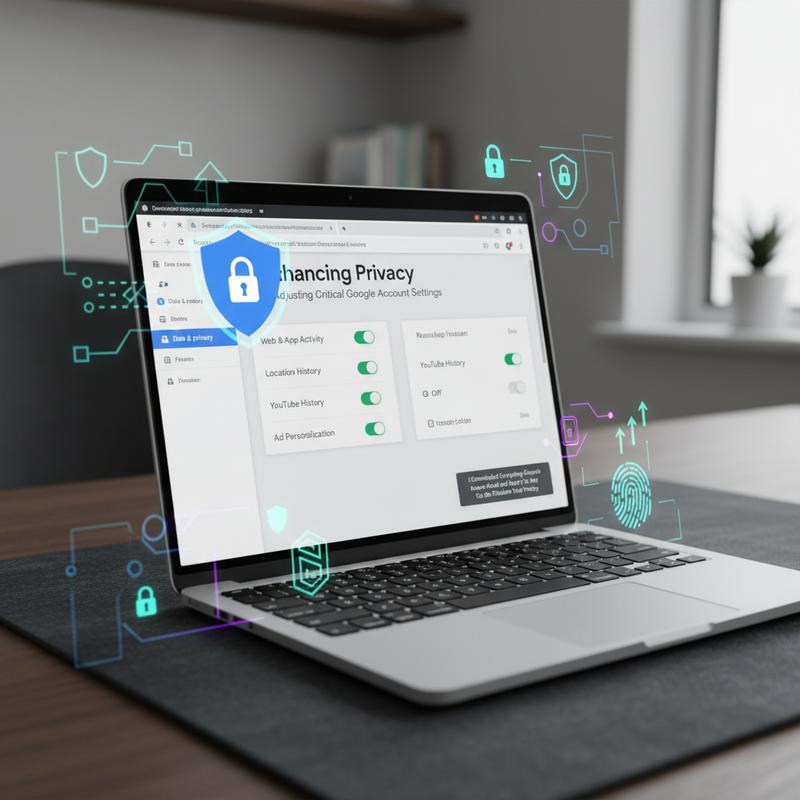
Protecting your digital privacy involves more than just a cursory understanding of Google’s account settings. As our lives become intertwined with digital services, understanding how to adjust critical settings within your Google Account is essential. This chapter focuses on empowering you with the knowledge and tools needed to minimize your digital footprint and manage personal data exposure effectively.
Google’s extensive data collection reaches deep into users’ activities via platforms like Gmail, Maps, and other services. A core component of mitigating this involves managing the permissions granted to applications and the data collection practices these services employ. One area to focus on is the permissions for the Gemini Apps. These applications go beyond simple tasks; they gather comprehensive data including contacts, call logs, and even browsing history.
To maintain privacy, it’s crucial to routinely audit and adjust these permissions. Through your Google Account settings, revoke access to non-essential data streams like location, camera, or microphone, which are commonly over-accessed. Ensuring apps have access only to what’s necessary guards against unwanted intrusion and potential data breaches.
Another vital step is disabling ad tracking. This begins with withdrawing consent for advertising personalization. By doing so, you dismantle one of the pathways through which your data could be shared across various platforms. On your Android device, navigate to Settings, then Security and Privacy, where under Privacy Controls, you can select Ads to delete your advertising ID. This adjustment limits advertisers’ ability to track app behavior and subsequently offer targeted ads.
A strategic move in your privacy toolkit is the management of location services. While location tracking can enhance service utility, it also comes with the risk of unnecessary data sharing. Turning off Google Location Accuracy enhances privacy albeit at the possible cost of navigation precision. You should review app-specific location settings to ensure only indispensable apps can access your location.
Moreover, enhancing your device security is paramount. Utilize strong, unique passwords and, when possible, biometric authentication like fingerprint or facial recognition. This strengthens protection against unauthorized access. Additionally, screen lock features and encrypted device storage may thwart potential threats effectively.
Network security also warrants attention. Prevent background data leaks by controlling which apps can use data in the background. This is accessible through Settings > Network and Internet, where adjusting background data permissions ensures only trusted apps can operate when not in use. To further secure your internet activity, implement private DNS services, such as DNS over HTTPS, protecting your browsing from being monitored.
To add an extra layer of security, use Google’s built-in protection tools widely. Google Play Protect and Safe Browsing in Chrome continuously vet apps and websites for threats, respectively. Additionally, make use of the Security Checkup tool which provides insights into potential account vulnerabilities and suggested actions to rectify them.
Ultimately, crafting a robust privacy strategy involves a multi-layered approach, from auditing app permissions and disabling unnecessary ad tracking, to ensuring strong device and network security measures. By undertaking these actions, you do more than protect your current data; you reduce your overall digital exposure, paving the way for a safer online experience. This dedication to privacy aligns with the broader discourse on digital security and personal autonomy presented by IT Carolina, emphasizing the profound responsibility each user has over their digital footprint.
Final thoughts
Taking control of your digital life may seem daunting, but the steps you’ve learned can help you harness greater privacy and security. By understanding and actively managing the data Google collects, you not only safeguard your personal information but also ensure your online activities reflect your true preferences. Remember, you hold the key to your digital vault—use it to maintain control over your privacy. Continue exploring and adjusting settings as you become more aware of new features or changes. Empower yourself with the knowledge that your digital footprint, while vast, can be tailored to suit your comfort level. It’s your data and your privacy; take charge of both.
Take control of your online privacy today—download your data and secure your digital life with expert help from IT Carolina.
Learn more: https://itcarolina.com/about/
About us
At IT Carolina, we not only help you get the most out of your gaming and home tech setup—we also empower you to protect your personal data. Our privacy-savvy professionals guide you through managing your digital footprint, disabling invasive trackers, and optimizing your system for both performance and security. Whether you’re exploring your Google archive or tightening up your online settings, count on us for clear, hands-on support every step of the way. Make your technology work for you—securely and smoothly—with IT Carolina.