GPT-5.2: The Comprehensive Guide to Agentic Discipline
For years, the biggest complaint from enterprise developers wasn’t that AI models weren’t smart enough—it was that they were too “creative” when they shouldn’t be. They would invent CSS styles you didn’t ask for, halluncinate numbers in financial reports, or simply lose the thread in long conversations.
Enter GPT-5.2. OpenAI’s newest flagship model isn’t just an upgrade; it’s a pivot toward Agentic Discipline.
If you are building production agents for coding, legal analysis, or data extraction, GPT-5.2 offers a massive leap in reliability. It trades the “chatty” persona of GPT-4/5.1 for rigorous instruction following. In this guide, we’ll dissect the key changes and show you the exact prompt patterns needed to harness this new power.
1. Controlling Verbosity: The “Silent” Professional
In enterprise environments, every token costs money and latency. Previous models loved to chat. GPT-5.2 is designed to be concise, but it needs explicit instructions to know how concise.
Use the <output_verbosity_spec> block to clamp the model’s output. This is essential for coding agents that shouldn’t explain every line of code they write.
<output_verbosity_spec>
- Default: 3–6 sentences or ≤5 bullets for typical answers.
- For simple “yes/no” questions: ≤2 sentences.
- For complex tasks:
  - 1 short overview paragraph
  - then ≤5 bullets tagged: What changed, Where, Risks.
- Avoid long narrative paragraphs; prefer compact bullets.
- Do not rephrase the user’s request unless it changes semantics.
</output_verbosity_spec>
2. The “Frontend” Problem: Stopping Scope Drift
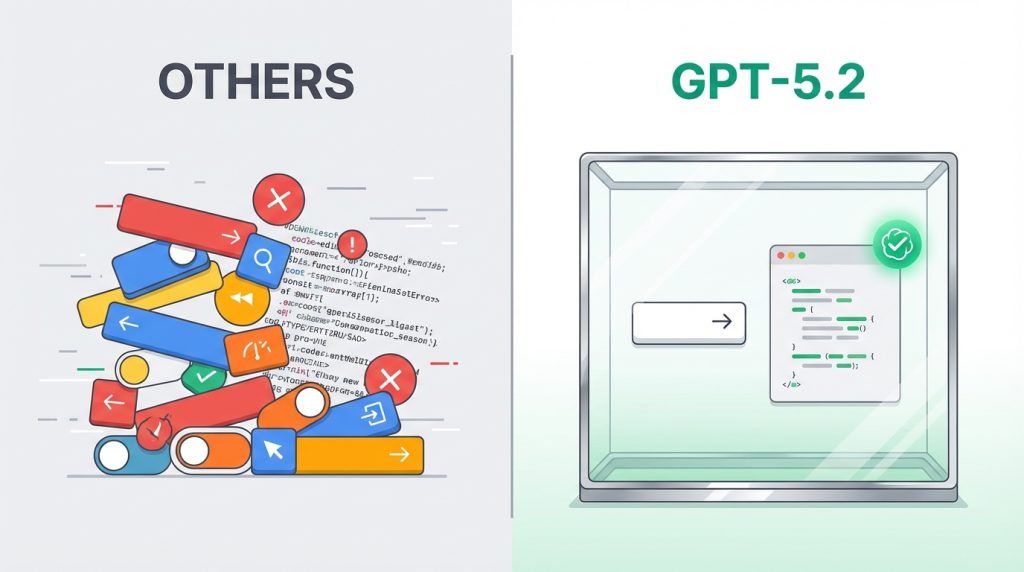
We’ve all seen it: You ask an AI coding agent for a simple “Submit” button, and it returns a button with a custom shadow, a gradient background, and a hover animation that violates your design system. This is called Scope Drift.
GPT-5.2 introduces a “conservative grounding bias,” but to guarantee strict adherence, use strict constraints:
<design_and_scope_constraints>
- Implement EXACTLY and ONLY what the user requests.
- No extra features, no added components, no UX embellishments.
- Style aligned to the design system at hand.
- Do NOT invent colors, shadows, tokens, or new UI elements unless requested.
- If any instruction is ambiguous, choose the simplest valid interpretation.
</design_and_scope_constraints>
3. Handling Long Context & Recall
When dealing with 10k+ tokens (like multi-chapter docs or legal threads), models can get “lost in the scroll.” GPT-5.2 benefits from force summarization prompting.
<long_context_handling>
- First, produce a short internal outline of key sections relevant to the request.
- Re-state constraints explicitly (e.g., jurisdiction, date range) before answering.
- Anchor claims to specific sections (“In the ‘Data Retention’ section…”) rather than speaking generically.
- If the answer depends on fine details, quote them directly.
</long_context_handling>
4. Agentic Workflow: Updates & Tools
A major improvement in GPT-5.2 is how it handles multi-step execution. However, without guidance, agents can be spammy (“Reading file…”, “Thinking…”, “Still thinking…”).
Use these two blocks to polish your agent’s communication and tool usage:
<user_updates_spec>
- Send brief updates (1–2 sentences) only when:
  - You start a new major phase of work.
  - You discover something that changes the plan.
- Avoid narrating routine tool calls.
- Each update must include at least one concrete outcome (“Found X”, “Confirmed Y”).
</user_updates_spec>

<tool_usage_rules>
- Prefer tools over internal knowledge for fresh data (IDs, orders, logs).
- Parallelize independent reads (read_file, fetch_record) to reduce latency.
- After any write tool, briefly restate what changed and where.
</tool_usage_rules>
5. Reliability in High-Stakes Domains
In Law or Finance, guessing is unacceptable. GPT-5.2 is designed to be evaluable. Use the Ambiguity Protocol to force the model to admit ignorance.
<uncertainty_and_ambiguity>
- If the question is ambiguous, explicitly call this out.
- Ask up to 1–3 precise clarifying questions.
- Never fabricate exact figures or line numbers.
- When unsure, prefer language like “Based on the provided context…”
</uncertainty_and_ambiguity>
6. The “Infinite” Workflow: Context Compaction

For long-running sessions, GPT-5.2 supports the Compaction API (/responses/compact). It performs a loss-aware compression pass over the conversation history, returning opaque, encrypted items that preserve task logic while discarding conversational fluff.
💡 Best Practice
Don’t compact every turn. Compact after “major milestones”—for example, after a tool finishes a heavy data retrieval task.
7. Structured Extraction

GPT-5.2 excels at “Structured Reasoning.” It distinguishes well between null (missing data) and hallucinated values.
<extraction_spec>
- Always follow this schema exactly (no extra fields).
- If a field is not present, set it to null rather than guessing.
- Before returning, quickly re-scan the source for any missed fields.
</extraction_spec>
8. Migration Guide
Moving to GPT-5.2? Use this mapping for the reasoning_effort parameter to maintain consistent behavior.
| Current Model | Target Model | Target Effort | Notes |
|---|---|---|---|
| GPT-4o / 4.1 | GPT-5.2 | none |
Treats migration as “fast/low-deliberation”. |
| GPT-5 | GPT-5.2 | same value* | *Except minimal → none. |
| GPT-5.1 | GPT-5.2 | same value | Adjust only after running evals. |
Migration Strategy: Switch the model first, keep the prompt identical, and pin reasoning effort to none. Use the Playground Prompt Optimizer if you see regressions.
Source: OpenAI Cookbook: GPT-5.2 Prompting Guide
Recommended Reading
- Google Gemini AI on iOS Chrome: What You Need to Know
Explore how other AI giants are integrating models into mobile browsers.
- The Rise of AI Voice Cloning Scams
Understand the risks of uncontrolled generative AI in the wild.
- 5 Cybersecurity Habits Every Small Business Must Adopt
Ensure your AI agents and business data remain secure.