Conquering email overload is a common struggle among remote workers, small business owners, and office staff. The ‘Inbox Zero’ goal may seem aspirational, but its pursuit often leads to unnecessary stress rather than increased productivity. Instead of striving for an empty inbox, focusing on automating processes to filter and organize emails can yield far better results. This guide will delve into specific strategies for Gmail and Outlook users to set up rules and filters to effectively manage spam. By exploring these methods, you’ll discover how to achieve better control over your email without falling for the ‘Inbox Zero’ myth. Additionally, we will discuss structural approaches to enhance email management beyond basic filtering.
Demystifying Gmail’s Filters: Strategies Beyond the Inbox Zero Illusion

In the quest for email efficiency, many chase the elusive dream of ‘Inbox Zero,’ a state often deemed the pinnacle of organizational prowess. However, this pursuit frequently leads to frustration rather than productivity. A more practical approach involves leveraging Gmail’s Filters to automate the management of emails. These tools can significantly reduce manual sorting, redirect attention to what truly demands it, and spare users from the compulsion of an empty inbox—a notion that, while alluring, is fundamentally flawed.
Setting up Gmail filters begins with logging into your account. The utility lies within the search bar: click the downward-facing triangle to access advanced search options. Here, you can specify the conditions under which a filter will activate, such as criteria related to the sender, subject keywords like “unsubscribe,” or even email size and attachment status. Once defined, you can create the filter and select an array of automated actions: applying labels, archiving, deleting, marking as important, or categorizing emails into built-in classifications like Promotions or Social.
For instance, to automatically handle newsletters, you might input “unsubscribe” in the “Has the words” field, then opt to skip the inbox and apply a “Newsletters” label. This ensures such emails are cataloged without cluttering your primary view. While Gmail filters streamline inbox organization, they don’t substitute the need for thoughtful email processing. Important communications still require regular attention, and over-filtering risks misplacing significant messages.
Strategically managing filters means regularly reviewing criteria to avoid false positives, such as using specific keywords and known sender addresses. It’s also valuable to check archived folders to ensure no vital information slips through unseen. Integrating these filters with Gmail’s inherent categories can further bolster organization. Combing through filtered emails with keyboard shortcuts and batch operations can enhance your efficiency, further distancing you from the unrealistic goals of Inbox Zero.
Ultimately, Gmail filters are a boon for reducing email clutter, but they don’t promise an entirely empty inbox. Instead, they guide you towards a system where email volume is manageable—freeing you to focus on timely responses and essential tasks. Embracing efficiency over emptiness redefines success in email management. This shift in perspective aligns better with realistic productivity goals, inviting users to embrace automation not as a chase, but as a tool for genuine control.
Mastering Outlook: Rule Strategies for Email Sanity
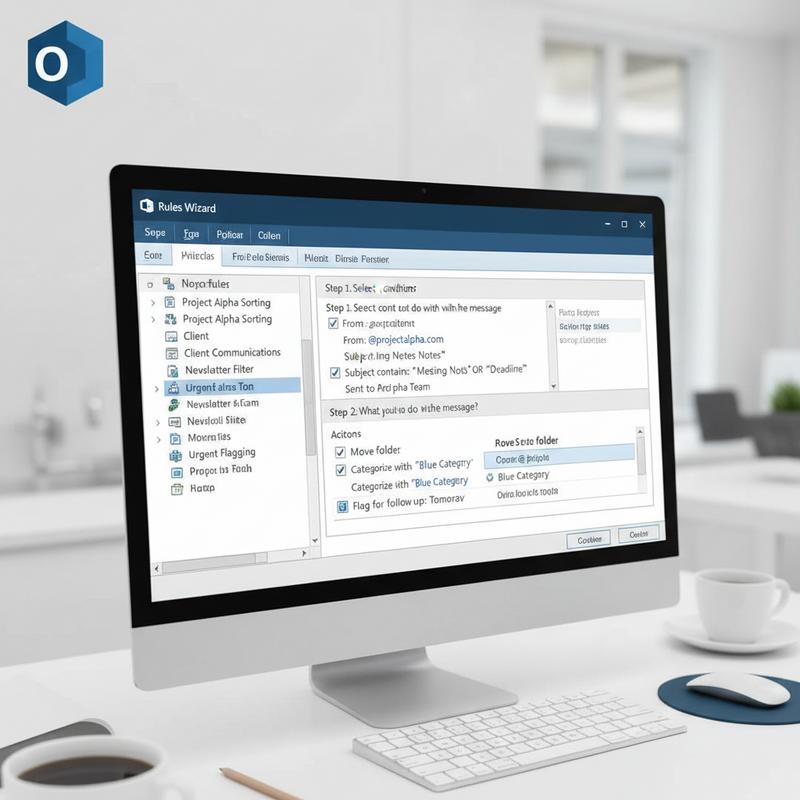
In the quest to tame the relentless barrage of emails, the aspiration of ‘Inbox Zero’ often overshadows practical solutions. However, using Outlook’s rule automation offers a more grounded approach, transforming email management from a perpetual race against time to a manageable routine. The core of effective email organization in Outlook lies in creating a set of rules that can automatically sort, prioritize, and declutter your inbox.
One of the foundational strategies is automating email sorting. By setting rules to direct various categories of emails—such as newsletters, notifications, or invoices—into specific folders, the main inbox is reserved for more pressing matters. For instance, emails with the subject line containing “invoice” can be automatically sorted into a “Finance” folder, keeping them organized and easy to review at your convenience.
Prioritization is key in ensuring important communications never slip through the cracks. Rules can be tailored to flag or relocate emails from significant contacts, such as managers or clients, to a designated priority folder. This strategy not only guarantees prompt attention to critical messages but also streamlines your workflow, allowing you to focus on high-impact activities.
To refine these processes, the “Stop Processing More Rules” option is invaluable. This setting ensures once an email meets the criteria of a specific rule, no additional rules will be applied to it. This prevents actions from overlapping, which could otherwise lead to confusion or redundancy in your sorting system.
Incorporating the 4D method—Delete, Do, Delegate, and Defer—through folder rules can also optimize your workflow. Emails that require your later attention can be moved to a “Defer” folder, while those suitable for delegation land in a “Delegate” folder. With these measures, you create a tactical approach to immediate and deferred email actions.
Furthermore, Outlook’s Focused Inbox feature offers additional support by distinguishing emails deemed less important, allowing further refinement through manual adjustments. By moving emails between the Focused and Other tabs, Outlook gradually learns what is most pertinent to you.
Regular maintenance of these systems is crucial. Periodically reviewing and adjusting your rules is essential to keep them in alignment with evolving needs and to ensure outdated rules don’t undermine your email efficiency. Utilizing features like Quick Steps can further enhance your workflow by allowing batch processing of messages or template responses with one-click actions.
For users seeking a broader understanding of email management within a professional environment, exploring services like IT support for small businesses can offer additional insights into achieving sustainable productivity. By leveraging these Outlook rule strategies, you establish a framework that supports effective email management, maintaining organization without succumbing to the elusive ideal of an empty inbox.
Mastering Email Management: Strategies Beyond Filters in Overcoming Overload

While the allure of reaching ‘Inbox Zero’ is captivating, chasing it without a structured approach is akin to running on a treadmill—it tires you out without truly advancing productivity. Email overload is not merely a byproduct of having countless unread messages; it is often a symptom of managing emails without an overarching strategy. Instead of focusing exclusively on filters and rules, consider adopting a comprehensive approach that reshapes your email interactions to enhance both efficiency and effectiveness.
Refocusing email from a task list to a communication tool is pivotal. Many users fall into the trap of treating their inbox as their primary workspace, leading to a reactive and stress-filled environment. Instead, shift to using dedicated task management systems to segregate tasks from communication. Applications like Asana or Trello allow you to migrate actionable emails to a task-based format, ensuring that your inbox serves purely as a communication channel. This division not only decreases cognitive load but also enhances clarity in workflow.
Restructure your inbox into a tiered system to refocus on priority. A primary inbox should only contain high-priority messages needing immediate attention, while less urgent emails fall into a secondary ‘Review’ folder. An additional reference folder can safely house emails needed for future insight or record-keeping without cluttering your view. Utilizing filters to automatically triage emails into these categories can save substantial manual sorting time, allowing for scheduled reviews of less urgent matters without pressure.
Moreover, cultivating a scheduled workflow for email handling can significantly boost productivity. Setting aside dedicated time blocks for email checking—whether morning and evening or post-lunch—can prevent constant interruptions and facilitate deeper, focused work. During these blocks, turning off notifications ensures your focus remains unbroken. This structured approach encourages deliberate communication rather than impulsive, stress-inducing responses.
Finally, consider the value of automation and templates in reducing repetitive email tasks. Creating standard templates for routine responses can streamline interactions, while automation tools can manage follow-ups and reminders seamlessly. This reduces the clutter of back-and-forth emails, ensuring consistency and efficiency in communication.
Achieving proficiency in email management requires adopting a culture of email discipline. This not only involves individual strategies but also nurturing a workplace environment that values clarity, concise communication, and teamwork in email practices. By doing so, professionals can transcend the myth of Inbox Zero and establish a sustainable, stress-free email management system.
For deeper insights into creating efficient digital workflows, you might find our Ultimate IT Checklist for Onboarding and Offboarding Employees especially useful in understanding broader system management.
Final thoughts
By rethinking ‘Inbox Zero’ as the ultimate goal, remote workers, small business owners, and office staff can effectively manage email overload. Real productivity begins with automating email filters and employing strategic structural changes. Through practical setups in Gmail and Outlook, users can significantly reduce spam and streamline communication effortlessly. Embracing these strategies helps achieve a well-organized inbox, prioritizing essential communications without succumbing to the stress of maintaining constant emptiness.
Reclaim your time and focus on what matters—let us help you automate your inbox today.
Learn more: https://itcarolina.com/about/
About us
At IT Carolina, we expand beyond gaming setups to offer tech support that empowers productivity for remote workers, small business owners, and office teams. Our experts configure Outlook and Gmail with smart rules and advanced filters that automatically manage spam and prioritize the emails that matter, so you’re not stuck chasing ‘Inbox Zero.’ Whether you need a streamlined communication setup or custom IT solutions for your workspace, IT Carolina delivers fast, frustration-free service tailored to your digital workflow.