Apple’s release of iOS 26.2 marks a significant shift in the personalization options available to users, specifically addressing concerns with the Liquid Glass interface. Following mixed reviews of the initial design overhaul, Apple now empowers users to adjust the transparency of their Lock Screen’s clock. This change not only enhances usability but also signals Apple’s willingness to adapt based on user feedback. As we delve into the specifics of this update, we’ll explore how these new settings improve visibility and functionality, while hinting at potential changes in Apple’s design philosophy.
Unveiling iOS 26.2: A New Era of Lock Screen Personalization
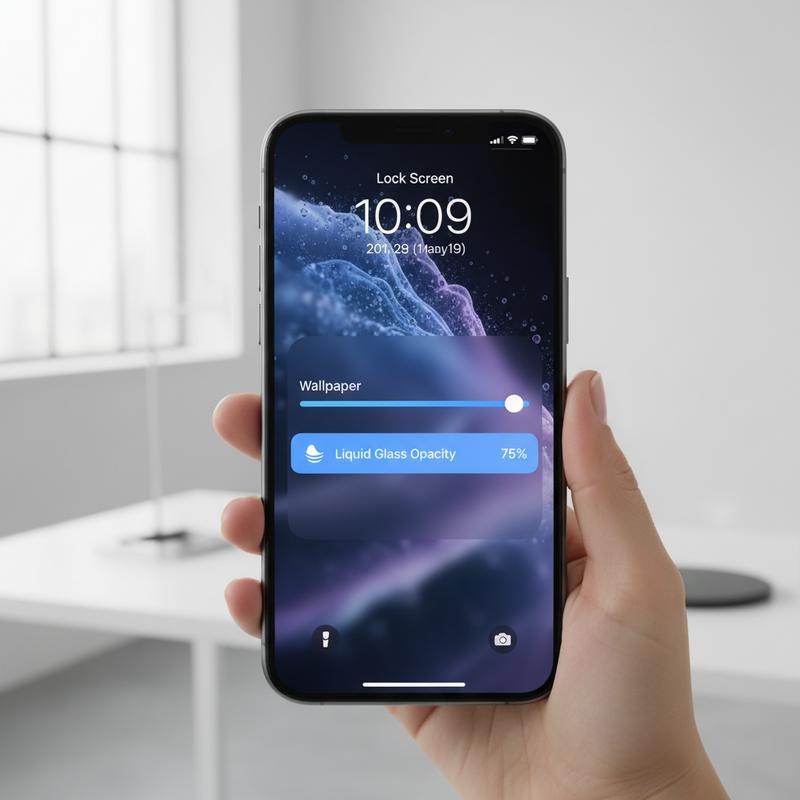
Apple’s recent rollout of iOS 26.2 brings a suite of new features, with a significant focus on enhancing user control over the Liquid Glass interface, particularly on the Lock Screen. This update marks another step in Apple’s ongoing response to user feedback regarding the transparency effects introduced in iOS 26. The Liquid Glass design was intended to add a touch of modernity and potentially lay the groundwork for future advancements like AI smartglasses integration. However, the semi-transparent elements—which elegantly refract light—drew mixed reactions from users, some of whom found the aesthetic challenging for everyday use.
Tackling Transparency on the Lock Screen
With iOS 26.2, Apple introduces a user-friendly slider that allows iPhone users to tweak the transparency level of the Lock Screen’s clock. This move is a clear nod to customization, putting users in the driver’s seat to decide how much or how little translucency they prefer. This personalized control echoes the company’s previous efforts in iOS 26.1, where users could opt for a more ‘frosted’ look across various interface components. By offering micro-level adjustments rather than reverting to a one-size-fits-all solution, Apple acknowledges the diversity in user preferences and indicates a subtle pivot from its original Liquid Glass vision.
Behind the Strategic Shift
The timing of this update is noteworthy, coinciding with a significant transition within Apple’s design team. Alan Dye, the creative force behind the Liquid Glass initiative, has left Apple for Meta, passing the leadership baton to Stephen Lemay, a seasoned Apple designer known for his expertise in interface and interaction design. This leadership change suggests a potential realignment of design philosophies, with Lemay possibly focusing more on practicality and usability—key aspects that users have vocalized as needing improvement in the wake of the Liquid Glass rollout.
Beyond Transparency: New Features in iOS 26.2
In addition to Lock Screen customization, iOS 26.2 introduces several other enhancements that cater to both functional and security concerns. Notably, users can now create AirDrop codes. This feature facilitates sharing with people outside the Contacts list, treating them as ‘known’ for a limited 30-day window. This could be particularly useful in professional settings where sharing documents with colleagues on an ad-hoc basis is necessary.
Meanwhile, Reminders now support alarms, catering to users who rely heavily on the app for task management. Apple News adds a Following tab to streamline navigation, mirroring adjustments elsewhere in the Apple ecosystem, such as Apple Music’s new offline lyrics capability and the Podcasts app’s AI-generated chapters for episodes. These updates collectively signal Apple’s commitment to refining the user experience through practical feature additions alongside visual enhancements.
Staying Secure in a Dynamic Landscape
Security remains a paramount concern for Apple, and the release of iOS 26.2 comes hot on the heels of vital security updates. These updates address vulnerabilities identified in an active hacking campaign suspected to be orchestrated by government-backed entities. This move underscores the importance of maintaining robust security protocols, a theme echoed by similar updates recently issued by Google. Such proactive measures also highlight the collaborative efforts between tech giants like Apple and Google to protect their users from sophisticated cyber threats. For more on security strategies and updates, users can refer to Apple’s privacy policy.
In summary, iOS 26.2 not only responds to user demands for improved transparency management on the Lock Screen but also extends its offerings to include practical features that enhance daily usability. Coupled with security fortifications, this update illustrates Apple’s multi-faceted approach to evolving its operating systems in response to both consumer feedback and evolving digital threats.
Final thoughts
The iOS 26.2 update signifies a pivotal moment in Apple’s design evolution, responding to user feedback with practical solutions like the customizable Liquid Glass effect for the Lock Screen. This development highlights Apple’s commitment to improving user experience by offering personalized elements while ensuring functionality isn’t compromised. As Apple continues to rollout these user-centered innovations, the company remains at the forefront of technology by meeting and adapting to user needs.