Ensuring the security of your Gmail account is crucial, especially if you suspect unauthorized access from an ex or others. Fortunately, Google offers a straightforward way to reclaim control with its Device Activity Dashboard at myaccount.google.com/device-activity. This mini-guide dives into how you can use this tool to identify suspicious activity, secure your account, and implement advanced security measures. Exploring the dashboard allows for quick identification of unauthorized devices, followed by guidance on fortifying your email account’s security moving forward. Further, advanced verification techniques are discussed to ensure ongoing protection against unwelcome access. This article aims to empower you to secure your Gmail and maintain your privacy effortlessly.
Unraveling Device Access: How to Find Out if Your Ex is Snooping on Your Gmail
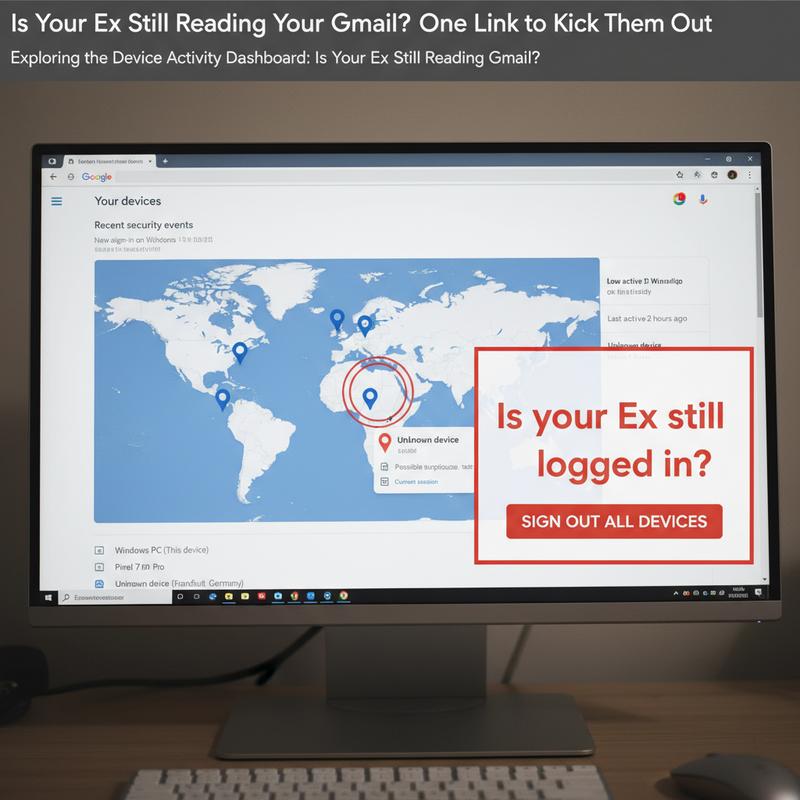
In today’s digital era, the privacy of our personal data is paramount, yet it can be alarmingly easy for unauthorized individuals to gain access, especially if they have had access in the past. If you suspect that an ex-partner or someone else might still be snooping on your Gmail, Google’s Device Activity Dashboard offers a practical solution to swiftly address these concerns.
Start by navigating to myaccount.google.com where you can access your Google Account with your Gmail credentials. Inside the dashboard, a detailed list of connected devices reveals machines currently or recently connected to your account. By clicking into the Security section and selecting Manage devices under the “Your devices” panel, a wealth of information is readily available.
Once inside, examine each device entry—key details include device type (such as Android phone or iPhone), model, operating system, and crucially, the last sign-in time and location indicated by the IP address. Keep a watchful eye for any inconsistencies such as logins from unusual locations or devices not under your possession. For more intensive scrutiny, clicking on a specific device offers deeper insights, including browser and network details, enhancing your ability to confirm or dispel suspicions of unauthorized access.
To complement this data, additional verification can be pursued through Gmail activity details at the bottom of your inbox. Clicking on “Last account activity: Details” reveals recent access methods and IP addresses. This real-time confirmation can be pivotal in identifying unauthorized logins. If you use Android devices, the Google Play Store activity shows every device linked to your account that is authorized for app downloads, and Find My Device can expose which devices are online and connected.
There are several critical signs to watch for: devices with unfamiliar names or models, activities originating from geographic locations you have never visited, or unusual timings that don’t align with your normal usage can all indicate unauthorized access. For example, a device accessing your account at midnight from across the country is a substantial red flag.
If you identify any suspicious activity, immediate action is required. Clicking the Sign out button next to the questionable device entry effectively revokes access, ensuring that the intruder cannot re-enter without credentials. This preventive measure acts as a deterrent and a shield against continued unauthorized access.
Beyond dealing with immediate threats, fortify your account by following robust security practices. Schedule routine checks of your device list—monthly reviews are advisable—and enable 2-Step Verification for an additional security layer. Clearly label your personal devices with distinct identifiers, such as “My Pixel 6 – Home,” so unknown devices become immediately apparent. Additionally, setting up alerts for new logins ensures that any unauthorized access is flagged promptly, allowing for quicker interventions.
Implementing these strategies and utilizing the Device Activity Dashboard can reliably protect your Gmail account from unwelcome visitors, fostering a secure digital environment. For more information on protecting your digital identity and the latest in security, check out this comprehensive guide.
Immediate Actions to Fortify Your Gmail Security: Is Your Ex Still Reading Your Gmail?
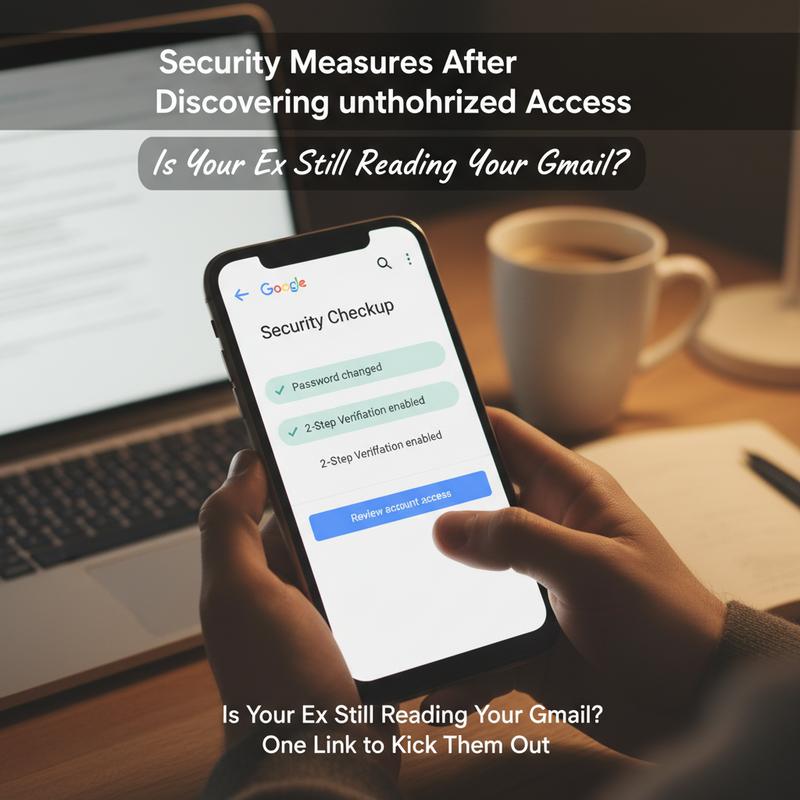
In the modern digital age, securing your Gmail account from unauthorized access is of paramount importance, particularly in situations where you suspect that an ex—or anyone else—may be snooping through your emails. This chapter focuses on immediate actions you can take to regain control and ensure your privacy.
Upon suspecting unauthorized access, the first step is to sign out of all active sessions. Head over to myaccount.google.com to manage your Google’s security settings. Navigate to the ‘Security’ section, then click on ‘Your devices’ where you can proceed to ‘Manage all devices.’ Here, you will have the ability to sign out from all devices that have access to your account, essentially cutting off any unauthorized connections. Remember to thoroughly inspect this list for any devices that appear unfamiliar.
Next, prioritize changing your Gmail password immediately. Opt for a strong, unique password that combines uppercase and lowercase letters, numbers, and special symbols. This small step drastically reduces the chance of future breaches. For safeguarding your passwords, consider employing a password manager, which not only generates robust passwords but also stores them securely.
Enabling two-factor authentication (2FA) should be your top priority following any password update. This additional layer of security improves account protection by making it 99% less likely to be hacked. Set up 2FA via the ‘2-Step Verification’ menu in your Google account’s security settings. Using an authenticator app is recommended over SMS authentication for enhanced protection. For those who feel their accounts might be at greater risk, Google offers an Advanced Protection Program, which requires security keys for account access.
To accurately gauge the situation and track any potential security breach, scrutinize the security dashboard for signs of intrusion. Look out for any unknown logins, attempted password resets, or data downloads. If you detect any anomalies like unexpected geographic locations, it might signal unsanctioned access.
Furthermore, check your Gmail settings for unauthorized modifications. Go to ‘Forwarding and POP/IMAP’ settings where you can disable any unwanted forwarding rules set up to send your emails elsewhere. Also, ensure that you review and withdraw any suspicious applications that may have been granted access to your account.
For ongoing monitoring, Google offers several protective measures. Enable advanced threat protection in your Gmail settings by activating spoofing protection, attachment and link scanning, and the Security Sandbox. Configuring alerts for high-risk actions such as dubious logins or data exports can help you stay informed of unauthorized activity in real time.
It’s crucial to revoke any remembered logins on shared devices, especially if you suspect your ex might still have access. Clear all browser data on any communal devices and ensure that you sign them out of your account. Additionally, if they previously knew your password, the steps of signing out, changing the password, and enabling 2FA will block any further access.
Beyond immediate actions, consider additional best practices to fortify your digital security. Regularly scan your devices for malware that could undermine your protective measures via keylogging or session hijacking. Avoid interacting with suspicious links; despite Gmail’s robust defenses against malicious emails, it’s prudent to practice vigilance.
Following these steps is crucial for any Gmail user concerned about unauthorized access. Most breaches are rooted in weak passwords or lack of 2FA; thus, taking timely and decisive action can safeguard your account from prying eyes, ensuring only you have access to your personal information. If issues persist, reaching out to Google support through the Security page for professional assistance is advisable.
Unveiling Hidden Entrances: Advanced Verification Techniques to Secure Your Gmail
In an age where our digital presence forms a critical extension of our personal and professional lives, safeguarding your Gmail account against unauthorized access becomes paramount. Whether driven by an ex-partner’s prying eyes or the broader spectrum of cyber threats, ensuring that your email remains private and secure starts with advanced verification techniques.
While Gmail doesn’t offer tools to monitor former users directly for privacy reasons, there are several powerful features within your Google Account settings to fortify your defenses significantly. These proactive measures not only help to evict unwanted guests but also block future unauthorized access.
Enforce Multi-Factor Authentication (MFA/2-Step Verification)
The cornerstone of digital security today is Multi-Factor Authentication (MFA), specifically two-step verification (2SV). Enabling this feature adds a critical layer of security beyond passwords, which can be easily compromised. Navigate to myaccount.google.com and turn on this feature under Security > 2-Step Verification. Opt for authenticator apps or security keys instead of SMS for stronger protection. This pivotal step ensures that even if someone cracks your password, they cannot access your account without a second form of verification.
For individuals with high-risk profiles, such as influential figures or those handling sensitive information, joining Google’s Advanced Protection Program is advisable. This program mandates the use of security keys and employs rigorous measures to safeguard against sophisticated phishing attempts and account hijackings.
Revoke All Suspicious Access Immediately
The Device Activity Dashboard at your disposal is a real-time ally in spotting unauthorized sessions. It allows you to review the devices linked to your account in detail. Have a routine checkup on the ‘Your devices’ section and sign out any unfamiliar devices or suspicious locations. By auditing the third-party apps with account access, you can revoke permissions from any apps that are no longer used or appear malicious, which could otherwise serve as backdoors despite 2SV.
Activate Advanced Gmail Threat Protection
Within Gmail settings, enhance your account’s security by activating advanced threat controls. This includes spoofing detection, attachment and link scanning, and the Security Sandbox, which analyzes unknown threats. For those controlling a domain, setting up SPF, DKIM, and DMARC helps in blocking email impersonation.
Monitor and Respond to Activity
Your vigilance doesn’t stop at setup. Regularly review the Recent Security Activity and Sign-in & recovery sections for alerts about new logins or suspicious account activity. Google is proactive in notifying you about any dubious access attempts, but it is up to you to pay attention and act fast. At the first sign of compromise, change your password and ensure 2SV is in place.
By taking these steps, you effectively upgrade your Gmail account’s defenses, forging an almost impenetrable barrier against unauthorized access. For ongoing protection, regularly review your security settings and stay informed about the latest security best practices. In troublesome scenarios, Google’s recovery options are available, but preventative measures are your best bet to keep intruders at bay. Our digital privacy hinges on our vigilance and proactive steps in maintaining the security of vital communication channels like Gmail.
For more insights into digital security and updates, explore the use of advanced security features.
Final thoughts
By utilizing the Google Device Activity Dashboard, users can swiftly detect unauthorized access to their Gmail accounts and take immediate action to secure their information. Implementing further security measures such as password updates and 2-Step Verification ensures continued protection. For those seeking advanced security assurance, monitoring account activities and employing additional verification techniques provides comprehensive safeguarding. This guide equips you with all necessary tools to confidently protect your email and maintain privacy in an increasingly digital world.
Take control of your Google account today — click the link and secure your digital life in one easy step!
Learn more: https://itcarolina.com/about/
About us
IT Carolina is your trusted local expert for digital peace of mind. While you secure your online accounts, let us handle your home tech. From optimizing your entertainment systems to installing new devices, our on-site IT support ensures everything runs smoothly and safely. Whether you’re gaming, streaming, or setting up new hardware, we remove the frustration so you can enjoy your technology worry-free.