Streaming is everywhere now, and that makes it even more important to keep your Netflix (or similar) account locked down. A few simple habits—like checking which devices are signed in, looking over what’s been watched, and setting up basic security steps—can go a long way. In this guide, you’ll learn how to spot unfamiliar devices, notice weird viewing activity, and what to do if someone else is using your account. Once you know what to look for, it’s much easier to keep your streaming private.
Netflix Account Security: Check Device Access
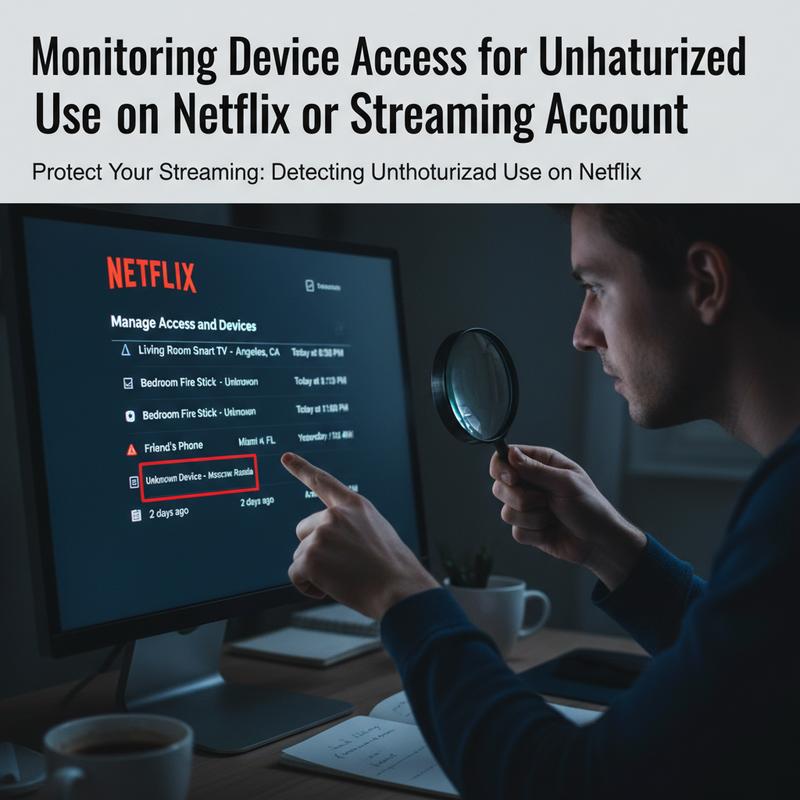
To keep your Netflix or other streaming accounts from being used by someone else, it helps to stay alert and do quick check-ins now and then. If you keep an eye on what devices are logged in, you can catch anything that looks off before it turns into a bigger headache. The goal is simple: know what’s connected, notice what doesn’t match, and act fast when needed.
First, sign in to Netflix using a web browser, since that’s where you’ll find the full set of account security options (the app doesn’t always show everything). After you log in, go to the Account section and click Manage access and devices. This is where Netflix lists every device signed into your account. You’ll see details like the device type, an approximate location based upon IP address, and the last date it was active. If you spot activity from a place you haven’t been—like a random city or region—it could mean someone else has access, and it’s worth checking more closely.
If that happens, Netflix gives you a couple of ways to kick devices out. You can sign out of specific devices, or you can use Sign out of all devices to clear everything at once. The “sign out of all” option might feel like overkill, but if you’re not sure how far the access goes, it’s often the safest move. After that, everyone will have to log back in, which helps shut out anyone who shouldn’t be there.
How often should you check? Thing is, it doesn’t have to be constant. A quick monthly review is usually enough, kind of like updating passwords or keeping your apps patched. It’s a small routine that helps you stay in charge of your account.
Device lists aren’t the only clue. Your viewing activity can also point to unauthorized use. Take a quick look at Continue Watching and Recently Watched for anything that doesn’t look like you. When you click into titles, you can see details like where playback stopped, which profile was used, and when it was watched. If shows pop up that you’d never pick, or something was watched at a weird time, that can be a sign someone else is in the account.
And don’t forget to check every profile on the account, not just your main one. On the flip side, some people who sneak in will try to stay unnoticed by using a different profile, hoping you won’t look there.
Netflix can also help by sending alerts about account activity. In Account settings, go to Communication & Notifications and turn on email alerts for unusual sign-in attempts. These messages can be an early warning, especially when they mention a new device or a fresh login from a new IP address.
Keeping your Netflix account safe isn’t only about checking devices and watch history. It’s also about having a plan if something looks wrong. If you suspect someone got in, start by signing out of all devices. Then change your password right away—make it strong and unique, with a mix of letters, numbers, and symbols, and don’t reuse old passwords. Still, Netflix’s setup can vary, but locking down the email tied to the account with Two-Factor Authentication (2FA) adds a big extra hurdle for anyone trying to get back in.
At the end of the day, account security comes down to staying alert and doing a few basics consistently. Regular device checks, smarter passwords, and setting up alerts can stop most problems early. Don’t leave profiles unchecked or share passwords loosely. Instead, watch for anything weird, respond quickly, and use the security tools Netflix already gives you to keep streaming without surprises.
Spot Weird Viewing Activity on Your Streaming Account
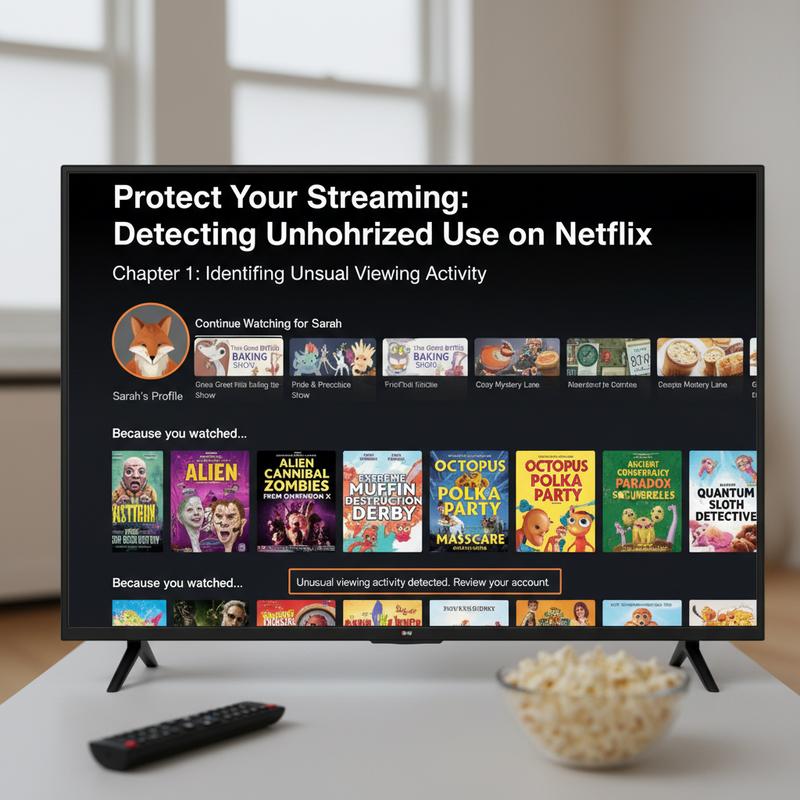
Streaming is a go-to for a lot of us because it’s easy and there’s always something to watch. But that convenience can also attract people who try to slip into accounts that aren’t theirs. One of the simplest ways to protect your Netflix (or any streaming service) is to watch for strange viewing activity. Device logins matter, sure—but your viewing history often tells the clearest story.
Start with your viewing history. Check your “Continue watching” or “Recently watched” lists, since they show what’s been played across profiles. You can usually see the title, how far it got, which profile was used, and timestamps. If you notice something like a foreign-language movie halfway watched, or a kids’ show on a profile that’s supposed to be adults-only, that’s a good reason to question it. Odd picks can be a giveaway too—like horror movies showing up on a profile that normally only has wellness shows.
Then look at your signed-in devices. Go to “Account” settings in your web browser and review what’s logged in, including device type and location. If you see something that doesn’t belong—like a tablet you’ve never owned connecting from somewhere you haven’t visited—that can point to unauthorized access. And if that timing matches the weird stuff in your viewing history, the picture gets pretty clear.
You should also pay attention to any login notifications you get. Netflix (and similar services) can send email alerts when a new device signs in, which makes it easier to spot suspicious activity early. If an alert shows a login from a city you don’t recognize, or multiple attempts from unfamiliar IP addresses, take it seriously. These warnings matter even more when your watch history also feels “off.”
Your streaming habits leave a trail, and small changes can be meaningful. If genres suddenly shift, viewing starts happening at odd hours, or shows are being burned through way faster than normal, that could be a sign someone else is using the account. For example, if your account goes from documentaries to nonstop anime overnight, it’s worth a closer look.
Keeping an eye on these signs helps you catch unauthorized access early and cut it off before it gets worse. It’s unsettling to think about someone messing with your account, but regular checks of history, devices, and notifications turn that worry into something you can actually manage. And once you spot the pattern, you can start locking things down right away.
For further insights into how breaches might occur and the strategies to combat them, consider checking tools like how to check if your data has been leaked. Staying informed equips you with the knowledge to protect yourself in an increasingly interconnected world.
Protect and Recover Your Streaming Account
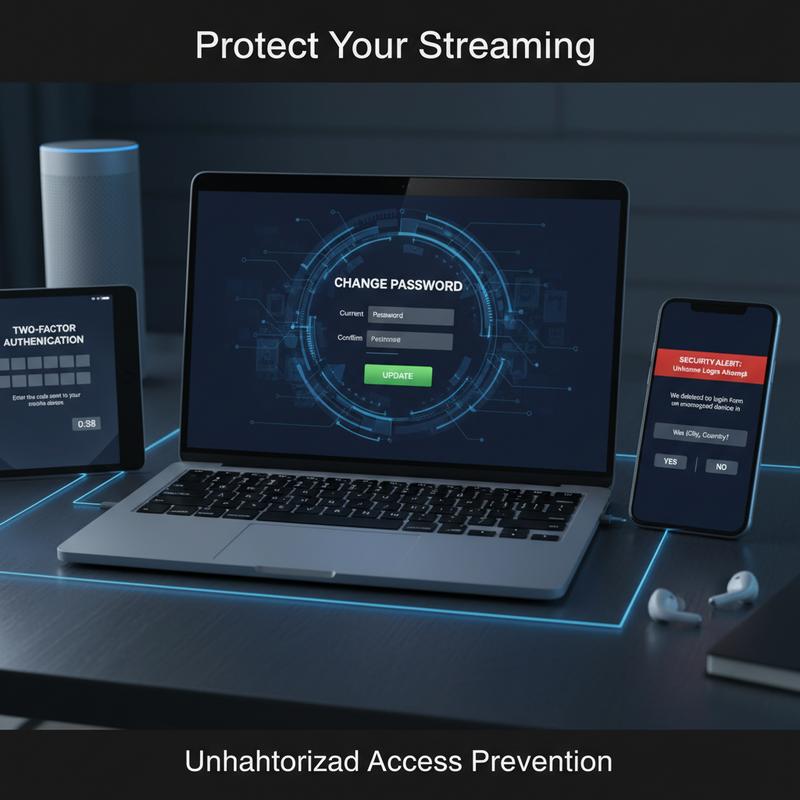
If someone gets into your streaming account—Netflix, Hulu, or anything similar—it can mess up your recommendations and, in some cases, expose personal details. Streaming services do have security features, but it’s smart to add a few of your own. And having a simple recovery plan helps a lot if your account ever does get taken over.
The biggest starting point is a strong, unique password. Aim for a mix of uppercase and lowercase letters, numbers, and symbols, so it’s harder to guess or crack with brute-force attempts. Skip obvious choices like birthdays or common words. Now, a password manager makes this a lot easier since it can create and store passwords for you, and it helps you avoid reusing the same password on multiple sites (which is a common way accounts get compromised).
Beyond that, turn on multi-factor authentication (MFA) where you can. Many services—including Netflix and Hulu—offer two-factor authentication (2FA) options that ask for something besides your password, like a code sent to your phone or an authentication app like Google Authenticator. That extra step can make a big difference, especially with SIM-swapping attacks becoming more common, since those target phone-based verification.
Regular activity checks also help you stay ahead of problems. Most streaming services let you review active devices and recent account activity. Get in the habit of looking every so often, and sign out anything you don’t recognize. And if login alerts are available, turn them on so you’ll get a heads-up when your account is accessed from a new device or location.
It also helps to keep your devices and Wi-Fi secure. Update your phone, tablet, computer, and apps so security fixes get installed quickly. If you stream on public Wi-Fi, using a Virtual Private Network (VPN) can add extra protection. And be careful with random emails or texts that claim to be from your streaming service—phishing scams are common, and the links can be dangerous.
If you think your account has been compromised, move quickly. Change your password from a device you trust, and turn on 2FA if it isn’t already. Then log out of all devices from the account settings to cut off any unauthorized sessions. After you’ve locked it down, check your viewing history and billing history for anything you don’t recognize.
If you see fraudulent charges, contact your payment provider right away to report and dispute them, using your financial institution’s zero-liability policies if available. After that, scan your devices for malware with reputable antivirus or antimalware tools, since that can sometimes be how your info got exposed.
At the same time, reach out to your streaming service’s support team and report what happened. Share anything useful, like suspicious IP addresses and timestamps. If you suspect identity theft, report it to the Federal Trade Commission or your local cybercrime unit so you can take broader steps to protect yourself.
For long-term protection, keep an eye out for options like passkeys for passwordless logins as they become available. And after any incident, monitor your bank and credit statements for a few weeks so you can catch follow-up fraud early.
With these steps, you’ll make it much harder for someone to use your streaming accounts without permission—and if something does happen, you’ll be ready to fix it fast. Preventing the problem is always easier than cleaning up after it.
Final thoughts
Keeping strangers out of your streaming account takes a little attention, but it’s pretty manageable. Check your devices, watch for odd viewing activity, and set up a few basic protections. Privacy issues aren’t going away, so treating account security as a regular habit is just part of using these services now. Use the tips here to keep your streaming to yourself and avoid surprise logins.
Need a hand sorting this out? IT Carolina can help.
Learn more: https://itcarolina.com/about/
About us
At IT Carolina, we care about keeping your home entertainment setup private and running well. Our tech team can help you tighten security on streaming accounts and improve performance across your devices and network. From network troubleshooting to dialing in device settings, we offer hands-on support to protect your subscriptions and make streaming smoother. Count on IT Carolina to help keep things locked down, so you can just watch what you want without interruptions.