In 2026, email phishing is still everywhere, and it keeps getting smarter. Knowing what these scams look like now is key to staying safe online. This guide breaks down the newest tricks scammers use and shows you how to spot them before you click. Each chapter focuses on one piece of the puzzle—things like disguised email addresses, messages that mess with your emotions, and attachments that don’t belong in your inbox. By the end, you’ll feel a lot more confident handling email without getting pulled into a trap. Use these tips to keep your info and identity safe, and make it harder for scammers to catch you off guard.
Manipulated Email Addresses
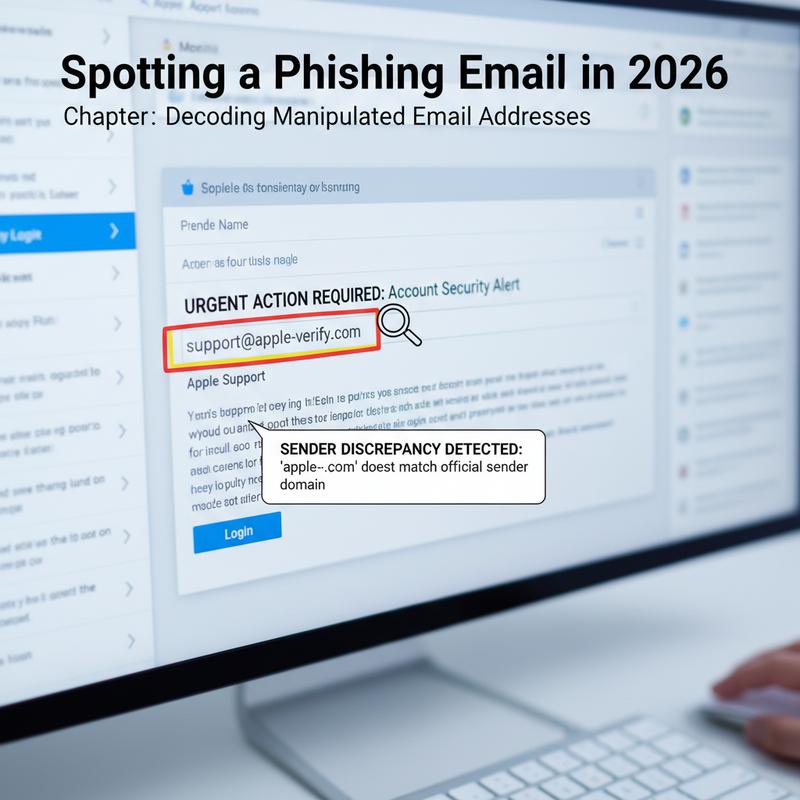
In 2026, phishing emails are still a major threat, and a lot of them rely on sneaky ways of hiding or disguising email addresses. Scammers tweak addresses just enough to slip past filters and look legit at a quick glance. Knowing the common tricks makes it much easier to spot the scam before it goes anywhere.
One of the most common moves is text replacements. Scammers swap symbols like “@” with words like “at” to make simple detection tools miss it. They’ll also replace “.” with “dot,” or toss in spaces, brackets, or parentheses so the address looks normal to you but reads differently to scanners. Thing is, these little changes can fool both software and people.
Another popular method is HTML entity encoding. Instead of showing characters normally, they turn them into HTML entities such as @. Your browser displays the address the way they want you to see it, but basic bots might not catch the pattern. More advanced tools can decode this, but the scammer’s goal is to get the message into your inbox in the first place.
Some scammers go a step further with CSS tricks. They’ll write the email address backward in the code and then use CSS (like unicode-bidi and direction) to display it correctly on screen. So to you it looks readable, but to certain scanners it looks like nonsense.
And then there’s JavaScript obfuscation. With this, the address gets split into variables or ASCII codes and only gets put back together when a webpage loads. It won’t do much if JavaScript is turned off, but it can still beat static HTML scanners and make life harder for older filtering tools.
On top of hiding addresses, phishing campaigns often use sender spoofing, where the “From” field is made to look like it came from someone you trust. This can be especially dangerous in workplace scams, like pretending to be an executive and pushing through unauthorized payroll changes. And yes, sometimes the email has no links or attachments at all, which helps it slide past basic blacklist checks.
Scammers also like to drop the victim’s email into phishing URLs to make the message feel personal. You’ll see this in ICANN verification scams and similar setups, where the email warns you that ignoring it could lead to “suspension” of something important. That pressure is meant to push you into handing over sensitive info.
Look-alike domains are another big one. Scammers register domains that closely resemble real brands, then use fake login pages to collect passwords and even two-factor authentication codes. These can be hard to catch if you’re skimming, especially when the domain name is only slightly off.
To catch these tricks, you’ve got to slow down and double-check. Hover over links to see where they actually go, and watch for weird sender names, strange domains, or IP-style links. Some AI tools can help flag unusual writing patterns, too. And tools like Email Address Encoder can decode and obfuscate email data automatically, which adds another layer of protection against common phishing tactics.
If you want a real example of how one small mistake can turn into a big (and expensive) problem, take a look at how a single click can cost you dearly. Staying safe from phishing is a mix of knowing what to look for and actually using habits and tools that block these tricks.
Emotional Tricks That Hide Phishing
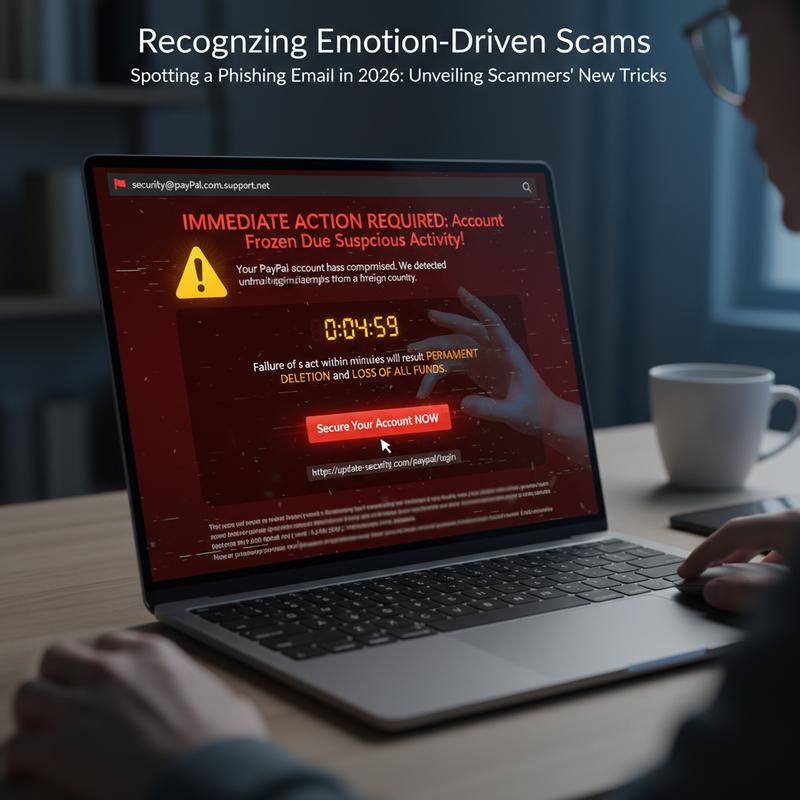
Phishing scams don’t just rely on tech tricks—they also mess with your emotions. Scammers use fear, excitement, guilt, or sympathy to get you to act fast and skip the usual “wait… is this real?” moment. And once emotions kick in, it’s easier to miss the warning signs.
When you’re stressed or rushed, your brain doesn’t process information the same way. Research shows emotions can narrow your thinking, so you’re more likely to react instead of reason things out. Scammers push panic or urgency on purpose to trigger that fast decision mode, where logic takes a back seat. That’s when red flags get ignored.
Authority bias is one of their strongest tools. People naturally react when they think an email is from someone “in charge,” like a bank, a government agency, or an executive. Scammers lean on that by impersonating officials and making it feel like you have to comply. And they also target protective instincts, especially with family-related threats. A classic example is the ‘grandparents’ scam,’ where criminals pretend to be a grandchild in trouble so the victim rushes to help.
They also play on a victim’s sense of justice by pretending they need help with a law enforcement investigation. The message might make you feel like you’re doing something important, then add a secrecy request so you won’t talk to anyone who could warn you. Still, that secrecy is often the biggest giveaway.
And a lot of scams work because people genuinely want to help. Scammers fake vulnerability or share stories designed to pull you in, which can lead to missed warning signs and big financial losses. When you’re focused on “fixing the situation,” skepticism tends to fade.
A more involved scam model is ‘pig butchering.’ It mixes romance with investing and usually plays out in three phases: hunting, raising, and killing. First, scammers reach out using fake profiles on social media or dating apps. Then they “raise” the victim over time, building trust and a relationship, often while acting like a friendly investing expert. They use scripts to sound believable, and they might even allow small “wins” to build confidence. Then comes the “killing” phase—pushing for large, irreversible transfers.
Victims often don’t see it because they’re emotionally invested. To an outsider, the scam looks obvious. But when the scammer has built trust (and pushed secrecy), victims may resist help or warnings from friends and family.
Knowing these emotional plays helps a lot. If a message makes you feel panicked, pressured, or oddly flattered, pause and take a breath before doing anything. And if you want to see how newer tech is being used in these scams, check out AI-driven family scams.
Suspicious Attachments in 2026
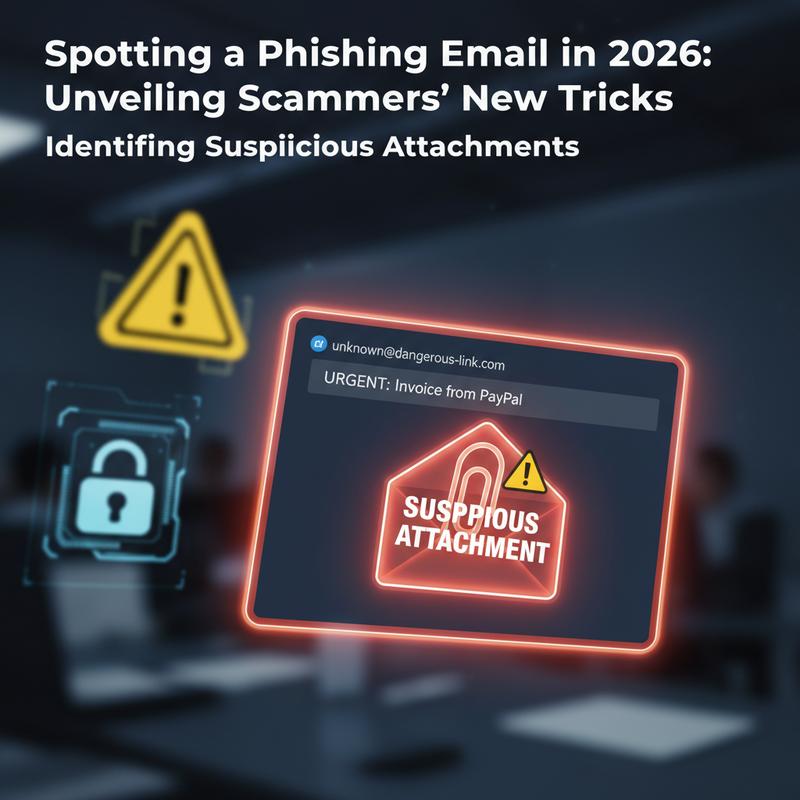
In 2026, phishing is still a top threat, and attachments are one of the easiest ways for scammers to pull you in. A lot of scams now use generative AI to feel more personal, but attachments still show the same old patterns scammers can’t fully hide.
If an attachment shows up out of nowhere, treat it like a warning sign. Real companies usually don’t send files unless you’ve already discussed it. Invoices and HR documents, for example, typically aren’t random surprises—so if they show up unexpectedly, assume they could contain malware. And if the email piles on urgency (pay now, act today, last warning), that’s meant to make you click before you think.
Attachments from unverified senders are another big clue. Scammers often copy real-looking addresses with small domain tricks, like “micros0ft.com” instead of “microsoft.com”. And they’ll also use public email services like Gmail or Yahoo to pretend they’re part of a company, banking on familiarity to lower your guard.
If you use Gmail in 2026, there are a couple visual hints worth watching. A red question mark next to the sender’s name can mean SPF/DKIM authentication failed, which is a strong reason not to download anything until you verify the sender another way. And if there’s no blue verified checkmark, that means there’s no Brand Indicators for Message Identification (BIMI) badge tied to DMARC enforcement. That said, don’t treat badges as the only proof—scammers keep adapting.
Even with better detection tools (like Gmail’s RETVec, which looks for manipulated text meant to sneak past filters), you still can’t rely on automation alone. Manual checks matter. Look for misspelled domains, generic greetings, weird grammar, too many exclamation points, and pushy language. Those basics still catch a lot of phishing attempts.
If you’re not sure about an attachment, don’t open it. Instead, contact the sender using a phone number or email address from their official website—not anything listed in the suspicious email. And if you did open it by mistake, report it to IT or your security team right away. Tools like AI-based Network Detection and Response (NDR) can help spot and limit damage if something slipped through.
Staying careful and consistent with attachments protects your accounts and the rest of your network. If you want more background on how your data gets collected and what you can do about it, take a look at the Google Digital Dossier Guide.
How to Spot Phishing in Email Content in 2026
Email still runs a lot of our lives, which means it’s still a favorite target. In 2026, scammers are using AI and deepfake tools to make phishing attempts look more convincing than ever. But if you follow a simple, repeatable way to review emails, you can cut your risk a lot.
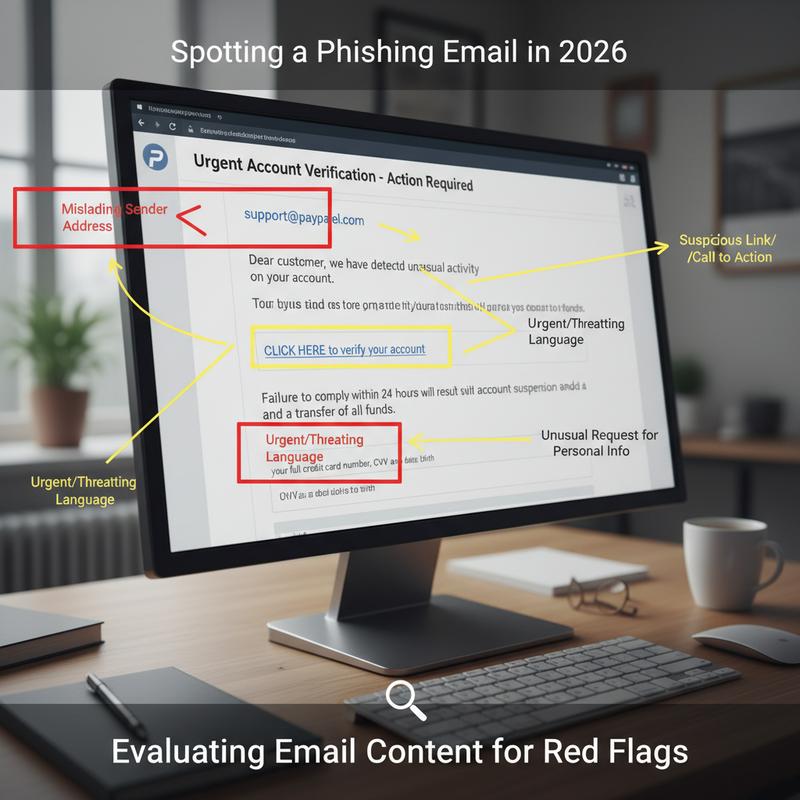
Start with the sender. Real organizations usually email from official domains, and weird exceptions often mean trouble. Scammers use look-alike domains or free email services to pose as brands, like ‘arnazon.com’ instead of ‘amazon.com.’ Hovering over the sender details can help you catch these. And as many security reports point out, over 90% of phishing emails involve some type of sender domain spoofing.
Subject lines and greetings are another giveaway. Phrases like ‘URGENT’ or ‘ACTION REQUIRED’ are designed to rush you. And generic greetings like ‘Dear User’ are suspicious when the company should know your name. Poor grammar and awkward phrasing are also common, often because scammers reuse templates from phishing kits.
Now look at the body. Phishing emails often ask for sensitive info or push you toward an attachment or link. A common trick is using a link that looks harmless, but actually goes somewhere else—like a ‘bit.ly’ link that ends up sending you to a fake domain like ‘paypa1.com.’ And if the email claims you have “minutes left” or threatens an account lock, that pressure is part of the trap.
There are also more technical signs. Some phishing emails rely on embedded images or links that redirect you to malicious sites. If you know what you’re doing, you can check the email’s HTML source for odd patterns like hidden scripts. Misuse of BCC or messages sent to lots of visible recipients can also point to mass spam. Often, these tech clues show up alongside “too good to be true” offers and unexpected messages.
Scammers will keep changing their approach, but the best habit doesn’t change: pause and verify it another way. Tools like VirusTotal’s URL scanner can help you check links or attachments. And reporting suspicious emails to groups like the Anti-Phishing Working Group helps everyone.
In 2026, AI-generated phishing has also ramped up hyper-personalized attacks using data from breaches. But they still tend to slip up on small details or consistency, which can help you spot them. QR code scams have also spiked—messages that say “scan to claim” deserve extra caution.
Multi-factor authentication and regular training (like simulated phishing tests) still work well. Staying alert doesn’t just protect you—it can also cut down the real costs that come with a successful phishing incident. When it comes to email, being a little skeptical is a smart move.
Final thoughts
Phishing isn’t going away, and scammers keep tweaking their approach. The good news is you can lower your risk a lot by knowing what to look for. If you slow down and check email addresses, watch for emotion-based pressure, avoid sketchy attachments, and pay attention to content red flags, you’ll be in a much better spot. Keep learning, stay aware, and treat unexpected emails like they need to earn your trust.
Want to stay safer online? Start by learning the newer phishing tricks and how to protect your personal data.
Learn more: https://itcarolina.com/about/
About us
At IT Carolina, we know your connected home and gaming setup only works well when the tech behind it is secure and reliable. Scammers are coming up with new angles in 2026, and we’re here to help you keep your systems locked down—whether that means securing your network, tuning devices, or providing proactive IT support. From helping protect a gaming PC from phishing attempts to setting up smart devices with privacy in mind, IT Carolina focuses on clear, low-stress support so you can get on with your digital life.