The Real Culprit Behind Your “Hacked” Wi-Fi
Stop Blaming Hackers. Your Wi-Fi Password Is ‘Summer2024’ is a wake-up call about a harsh truth: most network breaches aren’t sophisticated attacks, they’re the result of predictable passwords that anyone with basic tools can crack in seconds.
Here’s what you need to know:
- The Problem: Passwords like “Summer2024,” “password123,” or “Winter2023” follow predictable patterns that hackers exploit using automated tools
- The Risk: Weak Wi-Fi passwords give attackers access to your entire network, including personal data, financial information, and all connected devices
- The Fix: Create strong passphrases (16+ characters using random words), enable WPA3 encryption, and change your router’s default admin credentials immediately
- The Bottom Line: Over 80% of data breaches involve weak or reused passwords, costing an average of $4.45 million per incident
When your Wi-Fi network gets compromised, the instinct is to blame mysterious hackers with sophisticated tools. But here’s the uncomfortable reality: most “hacking” is just taking advantage of lazy security practices.
Research shows that attackers don’t need to be elite cybercriminals to access your network. They use simple tools that try common passwords, seasonal variations (like “Spring2024” or “Fall2023”), and dictionary words. These brute-force attacks can test thousands of password combinations per second.
The problem gets worse when you consider what happens after someone gains access to your Wi-Fi. They’re not just stealing your internet connection. They can intercept your online banking sessions, steal credentials through infostealer malware, or use your network as a launching point for attacks on your other devices.
According to cybersecurity experts, weak passwords are the primary factor in over 80% of data breaches. That’s not because hackers are getting smarter, it’s because users keep making the same predictable choices.
The good news? Fixing this doesn’t require technical expertise. You just need to understand a few basic principles and take some simple steps to secure your network properly.
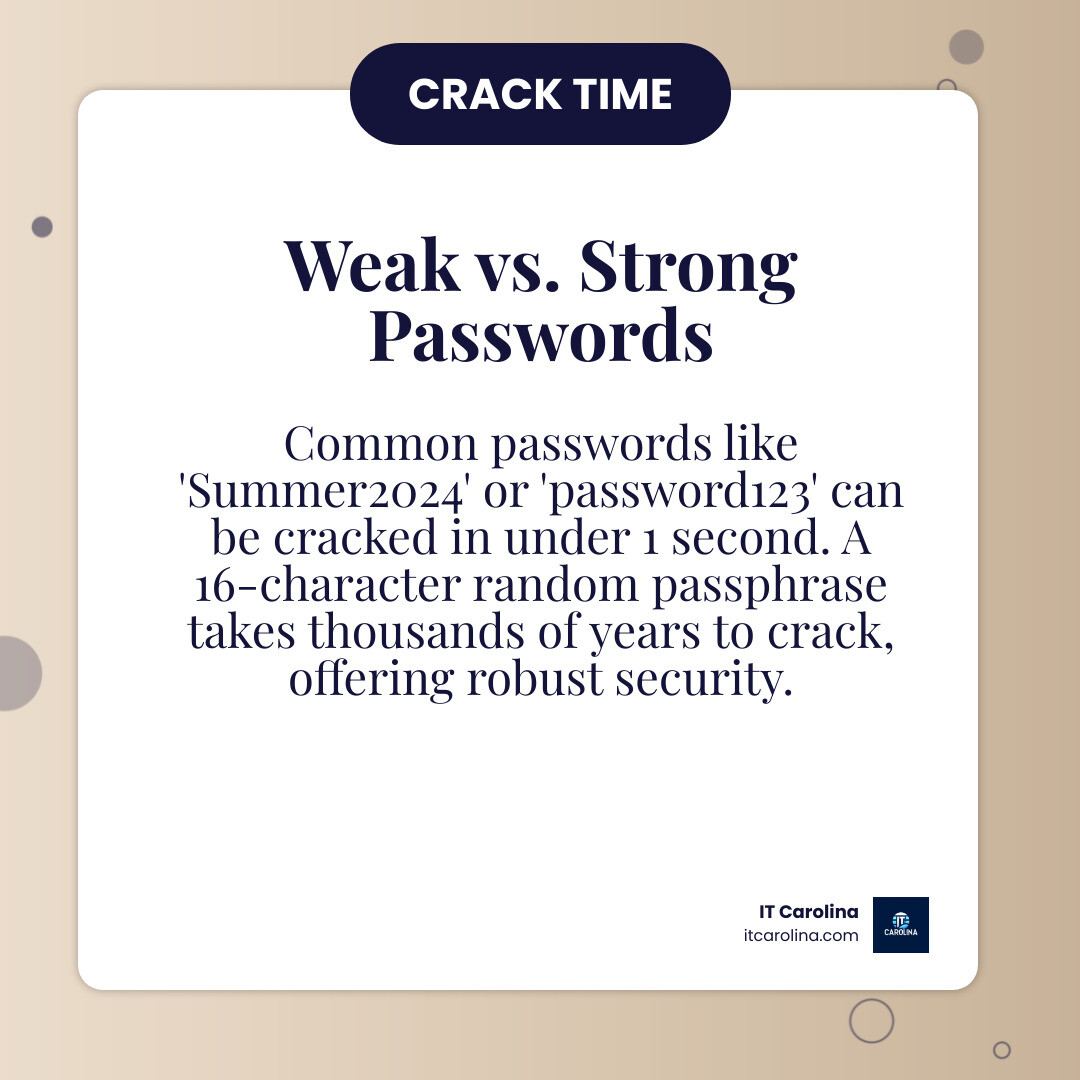
“Stop Blaming Hackers. Your Wi-Fi Password Is ‘Summer2024′”: The Real Risks of Weak Security
Let’s be honest – when you set up your Wi-Fi router, you probably picked something easy to remember. Maybe your pet’s name, a birthday, or just Summer2024 because, well, it’s summer and you needed something quick. We get it. But here’s the uncomfortable truth: that simple password choice just rolled out the red carpet for anyone who wants to waltz into your network.
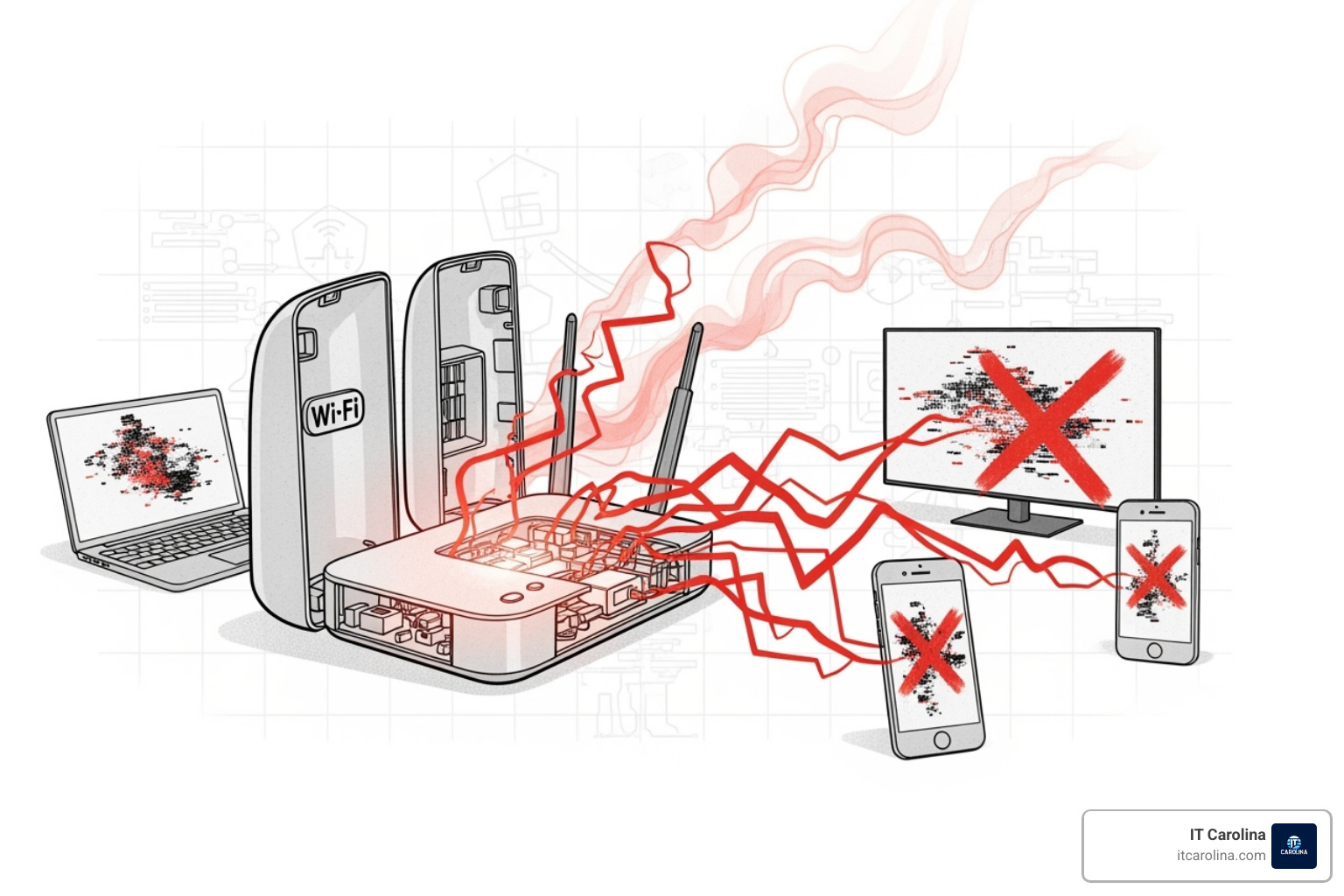
A weak Wi-Fi password isn’t just about someone stealing your internet to watch Netflix. The consequences reach far deeper into your digital life, touching everything from your bank account to your personal identity.
The numbers tell a sobering story. In 2023, data breaches cost companies an average of $4.45 million – that’s a 15% jump in just three years. Over a billion records were exposed that year alone. And here’s the kicker: weak or reused passwords caused more than 80% of these breaches. While those are corporate statistics, the same vulnerabilities affect home users and small businesses just like yours.
When someone cracks your Wi-Fi password, they’re not just connecting to your internet. They’re stepping inside your digital home, where they can access your laptop, peek at your smart TV, monitor your security cameras, and potentially raid your phone. They can steal banking details, intercept your emails, or plant malware that silently harvests your passwords and personal information.
These infostealers are particularly nasty pieces of work. They lurk in the background, collecting everything from your browser’s saved passwords to your cookies and financial data. Remember those massive breaches at Ticketmaster, Santander Bank, and AT&T? They often started with stolen credentials from someone’s personal device – someone who probably thought their simple password was “good enough.”
But it gets worse. Once inside your network, attackers can use your connection as a launching pad for other crimes, potentially putting you on the hook for illegal activities you didn’t commit. They can eavesdrop on your online banking sessions through man-in-the-middle attacks, or hijack your smart home devices to create chaos.
The scary part? Most of this doesn’t require elite hacking skills. It’s just exploiting the predictable choices we all make when we’re tired and just want to get online.
Why “Summer2024” is a Hacker’s Dream Password
Summer2024 is basically gift-wrapping your network security and handing it to attackers. Let’s talk about why.
First, there’s the predictability problem. We humans are creatures of habit. We love patterns that make sense to us – seasons, years, favorite words. Attackers know this, and their tools are specifically designed to exploit these patterns. Dictionary attacks and brute-force programs test these common combinations first because they work so often.
Then there’s the common words issue. Even when you add numbers, using everyday words makes your password vulnerable. A computer can test thousands of dictionary words combined with numbers every single second. A truly random string of characters? That’s exponentially harder to crack.
Seasonal passwords are especially problematic. Attackers know people update their passwords with the current year or season, so they’ll try “Summer2024,” “Summer!2024,” “Summer@2024,” and every variation you can imagine. These patterns show up in breach databases all the time.
Here’s the thing: if you can easily remember it, a machine can easily guess it. Modern password-cracking tools can test millions of combinations per second. That cute password you thought was clever? It’s probably already been tried thousands of times on other networks.
The problem multiplies if you’re reusing passwords across different accounts. Once your Wi-Fi is breached, every other account using that same password becomes vulnerable instantly.
Curious whether your go-to password has already been compromised? Check it using Have I Been Pwned’s password checker. You might be shocked to find how many “unique” passwords are already sitting in public breach databases.
The Domino Effect: From a Weak Wi-Fi Password to Total Data Compromise
A weak Wi-Fi password doesn’t just open one door – it starts a chain reaction that can topple your entire digital security.
Once an attacker gets onto your network through that weak password, they’re inside your digital perimeter. They can see every device connected to your Wi-Fi: your laptop, your phone, your smart doorbell, your security cameras, even your network storage drives. Everything becomes visible.
From there, they start moving laterally – hopping from your Wi-Fi to individual devices. If your devices aren’t protected with strong passwords and current security updates, they’re sitting ducks.
Your smart devices are especially vulnerable. That smart thermostat or voice assistant probably doesn’t have the same security features as your computer. Attackers can access these devices to spy on you, mess with your home settings, or use them as stepping stones to reach your more sensitive systems.
The credential theft is where things get really dangerous. Infostealer malware has become the supply chain for major cyberattacks, including ransomware and business email compromise. When an attacker is already on your Wi-Fi, it’s much easier for them to deploy this malware or intercept your passwords as you type them. These stolen credentials often come from personal devices, which then become the gateway to corporate or financial accounts.
Eavesdropping and man-in-the-middle attacks become trivially easy once someone’s on your network. They position themselves between your devices and the internet, watching your unencrypted communications or even changing the data you send and receive. While VPNs can encrypt your data, they don’t protect against attackers who’ve already infiltrated your network and can exploit device vulnerabilities directly.
There’s even a nasty trick called SSID Confusion built into the Wi-Fi standard itself. Attackers can set up a rogue Wi-Fi network with the same name as one your device trusts. Your device automatically connects, potentially disabling your VPN because it thinks it’s on a safe network. This vulnerability affects Windows, Mac, iOS, and Android devices.
The bottom line? Your personal information, your financial security, and your privacy all hang on that Wi-Fi password. At IT Carolina, we see how a simple security step – choosing a strong password – can prevent these cascading disasters. Want more ways to protect yourself online? Check out our guide on Essential Online Security Tips for Everyone.
From “password123” to Unbreakable: Creating a Fortress for Your Wi-Fi
Now that we’ve established why Stop Blaming Hackers. Your Wi-Fi Password Is ‘Summer2024’ is such an important message, let’s talk about what actually works. The good news? Creating a truly secure Wi-Fi password doesn’t mean memorizing a random string of gibberish that you’ll forget by tomorrow.
The secret lies in understanding two key concepts: entropy and passphrases. Entropy is just a fancy way of saying “how unpredictable your password is.” A password like “P@$$w0rd!” might look impressive with all those special characters, but computers can crack it pretty quickly because it follows predictable patterns. Humans tend to substitute “@” for “a” and “$” for “s” – and hackers know this.
Here’s where things get interesting. A longer, simpler passphrase can actually be stronger than a shorter “complex” password. The famous XKCD comic on password strength explains this beautifully: a complicated password like “Tr0ub4dor&3” might take three days to crack, while a simple four-word phrase like “correcthorsebatterystaple” would take 550 years. That’s because length beats complexity when it comes to the number of possible combinations a computer has to try.
This isn’t just internet wisdom – it’s backed by NIST (National Institute of Standards and Technology), the folks who set the gold standard for password security. Their guidelines have evolved away from those annoying requirements to change passwords every 90 days or include uppercase, lowercase, numbers, and symbols. Instead, they emphasize randomness and length.
For small businesses juggling multiple systems and team members, keeping track of strong, unique passwords can feel overwhelming. That’s where a Password Manager for Business becomes invaluable – it generates, stores, and manages all those passwords for you, including your Wi-Fi credentials.
Beyond ‘Summer2024’: Common Password Mistakes to Avoid
Before we dive into creating strong passphrases, let’s talk about what not to do. Understanding these common mistakes helps explain why passwords like Summer2024 are so problematic.
Personal information is a no-go. Your name, your spouse’s name, your kids’ names, your dog’s name, or any birthdays – these are all easily findable through social media or public records. If someone really wants to get into your network, they’ll start with the obvious stuff.
Any word found in a dictionary is vulnerable. This includes famous quotes, song lyrics, or those keyboard patterns like “qwerty” or “asdfgh.” Dictionary attacks literally work through every word and common phrase, which is why even adding “123” to the end doesn’t help much.
Sequential numbers or letters like “123456” or “abcde” are cracked in milliseconds. The same goes for patterns like “112233” – computers recognize these instantly.
Default passwords are an open invitation. If you haven’t changed the password that came with your router from your internet provider, you’re essentially leaving your front door open uped. These defaults are often generic and publicly known.
Here’s the big one: never reuse passwords. If you’re using the same password for your Wi-Fi that you use for email, social media, or banking, you’re setting yourself up for disaster. When one account gets compromised, they all do. This is exactly how infostealer malware causes such widespread damage – it steals one password and suddenly has access to everything.
Seasonal or event-based words are just as predictable as Summer2024. Christmas2024, Vacation2024, SuperBowl2025 – these all follow patterns that automated tools specifically target.
The goal is simple: create something that makes perfect sense to you but looks completely random to everyone else (and to the computers trying to guess it).
[LIST] of Best Practices for a Strong, Memorable Passphrase
Creating a strong Wi-Fi passphrase is easier than you think. Here’s our proven approach:
- Use four or more random words: Think of unrelated objects or concepts strung together. “Purple monkey dishwasher banana” is exponentially stronger than Summer2024 because it’s nonsensical and long.
- Mix in numbers or symbols creatively: Don’t just replace letters predictably. Instead of “P@ssw0rd,” try something like “Purple4Monkey!DishwasherBanana” with numbers and symbols in unexpected places. That said, focus on length first – ten random lowercase letters actually offer more security than a short password with lots of special characters.
- Make it at least 16 characters long: This is your sweet spot. A 16-character passphrase significantly increases the time needed to crack it, even with powerful modern computers. More is always better.
- Avoid famous quotes or song lyrics: These exist in databases that sophisticated dictionary attacks search through. Your passphrase needs to be unique to you, not something that’s been written down somewhere else.
- Create a unique phrase for your Wi-Fi: This is critical – your Wi-Fi password should be completely different from every other password you use. Think of it as the lock on your digital front door. You wouldn’t use the same key for your house, car, and office, right?
The beauty of passphrases is that they’re both secure and memorable. “Purple4Monkey!DishwasherBanana” tells a weird little story in your head, making it much easier to remember than “xK9$mP2@qL” while being significantly harder to crack.
Beyond the Password: Essential Steps to Lock Down Your Network
A strong Wi-Fi password is crucial, but it’s just the beginning. Think of your home or business network like a house – you wouldn’t install a great deadbolt on the front door but leave all the windows wide open, right? Securing your Wi-Fi requires multiple layers of protection working together.
Here’s something that might surprise you: most home routers come with security settings that are, frankly, terrible. Academic research on insecure router defaults surveyed 14 different router brands and found 30 exploitable vulnerabilities. The biggest culprits? Default admin passwords that a five-year-old could guess and outdated Wi-Fi protocols that are easy to crack.
The good news is that fixing these vulnerabilities doesn’t require a computer science degree. It just takes a few minutes to adjust some settings that most people never touch.
At IT Carolina, we help Charlotte small businesses lock down their networks every day. These same principles apply whether you’re protecting customer data at your office or just want to keep your home network secure. For more business-focused guidance, check out our Cybersecurity Tips for Small Businesses: Protect Your Data article.
Change Your Router’s Default Admin Login Immediately
Let’s talk about your router’s admin panel – the control center where you change all your router’s settings. Every router has a username and password to access this panel. And here’s the scary part: manufacturers typically set these to something generic like “admin/admin” or “admin/password.”
These default credentials are about as secret as the recipe for Coca-Cola – which is to say, everyone knows them. Hackers maintain entire databases of default router logins organized by manufacturer and model. They can find your router’s default password faster than you can say “Stop Blaming Hackers. Your Wi-Fi Password Is ‘Summer2024′”.
When someone gets into your router’s admin panel, they basically own your entire network. They can change your Wi-Fi password and lock you out of your own network. They can redirect your web traffic to fake banking sites designed to steal your credentials. They can install malicious firmware that turns your router into a zombie device for launching attacks on others. They can disable your firewall and open your network to all sorts of nasty threats.
This is what security researchers call “backdoor access” – and it’s one of the easiest vulnerabilities to fix. Just log into your router (using those default credentials one last time), find the admin password settings, and change them to something strong and unique. Write it down and keep it somewhere safe. You won’t need to enter it often, but when you do, you’ll be glad you have it.
Your Wi-Fi’s Bodyguard: WPA3, Firmware Updates, and Guest Networks
Once you’ve secured your router’s admin access, it’s time to activate your Wi-Fi’s bodyguards – a set of features that work together to keep intruders out and contain any threats that do slip through.
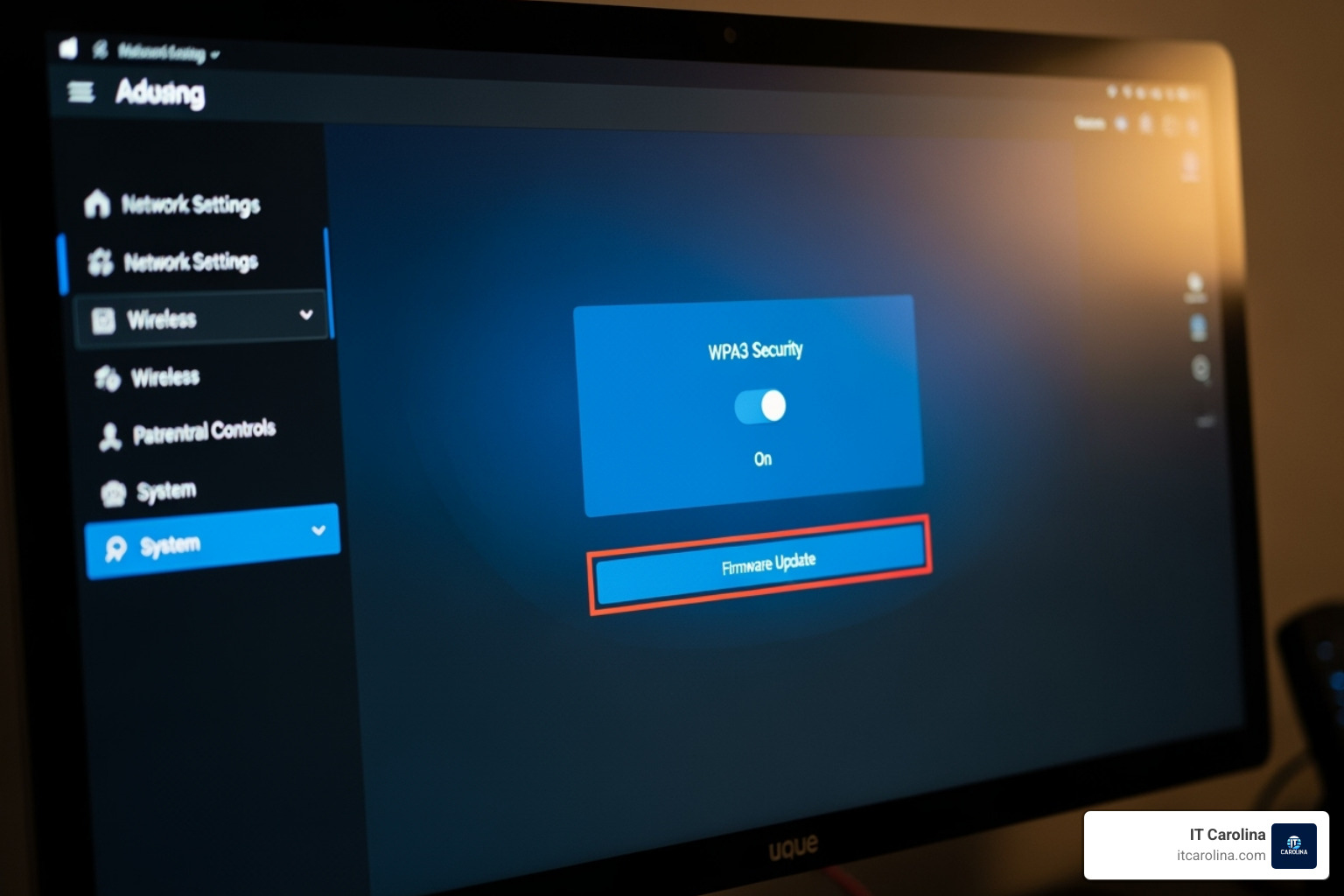
WPA3 encryption is your first line of defense. Think of it as the language your devices use to talk to your router – and WPA3 speaks in an unbreakable code. It’s the newest and strongest encryption standard available, offering better protection against brute-force attacks and improved privacy. If your router and devices support WPA3, turn it on immediately. If not, make sure you’re at least using WPA2-PSK with AES encryption. Whatever you do, avoid anything labeled WPA or WEP – those are ancient standards that can be cracked in minutes.
Firmware updates are like flu shots for your router. Manufacturers find security holes all the time and release updates to patch them. An outdated router is a sitting duck for attackers who exploit these known vulnerabilities. Most modern routers have an automatic update feature buried in the settings – find it and enable it. If your router doesn’t update automatically, set a calendar reminder to check for updates every few months.
Disabling WPS (Wi-Fi Protected Setup) might seem counterintuitive since it’s designed to make connecting devices easier. Just push a button or enter a short PIN, and boom – you’re connected! But here’s the problem: that convenience comes with a massive security flaw. The WPS PIN can be brute-forced relatively quickly, giving attackers a backdoor to your network even if your actual Wi-Fi password is strong. We recommend turning WPS off in your router settings.
Network segmentation through guest networks is one of the smartest security moves you can make, especially if you run a small business or have a smart home full of connected devices. Most routers let you create a separate guest network that provides internet access but keeps those devices isolated from your main network. This means your guests can browse the web, but they can’t access your shared files, printers, or other sensitive devices.
Why does this matter? If a visitor’s laptop is infected with malware, or if one of your smart home devices gets compromised, the threat stays contained. It’s like having a quarantine zone built right into your network.
You might have heard about hiding your SSID (your network name) as a security measure. While it sounds good in theory, it actually provides almost no real protection. Attackers with basic tools can still detect hidden networks easily. Even worse, devices configured to connect to hidden networks constantly broadcast signals looking for them – which can actually make you more vulnerable to attacks where devices are tricked into connecting to fake networks. Focus your energy on strong encryption and passwords instead.
Frequently Asked Questions about Wi-Fi Security
We get questions about Wi-Fi security from folks all the time, whether they’re home users or small business owners here in Charlotte, NC. Let’s tackle the most common concerns we hear.
How do I know if someone unauthorized is on my Wi-Fi?
Spotting an uninvited guest on your network isn’t always obvious, but there are telltale signs to watch for.
The most direct way is to check your router’s connected devices list. Log into your router’s admin page (usually by typing something like 192.168.1.1 into your web browser) and look for a section showing all connected devices. You’ll see a list of device names and MAC addresses. Don’t recognize something? Try turning off devices you know are yours and see if the mystery device disappears. If it doesn’t, you’ve got a problem.
Unexplained network slowdowns are another red flag. If your internet suddenly feels like it’s crawling and you haven’t changed your plan or added a bunch of new devices, someone might be using your bandwidth to stream movies or download files on your dime.
For those who want to dig deeper, your router logs can reveal connection attempts and activity patterns, though they can be pretty technical to read. There are also network monitoring tools available that give you a clearer picture of what’s happening on your network. These are especially useful for small businesses that need to keep a closer eye on things.
If you suspect someone’s gotten onto your Wi-Fi, don’t panic. Change your Wi-Fi password immediately, verify your router’s admin password is strong and not the default, and review every device on your connected list. It’s also worth reviewing our earlier sections on why “Stop Blaming Hackers. Your Wi-Fi Password Is ‘Summer2024′” is such a critical message – weak passwords are usually the culprit.
Is it safe to give my Wi-Fi password to guests?
Here’s the honest answer: giving out your main Wi-Fi password isn’t a great idea, even to people you trust. This is exactly why guest networks exist.
When you set up a guest network, you’re giving visitors internet access while keeping them separated from your main network. They can browse the web, check email, and use social media, but they can’t see your shared files, access your printer, or interact with your other devices. This limits their access in a way that protects you.
Think about the social risks involved. When you hand over your main password, you’re trusting not just the person, but also the security of their device. Their laptop or phone might have malware they don’t even know about. Or they might share your password with someone else who shares it with someone else, and suddenly your “private” network isn’t so private anymore.
If you absolutely must give someone your main Wi-Fi password (and we really don’t recommend it), be prepared to change it after they leave. This is especially important if you don’t have complete trust in their device security or if they were just a short-term visitor.
Setting up a guest network takes just a few minutes and saves you all these headaches. Your guests get what they need, and your network stays secure.
How often should I change my Wi-Fi password?
The old-school advice was to change your password every 90 days, like clockwork. But here’s what modern cybersecurity experts, including NIST, have finded: forcing people to change passwords constantly often makes security worse, not better.
Why? Because when people have to change passwords all the time, they tend to make predictable modifications. “Summer2024” becomes “Fall2024” or “Summer2025.” Or they write passwords down on sticky notes. Neither of these scenarios improves your security.
Instead, we recommend an event-based approach combined with creating one very strong password from the start.
Change your Wi-Fi password immediately if you suspect a breach – if you notice suspicious activity, see unauthorized devices, or experience unexplained network issues. This is non-negotiable.
Change it after significant events like when a roommate moves out, an employee leaves your small business, or you’ve given the password to someone you no longer have a relationship with. These are natural moments when your network’s “trusted circle” changes.
An annual review can be good practice, even if nothing’s wrong. It gives you a chance to check your overall network security, update firmware, and refresh your password if you want peace of mind.
The real focus should be on creating one incredibly strong, unique passphrase for your Wi-Fi (remember those four random words we talked about earlier?) and maintaining good security practices overall. A strong password that never changes is far better than a weak one that changes every few months.
Conclusion: Take Control of Your Digital Front Door
Here’s the uncomfortable truth we need to face: Stop Blaming Hackers. Your Wi-Fi Password Is ‘Summer2024’ isn’t just a catchy headline. It’s a reality check about where most security problems actually start – with our own choices.
We’ve spent years helping home users and small businesses in Charlotte, NC secure their networks, and we’ve seen the same pattern over and over. The breach didn’t happen because of some elite hacker with sophisticated tools. It happened because someone used “Spring2023” or left their router’s admin password as “admin.”
But here’s what makes this frustrating situation actually hopeful: you have the power to fix it. Right now. Today.
Everything we’ve covered in this article – the strong passphrases, the router settings, the guest networks – these aren’t complicated IT magic tricks. They’re straightforward steps that genuinely protect your network. When you create a 16-character passphrase using random words, you’re not just making things slightly harder for attackers. You’re making it mathematically impractical for them to succeed.
Think of your Wi-Fi as your digital front door. You wouldn’t leave your physical front door open uped just because it’s more convenient, or because you trust your neighborhood. The same logic applies here. These proactive security measures aren’t paranoia – they’re basic digital hygiene that protects everything connected to your network.
For small businesses especially, the stakes are even higher. A compromised network doesn’t just mean stolen internet. It means customer data at risk, potential liability, and damage to your reputation. That’s why we built IT Carolina around making cybersecurity habits accessible and understandable, without the jargon and confusion that usually comes with IT support.
We know this stuff can feel overwhelming. Router settings, encryption protocols, firmware updates – it’s a lot to keep track of when you’re just trying to run your business or enjoy your smart home devices. That’s exactly why we’re here. We provide transparent, flat-rate IT support that takes the guesswork out of network security.
Your Wi-Fi password matters. Your router settings matter. Your digital security is worth fifteen minutes of your time to get it right. Don’t wait until after something goes wrong to take these steps.
Ready to make sure your network is truly secure? Get reliable IT support for your Charlotte small business and let us help you lock down your digital front door properly.