Why Every Business Needs a Solid IT Employee Lifecycle Process
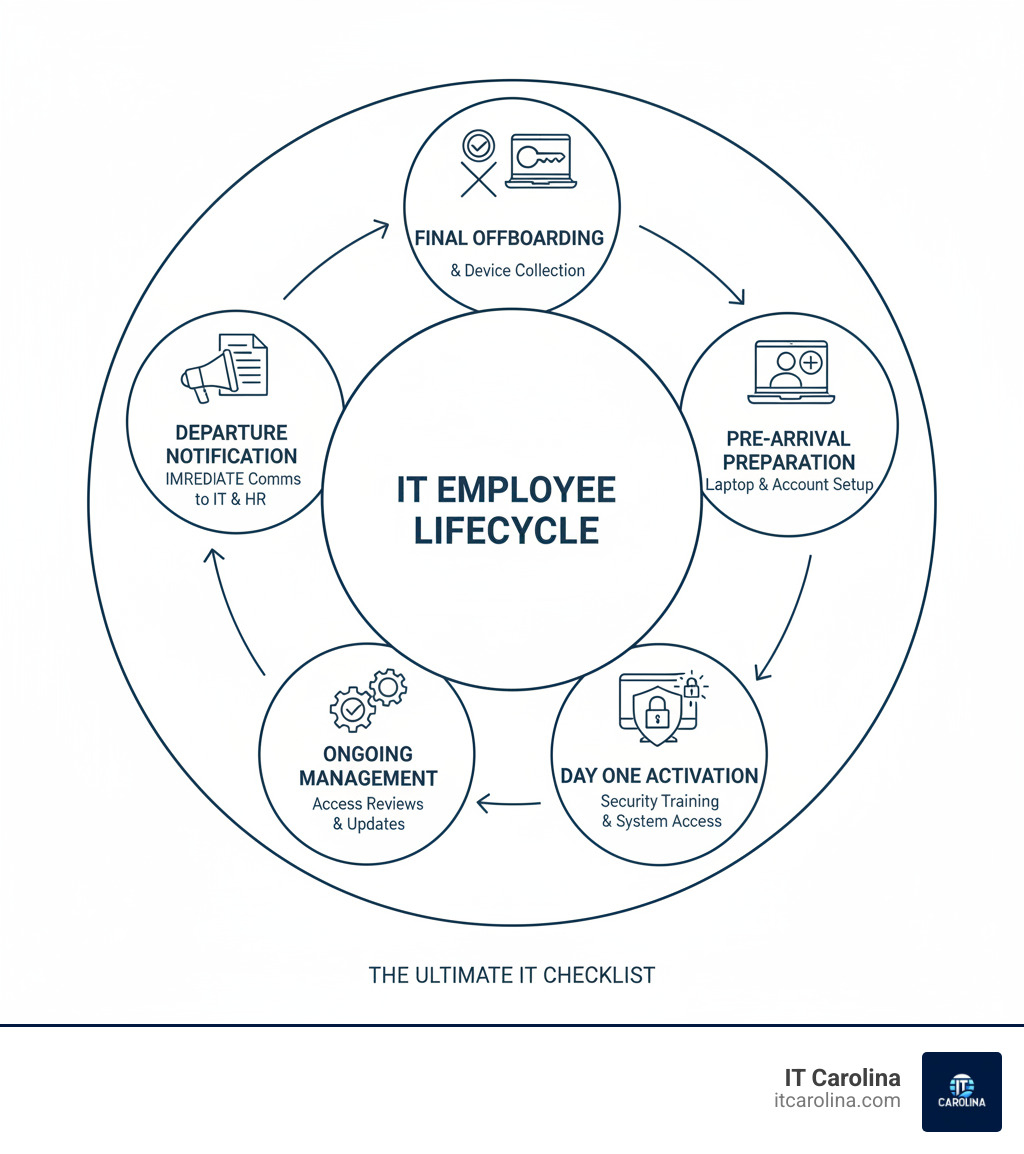
The Ultimate IT Checklist for Onboarding and Offboarding Employees is your roadmap to protecting your business while ensuring new team members are productive from day one and departing employees leave without creating security risks.
Here’s a quick overview:
For Onboarding:
- Set up hardware, software, and accounts before day one
- Create email and system access with proper permissions
- Provide security training on passwords, phishing, and MFA
- Configure devices with encryption and security policies
- Assign role-based access—nothing more, nothing less
For Offboarding:
- Revoke all system access immediately upon departure
- Collect company devices (laptops, phones, access cards)
- Back up and transfer critical data to the team
- Wipe devices remotely to prevent data leaks
- Cancel software licenses to avoid wasted costs
Only 12% of employees think their company does onboarding well. Worse, companies often take longer to remove a departing employee’s access than it takes for hackers to exploit it. This inefficiency is dangerous.
Consider these common scenarios: A new hire arrives but can’t work because their laptop and accounts aren’t ready. Or, a departed employee can still access your customer database weeks later. These situations are frequent at small businesses, leading to lost productivity and serious security gaps.
The good news? A systematic checklist fixes this. It ensures every new hire gets what they need to succeed and every departing employee leaves without taking your data with them.
Must-know The Ultimate IT Checklist for Onboarding and Offboarding Employees terms:
- 5 Cybersecurity Habits Every Small Business Must Adopt
- Cloud Storage for Beginners: A Simple Guide for Small Businesses Google Drive, Dropbox, OneDrive… feeling overwhelmed?
- Why Your Business Needs a Password Manager… Yesterday If your team is still using sticky notes or simple passwords, your data is at risk.
The Essential IT Onboarding Checklist: Setting New Hires Up for Success
Great IT onboarding means a new hire walks in, finds their laptop waiting, and can start contributing immediately. When you get onboarding right, your new hire feels capable, your team avoids troubleshooting, and your business stays secure. In fact, 77% of organizations say effective onboarding is key to retaining employees.
The secret is a systematic process that starts before day one. We believe in being proactive, not reactive, when it comes to IT, and onboarding is where that philosophy shines.
Pre-Arrival Preparations (Before Day 1)
A smooth first day is the result of work done in the weeks prior. With dozens of administrative steps involved in onboarding, a checklist prevents things from falling through the cracks.
Here’s what IT needs to handle before the new hire arrives:
- Hardware Procurement: Order and configure all necessary equipment (laptops, monitors, phones) based on the new hire’s role. Having hardware ready prevents delays and shows you’re prepared.
- Software Licensing: Secure and assign licenses for all required applications, such as Microsoft 365, Adobe Creative Suite, or other specialized tools. Coordinate with the hiring manager to ensure they have what they need.
- Account Creation: Create their business email and user accounts across all essential systems (Slack, Teams, etc.) a few days before their start date. Test everything to ensure it works.
- Role-Based Access: Define and assign access to apps and data based on job responsibilities. Following the principle of least privilege—granting only necessary access—protects your business and simplifies the user experience.
- Device Pre-configuration: Save time on day one by pre-installing required software, security settings, and user profiles. For remote employees, zero-touch deployment allows devices to be shipped directly to their homes, ready to go.
Day One & First Week: Activation and Training
Now the stage is set. Your new employee arrives, and instead of spending their first day watching progress bars, they’re learning about your company culture and meeting their team.
But here’s what many businesses overlook: day one is also your best opportunity to build a strong security foundation.

- IT Orientation: Provide a friendly tour of key systems, software, and network resources. Show them where to find files and how to get help.
- Security Training: This is non-negotiable for day one. Since 99% of cyber criminals say phishing is still effective, your newest team member must be trained to be a strong defender. Cover how to spot phishing emails and why data protection matters.
- Password Policies: Educate new hires on creating strong, unique passwords and the risks of reusing them.
- Multi-Factor Authentication (MFA): Walk them through setting up MFA on all critical accounts. It’s a crucial security layer that stops most unauthorized access attempts.
- Documentation: Provide a welcome package with IT guidelines and FAQs to help new employees find answers independently.
For more ways to stay safe online, check out our Essential Online Security Tips for Everyone.
Onboarding Remote vs. In-Office Employees
Remote work has changed the onboarding game, but the core principles of The Ultimate IT Checklist for Onboarding and Offboarding Employees remain the same: provide what people need, when they need it, securely.
- Device Shipping: Ship pre-configured devices to arrive a day or two before their start date, with clear setup instructions and tracking.
- Secure VPN Access: Set up and test Virtual Private Network access beforehand so they can safely connect to company resources.
- Remote Support Tools: Ensure new hires know how to reach IT for help. Our advanced remote support can assist employees anywhere. Learn more about How AI and Remote Support are Changing Computer Help.
- Digital Welcome Kits: Help remote employees feel connected with links to internal tools, training modules, and welcome videos.
- Communication Channels: Clearly outline how to reach their team, whether through Slack, Teams, or regular video check-ins.
Successful remote onboarding hinges on robust device management and proactive communication, ensuring remote employees are as productive and secure as their in-office counterparts.
The Critical IT Offboarding Checklist: Protecting Your Business When Employees Leave
While onboarding rolls out the welcome mat, offboarding is about protecting your business. It’s a critical process that safeguards you from data breaches, protects intellectual property, and ensures asset recovery. When an employee leaves, they shouldn’t take your customer lists or system access with them.
As Atul Gawande explained in “The Checklist Manifesto,” checklists can provide protection against simple oversights that lead to serious problems. In offboarding, these oversights can be costly, as 95% of cybersecurity incidents are caused by human error, like forgetting to disable an account.
Immediate Actions on Departure Notification
The offboarding process starts the moment you learn an employee is leaving.

- Create a Communication Plan: HR must immediately notify IT and relevant managers of the employee’s departure date to coordinate a smooth transition.
- Knowledge Transfer: Work with the departing employee to document their projects, key contacts, and any unique knowledge.
- Data Backup: Securely back up all critical files, emails, and communications from the employee’s accounts to prevent data loss.
- Project Handoff: Ensure every active task and client relationship has a new owner to maintain business continuity.
The Ultimate IT Checklist for Onboarding and Offboarding Employees: De-provisioning
De-provisioning—removing system access—is the most critical security step in offboarding. According to OneLogin, delayed de-provisioning is a major cause of data breaches. These “zombie credentials” are a significant security nightmare.
Access revocation must happen immediately on the employee’s last day.
- SSO Deactivation: If you use a Single Sign-On system (Okta, Azure AD), disabling their account here cuts off access to multiple platforms at once.
- SaaS Apps: Manually suspend access to the dozens of other applications not connected to SSO.
- Email Forwarding: Forward their business email to a manager to catch important messages and set up an auto-response.
- Disable All Accounts: Revoke access to all internal systems, including network drives, databases, and any privileged accounts.
- Change Shared Passwords: Change passwords on any shared accounts the employee could access as a standard security practice.
Think of de-provisioning as locking every digital door. The Ultimate IT Checklist for Onboarding and Offboarding Employees ensures nothing is missed.
Asset Recovery and Final Steps
Now let’s talk about the physical stuff—and the final details that tie everything together.
- Hardware Collection: Collect all company-issued equipment: laptops, phones, tablets, and access cards. For remote employees, arrange secure return shipping.
- Remote Device Wipe: If a device cannot be returned immediately, perform a remote wipe to erase all company data. This is crucial, as the Ponemon Institute found that 56% of breaches caused by departing employees involved hardware.
- License Reclamation: Reassign or cancel the employee’s software licenses to save money. A quick audit prevents paying for unused tools.
- Exit Interview: Use this opportunity to remind the departing employee of their ongoing confidentiality obligations and any NDAs they signed.
- Data Transfer and Archiving: Ensure all business-critical files are transferred to the right people or archived according to company policy.
If you end up with equipment that’s acting up, our guide on Common Computer Problems and Solutions Every User Should Know can help you get it back in working order for the next person.
The bottom line? Offboarding done right protects your business, maintains continuity, and ensures departing employees leave on good terms—without taking your data with them.
Streamlining Your Process: The Role of Technology and Automation
Managing IT onboarding and offboarding manually is inefficient and risky. Manual processes lead to missed steps, inconsistent security, and dangerous gaps, like a former employee retaining system access. These aren’t minor inconveniences; they are vulnerabilities hackers love to exploit. For guidance on securing your business, see our Cybersecurity Tips for Small Businesses.
The solution isn’t more spreadsheets; it’s working smarter with automation.
Why Automation is a Game-Changer
Automation acts as a tireless assistant that never forgets a step, changing the security and efficiency of your business.
- Reduces Human Error: Automation ensures critical steps, like provisioning accounts or revoking access, happen every single time without fail.
- Improves Security: Key security measures, like setting up MFA for new hires and immediately revoking access for leavers, become automatic. This solves the problem of delayed de-provisioning, a major cause of data breaches.
- Saves Time: Your IT team is freed from repetitive tasks, allowing them to focus on strategic initiatives that help your business grow.
- Faster Onboarding: New hires are productive from day one because their tools and access are ready when they arrive.
- Near-Instant Offboarding: The moment an employee is marked as departed in your HR system, their access to all platforms is revoked, eliminating the risk of “zombie credentials.”
- Scalability: Your processes grow with you. Onboarding your fiftieth employee takes the same automated effort as your fifth.
Key Technologies for a Smoother Workflow
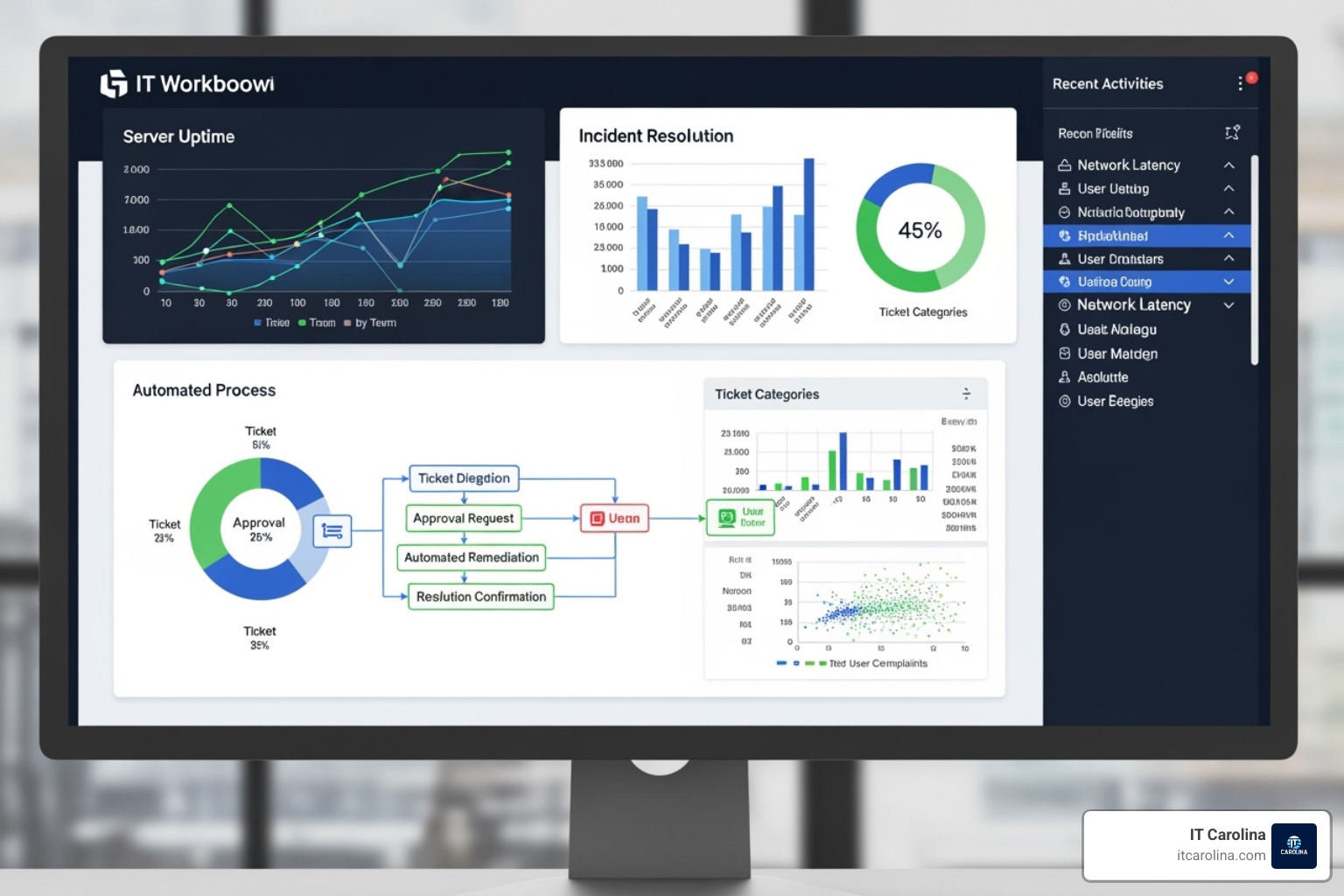
A few key technologies work together to create a smooth workflow for The Ultimate IT Checklist for Onboarding and Offboarding Employees.
- Identity and Access Management (IAM): This is your central command for user access. It ensures employees get exactly the right level of permissions for their role—nothing more, nothing less.
- Single Sign-On (SSO): SSO simplifies life for employees by giving them one-login access to all their apps. For IT, it’s a lifesaver during offboarding; disabling one SSO account instantly revokes access to dozens of services.
- Mobile Device Management (MDM): MDM gives you control over company laptops, phones, and tablets. You can pre-configure devices, enforce security policies, and remotely wipe a device if it’s lost, stolen, or not returned.
- HRIS Integration: Connecting your IT systems to your HR software is the ultimate game-changer. When HR hires or terminates an employee in their system, IT workflows for provisioning or de-provisioning kick off automatically.
These technologies are accessible and essential for small businesses in Charlotte and beyond, helping them work smarter and stay secure.
Mastering Security and Access Control in The Ultimate IT Checklist for Onboarding and Offboarding Employees
Cybersecurity isn’t a one-time setup; it requires constant attention. The Ultimate IT Checklist for Onboarding and Offboarding Employees integrates security throughout the entire employee journey, from their first day to their last. Protecting your data is woven into every step. We can help you understand threats like those covered in The Ultimate Guide: How to Detect and Fight Computer Viruses.
Implementing the Principle of Least Privilege (PoLP)
Giving employees more access than they need is a common but risky practice. The Principle of Least Privilege (PoLP) is simple: people should only have access to the information and systems required to do their jobs.
Role-Based Access Control (RBAC) is the practical application of PoLP. Instead of assigning permissions individually, you create roles (e.g., “Marketing Specialist”) with predefined access rights. When a new person joins, you assign them a role, and they instantly get the correct permissions.
However, as responsibilities change, employees can accumulate unnecessary permissions, a phenomenon known as permission creep. To combat this, regular access reviews are essential. Periodically checking who has access to what helps you identify and remove excessive permissions before they become a security risk. Granting minimal access protects both your business and your employees, as it reduces the chance of an accidental data leak.
Mitigating Insider and Outsider Threats
While outsider threats from hackers are real, a significant number of security incidents originate from within. Statistics show 53% of data breaches result from employee negligence, and 22% involve privilege misuse.
This doesn’t mean employees are malicious; most incidents happen accidentally. Your team can be your strongest defense or your weakest link, depending on their training and your tools.
- Security Awareness Training: Ongoing, engaging education is more effective than a one-time presentation. Use real-world examples and interactive content to keep cybersecurity top of mind.
- Phishing Simulations: Sending controlled, fake phishing emails to your team is a valuable training tool. It provides immediate, gentle feedback to those who click, creating a powerful learning experience.
- Strong Password Enforcement & MFA: These are non-negotiables. Multi-factor authentication adds a critical layer of security that stops most breaches.
- Data Encryption: Encrypting data at rest (on servers) and in transit (being sent) ensures that even if a device is stolen, the information on it remains inaccessible.
The goal is to create smart layers of protection. Combining proper access controls with ongoing training builds a human firewall, turning your employees into your first line of defense.
Frequently Asked Questions about IT Onboarding and Offboarding
We talk to small business owners in Charlotte every day and hear the same questions about managing the employee IT lifecycle. Here are the most common challenges and our answers.
What are the biggest challenges in IT onboarding and offboarding?
Most issues stem from a few common problems:
- Lack of a Formal Process: Handling tasks on the fly leads to inconsistencies, delays, and security gaps.
- Poor Communication Between HR and IT: When IT gets last-minute notifications about new hires or departures, it causes scrambles and mistakes.
- Managing Remote Employees: Coordinating device shipping, secure remote access, and asset recovery adds logistical complexity.
- SaaS Sprawl: Businesses use dozens of cloud apps, and manually tracking and de-provisioning accounts for each one is a nightmare without proper systems.
- Security Gaps: All of these challenges create open doors for data breaches, turning administrative headaches into serious risks.
How do you ensure data security during offboarding?
A smart, systematic approach is key.
- Immediate Access Revocation: The moment a departure is final, all access to email, servers, and software must be terminated. Delayed de-provisioning is a major cause of data breaches, so this cannot wait.
- Remote Wipe of All Devices: Remotely erase all data from company laptops and phones to protect sensitive information, even if a device isn’t returned immediately.
- Data Backup and Transfer: Before revoking access, back up and transfer all critical files and communications to a manager or team member to ensure business continuity.
- Reinforce Confidentiality Agreements: Use the exit interview to provide a friendly reminder of the employee’s ongoing obligation to protect company secrets and data.
Who is responsible for the IT onboarding and offboarding process?
It’s a team sport where collaboration is essential for The Ultimate IT Checklist for Onboarding and Offboarding Employees to succeed.
- HR initiates the process, handling paperwork and kicking off the workflows for starts and departures.
- IT executes all technical tasks, from setting up hardware and accounts to revoking access and wiping devices.
- The Hiring Manager defines the new employee’s needs, including required software and access levels, and oversees knowledge transfer during offboarding.
- The Employee has responsibilities too, such as completing security training and returning company assets upon departure.
When everyone knows their role and communication is clear, the process runs smoothly.
Conclusion: A Secure Start and a Safe Finish
Think of The Ultimate IT Checklist for Onboarding and Offboarding Employees as your business’s safety net. It’s not about red tape; it’s about protecting what you’ve built while making life easier for your team.
A structured checklist ensures new hires feel welcomed and prepared, while departing employees leave cleanly without creating security risks. Your data stays protected, your team stays productive, and you gain peace of mind. Businesses with solid onboarding see better retention, and those with proper offboarding avoid costly data breaches. It’s simply about doing things right, every time.
For many small businesses in Charlotte, NC, managing this process is overwhelming. You know it’s important, but finding the time and expertise is a challenge.
That’s why IT Carolina exists. We provide expert, friendly support to streamline your IT operations and protect your business at every stage of the employee lifecycle. We offer transparent flat-rate pricing, quick response times, and reliable local service—no jargon, no surprise bills. We handle the technical complexity so you can focus on running your business.
Every new hire deserves a smooth start, and every departure requires a secure finish. Your business deserves protection at both ends.
Ready to secure your employee lifecycle? Get expert IT support for your small business today and let’s make your onboarding and offboarding process work smoothly and securely.