Ransomware is a growing problem that hits both home users and businesses. It’s a type of malware that locks up your files by encrypting them, then demands money to get them back. This guide breaks down how ransomware works and what you can do to protect your systems and data. You’ll learn how it spreads, what early warning signs look like, and which prevention steps actually help. With a bit of know-how, home users and businesses can spot trouble sooner and build stronger protection against ransomware.
How Ransomware Works
Ransomware is one of the most common types of cybercrime because it’s fast and effective at locking data and taking systems offline. It started out fairly basic, but it’s now a much more advanced threat that targets weak spots in software and everyday human habits. Thing is, you can’t defend against it well unless you understand how it operates.
The Anatomy of Ransomware
At its core, ransomware is about taking control of a victim’s data and devices. Most attacks follow a set of steps. It usually starts with delivery and initial infection. Attackers commonly use phishing emails, harmful attachments, or hacked websites to get ransomware onto a system. The FBI’s 2023 Internet Crime Report found phishing is still the most common starting point, making up over 80% of attacks largely because it relies on simple human mistakes.
After it gets in, the execution phase kicks off. Ransomware often tries to take advantage of the victim’s access level, using tricks like privilege escalation to grab admin permissions. Once it has that, it can do a lot more—like reaching out to a command-and-control server for instructions or pulling down extra payloads to expand what it can do.
Critical Actions: Encryption and Exfiltration
Once it’s in control, ransomware moves to the main goals: encryption and, sometimes, exfiltration. Newer strains like LockBit and REvil often use strong encryption methods such as AES-256 and RSA-2048. And that’s why recovery is so hard—without the decryption key the attackers hold, getting those files back is basically impossible.
Many ransomware groups also use a double-extortion tactic. They steal sensitive data before encrypting anything, then threaten to leak it on dark web sites if the ransom isn’t paid. On the flip side, even if you restore from backups, the stolen-data threat can still cause major damage.
Monetization and Propagation
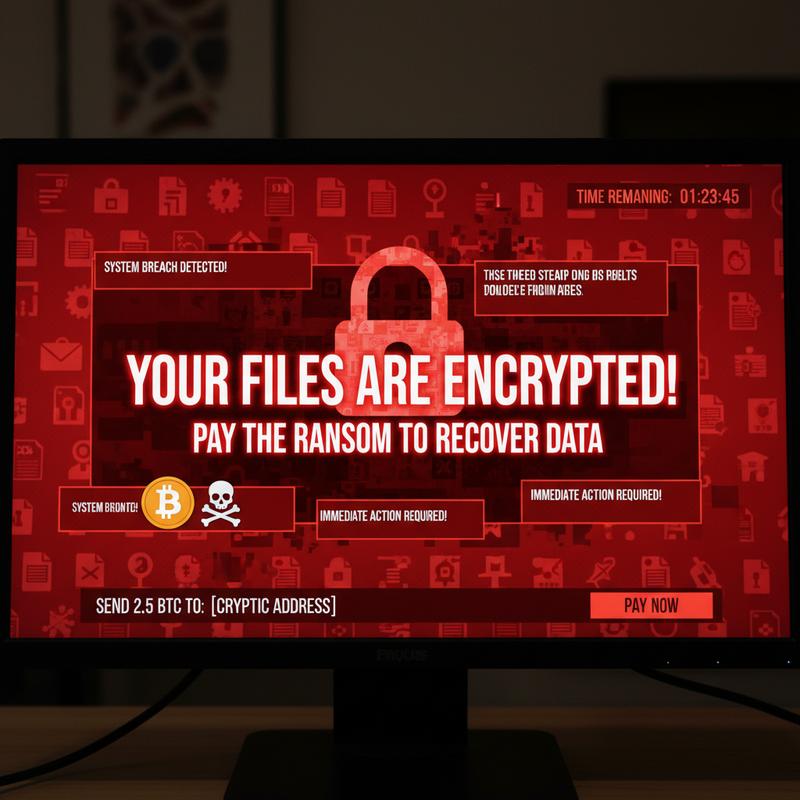
Once they’re ready to demand payment, attackers leave a ransom note, usually asking for cryptocurrency like Bitcoin because it’s harder to trace. Chainalysis reported $1.1 billion in ransomware-related crypto transactions in 2023, which shows just how much money is tied up in these attacks.
And it doesn’t always stop with one machine. Some ransomware is built to spread, using weak network setups or worm-like behavior—like the 2017 WannaCry attack. Attackers may also use anti-forensics tricks to hide what they’re doing and disable recovery options so the infection sticks around longer.
So, when you look at the full ransomware lifecycle—from the first click to the ransom demand—it’s clear why strong security habits and ongoing updates matter. Both businesses and individuals need to stay alert and keep defenses current to keep up with this threat. If you want more tips on protecting against malware, check out The Ultimate Guide: How to Detect and Fight Computer Viruses.
How Ransomware Gets In
Ransomware doesn’t show up out of nowhere. Understanding how it gets into a system is a big part of stopping it. Attackers usually mix human trickery with technical weak spots, and they only need one opening to start an incident.
One of the most common entry points is phishing emails, and it’s still shockingly effective. These messages are made to look legit, using believable subject lines and familiar-looking sender names. Once opened, the email pushes the victim to click a link or download an attachment that drops the ransomware onto the device. Even with training, phishing keeps working because people are busy, moving fast, and more likely to react to “urgent” messages.
Another big issue is compromised or reused credentials. People get tired of managing passwords, so they reuse them across accounts. Attackers take advantage with credential-stuffing, where stolen logins are tried across lots of services until something works. No fancy exploit needed—just human slip-ups.
Exposed Remote Desktop Protocol (RDP) services are also a popular way in. If RDP is left open to the internet without strong security, attackers can brute-force passwords or use weak credentials to take over a system. This became even more common during the pandemic shift to remote work, when many companies rolled out remote access quickly and didn’t lock it down enough.
Exploitation of vulnerabilities in unpatched software is another classic route. Attackers scan for outdated systems, missing updates, and zero-day vulnerabilities—unknown flaws that haven’t been fixed yet. Once they find a weakness, they can slip ransomware in by injecting malicious code directly.
Attackers also often abuse legitimate tools already installed in an organization. If they can use trusted apps (like remote monitoring tools), their activity can blend in with normal traffic and be harder to spot. This fileless and in-memory attack style has increased by close to 30% in recent years because it can run without leaving obvious files behind.
Finally, supply chain and developer pipeline compromises are becoming more common. In these cases, ransomware comes in through tampered software updates or poisoned third-party code repositories. The scary part is that it works by exploiting trust in vendors and partners, so it can slip in quietly.
Once it’s inside, ransomware usually follows a pattern: persistence and reconnaissance, then lateral movement. Attackers will scan the network, grab credentials, and often use built-in tools like PowerShell to avoid standing out. Then comes exfiltration and encryption, where data may be stolen for double extortion before files are encrypted and the ransom demand appears.
All of this is why a strong security plan matters. Regular patching, strong unique passwords, and locking down RDP are a good start. If you want more ways to reduce risk, see this guide on detecting and dealing with computer viruses.
Early Warning Signs of Ransomware
Spotting ransomware early can be the difference between a small headache and a full-blown crisis. Attacks have gotten more complex, and with a reported 93% increase in incidents by 2024, catching problems early really matters. When you know what to look for, you can step in faster—sometimes before everything gets encrypted and held for ransom.
One of the first clues is unusual system behavior and performance issues. Watch for sudden slowdowns or big spikes in CPU and disk usage, which can happen when ransomware is scanning and encrypting files. A simple way to keep an eye on this is checking Windows Task Manager for strange processes or unexpected spikes in svchost.exe, which was abused during the WannaCry attack in 2017.
Another major clue is suspicious file and network activity. You might see files renamed with odd extensions like .locked or .crypt, which often points to encryption by strains like LockBit or Conti. Ransom notes are another giveaway, commonly dropped as files like README.txt. These notes often demand payment within 48 hours to pressure victims into acting fast. You may also notice a big jump in outbound network traffic, which can signal data is being stolen. Tools like Wireshark—used to spot major data theft during the SolarWinds breach in 2020—can help highlight unusual traffic patterns.
Email and phishing indicators are also common early hints. Since phishing is still the top delivery method, watch for emails pretending to be invoices or routine business messages, especially if they include macros, ZIP files, or other attachments that don’t feel right. Spoofed sender addresses (slightly changed to look real) are another classic tactic, including ones used in Emotet campaigns.
Account and access anomalies can be another red flag. Look for logins that don’t make sense, or new admin accounts that show up without explanation. These steps often happen right before ransomware is launched. For example, the Colonial Pipeline attack in 2021 started with unauthorized access through a compromised VPN password. Attackers may also try to break recovery options by disabling backups or deleting Volume Shadow Copies. You can check for this by running vssadmin list shadows.
And then there are the obvious user-facing signs, like locked screens and strange pop-ups. Full-screen payment demands—like the ones seen in CryptoLocker attacks—usually mean ransomware is already active.
To stay ahead of this, organizations should use tools like Endpoint Detection and Response (EDR), which can help spot behavior tied to ransomware tactics mapped in the MITRE ATT&CK framework. If any warning signs show up, act fast: isolate affected devices, run full antivirus scans, and make sure offline backups are ready to restore.
Staying sharp with resources like the ultimate guide to detecting and fighting computer viruses can also help you keep up as ransomware keeps changing.
How to Prevent Ransomware
Ransomware is still a serious threat, and attackers keep changing their methods to hit individuals, businesses, and even critical infrastructure. The best way to reduce risk is layered protection: good tools, solid processes, and people who know what to watch for. The most effective setup usually includes backups, patching, endpoint protection, user training, and strong detection and response.
Strong backup and recovery is the foundation of ransomware protection. The 3-2-1 rule is a good standard: keep three copies of your data, on two different types of storage, with one copy offline (air-gapped). But backups only help if they work, so they should be tested regularly. Using immutable storage and air-gapped backups helps protect copies from being encrypted too. Verizon’s 2025 DBIR reported that 93% of ransomware victims who tested their backups were able to recover without paying.
Patch management is another key piece. Keeping software updated closes known security holes that attackers love to use. Applying patches quickly—often within 72 hours of a vulnerability being identified—can stop many attacks before they start. Tools like Microsoft WSUS and Automox can automate updates so they don’t slip through the cracks. And it also helps to turn off features you don’t need, like macros in office apps, since they’re a common entry point.
Locking things down with endpoint and network security matters too. EDR tools can watch for unusual behavior that shows up before encryption starts. Network segmentation helps limit how far ransomware can spread if one device gets hit. Email and web filtering can block a lot of phishing attempts, and multi-factor authentication (MFA) makes stolen passwords much less useful.
User education and awareness is still one of the biggest deals. People are often the easiest target, so training really helps. Regular phishing simulations have been shown to cut click rates on bad links by nearly 50%. Teach employees how to spot shady emails, report weird requests, and follow basic security rules. And don’t forget privilege management: least privilege access keeps damage smaller if an account is compromised.
Better detection and response helps you react faster when something looks off. SIEM tools and AI-based threat hunting can catch odd patterns early. An incident response plan that’s written down, practiced, and updated is also critical. The Ponemon Institute reported that organizations with mature incident response plans recover twice as quickly as those without.
Finally, a wider security approach can reduce risk even more. That includes paying attention to supply chain risks, moving toward a zero-trust architecture, and knowing what cyber insurance covers (and what it doesn’t), plus any legal requirements tied to ransomware incidents. Keeping up with trusted sources like CISA alerts, US-CERT, and industry security blogs helps teams stay ready for new threats.
When these best practices are used consistently and reviewed often, the risk from ransomware drops a lot. Still, staying alert across every layer is what keeps defenses strong over time.
Final thoughts
Ransomware is a serious threat, and it takes both awareness and action to reduce your risk. If you understand what ransomware is, how it gets in, what the early warning signs look like, and how to prevent it, you’re in a much better spot to avoid getting hit. Whether it’s your personal files or a business network, these steps can help keep your data safer and make recovery easier if something goes wrong.
Want a hand tightening things up? Reach out to IT Carolina and we’ll help you secure your home or business systems.
Learn more: https://itcarolina.com/about/
About us
IT Carolina provides cybersecurity services to help protect your home and business from ransomware. Our team can help with network security, system tune-ups, and practical prevention steps that reduce weak spots. Whether you’re locking down family devices or protecting business systems, IT Carolina can help you keep things safer and easier to manage.