Why Choosing the Right Business Laptop Matters More Than You Think
Buying the Right Business Laptop: 3 Common Mistakes to Avoid can save your business money and frustration. Many small business owners focus on price or processor speed, but these surface-level factors often lead to buyer’s remorse and costly replacements within a few years.
The 3 most common mistakes when buying a business laptop are:
- Choosing consumer-grade over business-grade laptops – Cheaper upfront but with poor build quality, shorter lifespans, and inadequate support.
- Buying based on specs alone without considering actual business needs – Overpaying for unnecessary features or underpowering critical work.
- Ignoring security and professional features – Missing essential tools like Windows Pro, encryption, and hardware security.
For a small business in Charlotte, a laptop purchase is a strategic investment in your team’s productivity. As one IT expert put it: “For most business users, a 512GB SSD is a solid starting point for storage,” but storage is just one piece of the puzzle.
A laptop that seems like a bargain can become expensive when it breaks down, can’t run your software, or leaves your data vulnerable. Businesses often keep laptops for five to seven years, which is a long time to regret a hasty decision. The good news is that avoiding these pitfalls is simple with a clearer understanding of what matters for your business.
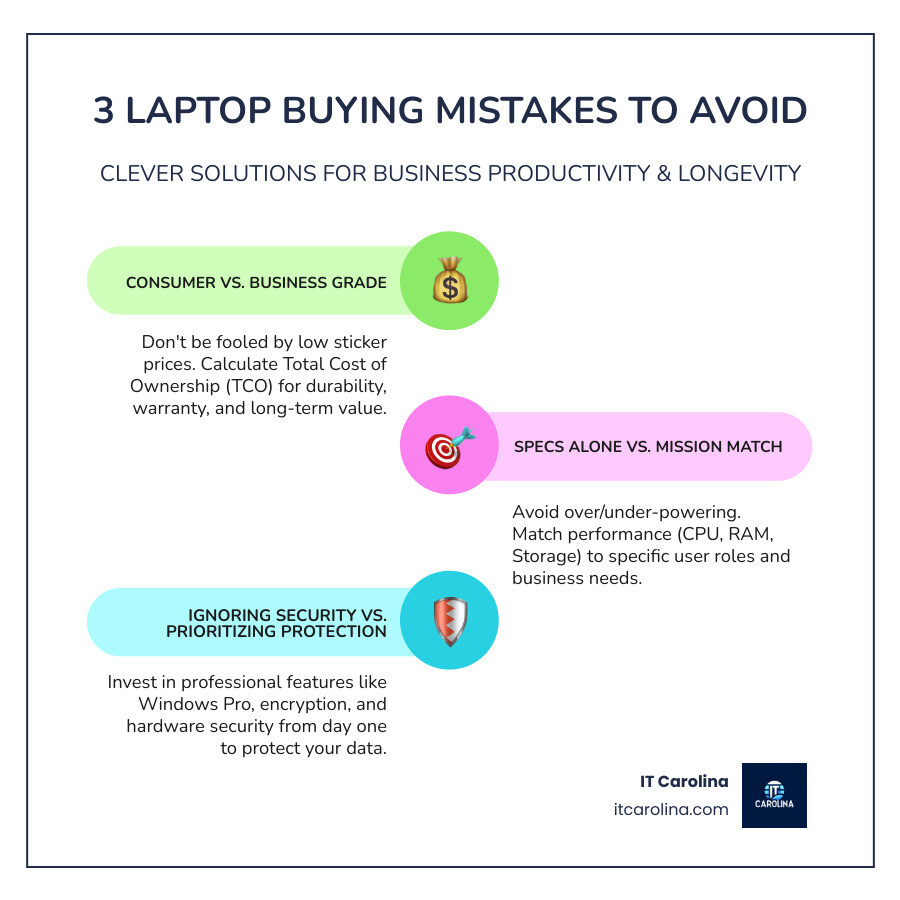
Clever Way #1: Think Total Cost of Ownership, Not Just Sticker Price
The biggest trap when Buying the Right Business Laptop: 3 Common Mistakes to Avoid is focusing on the sticker price instead of the bigger picture. That $399 consumer laptop might seem like a deal, but it often turns into an expensive headache.
The real question is, “How much will this laptop cost me over the next three to five years?” This is the Total Cost of Ownership (TCO), and it’s a game-changer for making smart technology decisions.
A business-grade laptop might cost $300 more upfront, but if the cheaper consumer model needs repairs, causes days of lost productivity, and requires replacement a year earlier, you’ve spent far more than the initial difference.
Business-grade laptops are built differently. They are engineered for the daily grind of professional work—handling multiple programs, surviving minor accidents, and keeping data secure. The difference is in the details: premium materials like aluminum or magnesium alloy, spill-resistant keyboards, and better cooling systems. These aren’t luxuries; they’re practical investments in reliability.
Another key factor is upgradeability. Many consumer laptops have RAM and storage soldered to the motherboard, forcing you to buy a new machine when you need more power. Business laptops often allow for upgrades, extending the life of your investment. Our guide on When to Repair vs. Replace Your Computer: A Cost-Benefit Guide can help with that decision.
Perhaps the biggest difference is warranty and support. A consumer laptop typically has a one-year warranty, meaning you could be without your machine for weeks during a repair. Business-grade machines often include a 3-year manufacturer warranty with options for next-business-day or on-site service. When your laptop is your livelihood, that level of support is essential.
The Hidden Costs of a “Bargain” Laptop
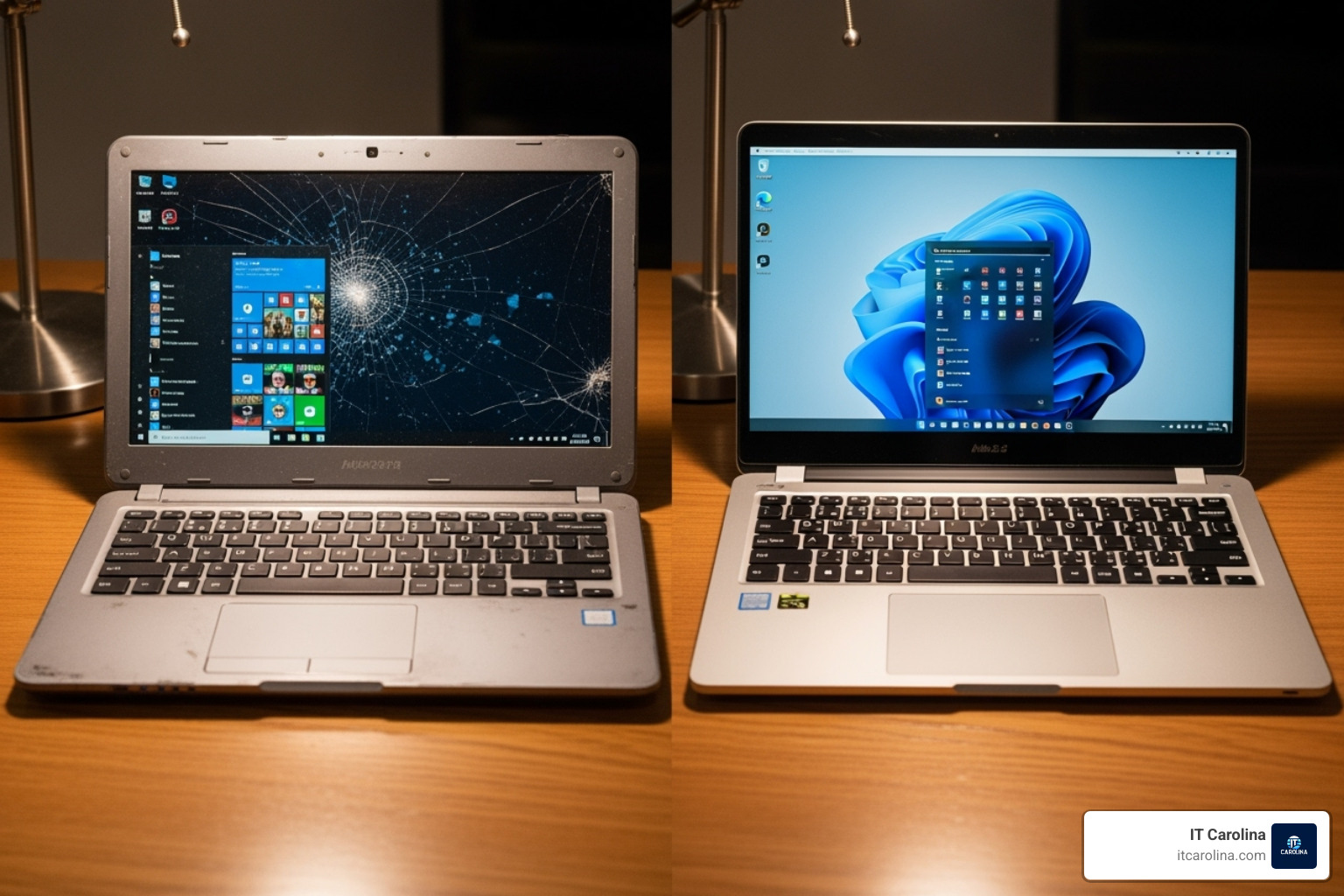
That “amazing deal” laptop comes with hidden costs:
- Shorter Lifespan: A quality business laptop can last five to seven years, while a consumer model may struggle after two. Performance slows, hinges loosen, and the battery fails.
- Frequent Repairs & Downtime: Cheaper components fail more often. You’ll face warranty limbo, shipping your laptop away for weeks. This lost productivity is the real killer, costing you revenue, deadlines, and professional reputation.
- Data Risk: When you send a laptop for repair, your business data goes with it. Wiping the drive is time-consuming, and if the repair fails, your data could be lost permanently.
When you add up repairs, downtime, and replacement costs, that “bargain” becomes one of your most expensive mistakes.
Why Business-Grade Laptops Are a Smarter Investment
Business-grade laptops are purpose-built for reliability and productivity. Their superior design—from improved cooling systems to sturdy chassis and spill-resistant keyboards—ensures they perform day in and day out.
The real value emerges when something goes wrong. With a 3-year manufacturer warranty and next-business-day support, you’re buying peace of mind. Your IT provider can often diagnose and fix issues remotely, minimizing downtime.
Many business laptops also feature remote management capabilities, allowing your IT team to keep them secure and updated without physical access. While the upfront cost is higher, the longer lifespan, fewer repairs, and reduced downtime result in a lower Total Cost of Ownership. You wouldn’t put the cheapest tires on a delivery van; apply the same logic to the laptops your business depends on.
Want to learn how the right technology can transform your business? Check out our business services to see how we help Charlotte-area companies work smarter.
Clever Way #2: Match the Machine to the Mission, Not the Marketing Hype

When Buying the Right Business Laptop: 3 Common Mistakes to Avoid, many owners grab the flashiest or most expensive model, assuming it’s the best. The “best” laptop, however, is the one that matches what your team does every day. Your admin assistant needs a different machine than your graphic designer. Buying the wrong power level either wastes money or causes daily frustration.
Consider the real-world trade-offs. Mobile professionals need lightweight machines with at least 8-10 hours of real-world battery life. A comfortable keyboard and responsive trackpad are crucial for anyone working on a laptop all day. Display quality also affects eye strain and color accuracy. If you’re setting up workstations, our guide on Choosing the Right Office Monitor can also help.
Decoding Essential Specifications for Your Team
Let’s cut through the jargon to see what specs mean for your business.
Processor (CPU): For general business tasks (email, web, spreadsheets), an Intel i5 or Ryzen 5 processor is the sweet spot. For more demanding work like data analytics or hosting video conferences, an Intel i7 or Ryzen 7 processor is better. Intensive tasks like video editing or CAD may require an i9 or Ryzen 9.
RAM: This is your laptop’s ability to multitask. 4GB is not enough for modern business. We consider 8GB the absolute minimum, but 16GB of RAM is the sweet spot for most users, allowing for smooth operation with many tabs and apps open. For video editing or large datasets, you’ll want 32GB or more.
Storage: You need an SSD (Solid State Drive), not an old-school hard drive. The speed difference is dramatic, with boot-up times of seconds instead of minutes. For capacity, 256GB to 512GB works for most users. As one IT expert noted, “a 512GB SSD is a solid starting point for storage.” If your team handles large files, upgrade to 1TB or more. An “NVMe” SSD is even faster.
Here’s how we typically match specs to different business roles:
| Role/Need | Processor (CPU) | RAM | Storage (SSD) | What to prioritize |
|---|---|---|---|---|
| Admin/General Use | Intel i5 / Ryzen 5 | 8GB | 256GB – 512GB | Long battery life, lightweight for mobility |
| Sales/Management | Intel i5 / Ryzen 5 | 8GB – 16GB | 512GB | Portability, good webcam, reliable battery |
| Power User/Analyst | Intel i7 / Ryzen 7 | 16GB | 512GB – 1TB | Performance for multiple apps and data work |
| Creative/Engineer | Intel i7 / Ryzen 7/9 | 16GB – 32GB+ | 1TB+ (NVMe) | Dedicated GPU, high-res display, processing power |
| Mobile Professional | Intel i5 / Ryzen 5 (U-series) | 8GB – 16GB | 256GB – 512GB | Lightweight, exceptional battery, sturdy build |
Beyond the Core: Display, Graphics, and Connectivity
Other features separate a good business laptop from a frustrating one.
Display: A Full HD (1920×1080) resolution is perfect for most business work. Look for a matte finish to reduce glare, which is common on business laptops, and at least 300 nits of brightness for comfortable viewing.
Graphics: For everyday business tasks, the integrated graphics (like Intel’s Iris Xe) are perfectly fine and more energy-efficient. You only need a dedicated GPU from NVIDIA or AMD for graphic-intensive work like video editing, CAD, or 3D modeling.
Connectivity: Don’t get stuck in “dongle life.” Ensure the laptop has the ports you need. USB-C and Thunderbolt are modern standards, but traditional USB-A ports are still needed for older devices. An HDMI port is essential for presentations, and an Ethernet port provides a stable, secure wired connection. An SD card reader is handy for transferring files from cameras. Finally, Wi-Fi 6 (802.11ax) offers faster, more reliable performance in busy office environments.

The bottom line is to match the machine to the mission, finding the right balance between capability, cost, and portability.
Clever Way #3: Prioritize Protection and Productivity from Day One
A critical mistake in Buying the Right Business Laptop: 3 Common Mistakes to Avoid is treating security as an optional extra. It’s not. A single compromised laptop can expose client data or lock up your business with ransomware. Security must be a priority from day one.
Small businesses in Charlotte are prime targets for cybercriminals, who know they often lack robust defenses but still handle valuable data. A compromised laptop isn’t just an IT headache; it can lead to lost client trust and financial damage. Beyond security, you need a laptop that can integrate into your business network and be managed remotely by your IT partner. Our Cybersecurity Tips for Small Businesses: Protect Your Data guide offers more on this, but it starts with the right hardware.
The Security Features You Can’t Afford to Ignore
When selecting a business laptop, these security features are non-negotiable.
Biometric logins like fingerprint readers and facial recognition (Windows Hello) are powerful tools that eliminate weak passwords, providing fast and secure access.
Encryption ensures that if a laptop is lost or stolen, your business data remains unreadable. Without it, anyone can pull the hard drive and access everything.
Business laptops stand apart with the Trusted Platform Module (TPM). This is a secure chip on the motherboard that stores encryption keys and credentials where hackers can’t reach them. A TPM is essential for running advanced security features in Windows 11 Pro and is often missing from consumer models.
Modern business-class security features also include remote management capabilities, allowing an IT administrator to push updates, troubleshoot issues, or even remotely wipe a lost device. This saves time and dramatically improves your security.
Why Your Operating System Matters for Business
Not all versions of Windows are created equal for business. A consumer laptop might come with Windows 11 Home, which lacks essential professional features.
Your business needs Windows 11 Pro. The difference is significant. Pro includes:
- Domain Join: Allows the laptop to integrate into your business network for centralized management and security policies.
- BitLocker Encryption: Provides full-disk encryption that meets business and regulatory standards, protecting sensitive client and financial data.
- Remote Desktop: Lets your team access their work computers from anywhere.
- Group Policy Management: Enables IT administrators to enforce security settings and configurations across all business laptops from a central location.
The upfront cost difference between Home and Pro is minimal—often just $50 to $100—but the long-term value is immeasurable. Skipping Windows Pro is like buying a car without airbags; it seems fine until you need the critical features.
Frequently Asked Questions about Buying a Business Laptop
How much should I budget for a good business laptop?
Budgeting for Buying the Right Business Laptop: 3 Common Mistakes to Avoid is about investing in long-term value, not just finding the cheapest option. For most general business users, we recommend a budget of $800 to $1,500. This range gets you a quality, business-grade machine built to last 3-5 years or more.
For creative professionals, engineers, or data analysts, the budget will likely be $2,000 or more to accommodate more powerful processors, extra RAM, and dedicated graphics. Remember the Total Cost of Ownership: a mid-range business laptop with a 3-year warranty provides better long-term value than a cheap consumer model that needs frequent repairs or early replacement.
How long should a business laptop last?
A well-chosen business laptop should serve your team for a solid 3 to 5 years, with many lasting up to 7 years with proper care. This is a sharp contrast to consumer-grade machines, which often struggle past the 2-4 year mark due to less durable materials and components.
It might be time for a replacement if you notice frequent crashes, sluggish performance, a battery that won’t hold a charge, or costly hardware failures. Sometimes, your software needs simply outgrow the hardware’s capabilities. Regular maintenance and timely upgrades can extend a laptop’s useful life. Our guide on Common Computer Problems and Solutions Every User Should Know can help you spot issues early.
Can’t I just buy a powerful gaming laptop for my business?
While gaming laptops are powerful, they are built with different priorities than business laptops. Gaming machines prioritize raw performance, often at the expense of battery life, portability, and a professional appearance. You’ll likely be tied to a power outlet and carrying a bulky machine with flashy RGB lighting.
Battery life is a major issue; a gaming laptop may only last 3-4 hours, while a business laptop can run for 8-10 hours. Furthermore, gaming laptops come with consumer warranties that require shipping the device for repairs, leading to weeks of downtime. Business laptops offer next-day, on-site support options.
Most importantly, gaming laptops often lack essential business security features like a TPM chip for hardware-based encryption, remote management capabilities, or Windows Pro as standard. Unless your work involves 3D rendering or game development, a purpose-built business workstation is a better choice, offering the right balance of power, security, and professional features.
Conclusion: Make Your Next Laptop Purchase a Stress-Free Success

Choosing the right business laptop doesn’t have to be difficult. By avoiding common mistakes—like focusing only on price, mismatching specs to needs, and ignoring security—you can make a smart investment that ensures years of productivity for your Charlotte business.
Buying the Right Business Laptop: 3 Common Mistakes to Avoid is about shifting your perspective. A laptop is a strategic tool that impacts your team’s efficiency and your company’s security. The right choice pays for itself through less downtime, better performance, and improved protection.
We’ve covered why business-grade laptops offer a lower total cost of ownership, how to match specs to specific roles, and why features like Windows 11 Pro and TPM chips are essential. The good news is you don’t have to steer these decisions alone.
At IT Carolina, we’ve helped countless Charlotte small businesses make smart technology choices. We offer jargon-free advice, transparent flat-rate pricing, and quick, reliable local service. Your next laptop purchase can be a confident decision that strengthens your business.
Ready for expert guidance custom to your business? We’re here to help you select and deploy the perfect laptops for your team. For personalized support, explore our IT Support for Small Business in Charlotte. Let’s make your next technology investment a great one.