
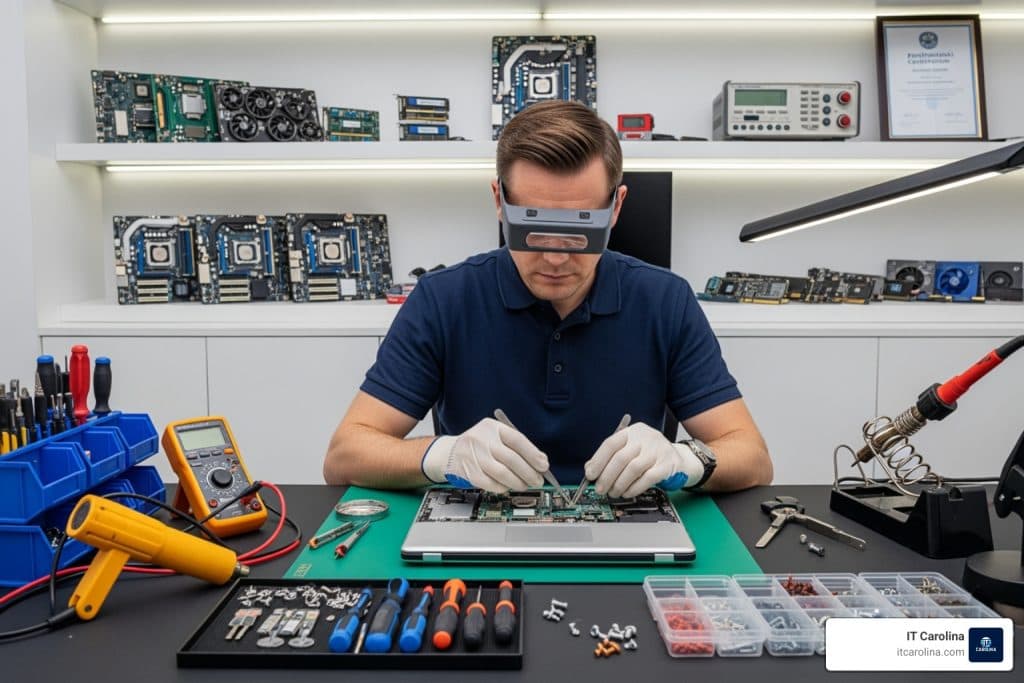
You’ve typed “computer repair near me” into Google. Now you’re staring at a list of names you don’t recognize, prices that aren’t listed, and reviews that could be fake. It’s frustrating — and it’s a waste of time when your computer is sitting there broken.
Most people don’t know what to expect from a local tech visit. They don’t know who to trust, what a fair price looks like, or whether their problem can even be fixed in one session. This guide answers all of that — plainly and specifically — so you can make a smart decision before you call anyone.
IT Carolina serves homeowners and small businesses across Charlotte, NC. Here’s exactly what happens when you book a visit with us.
What Happens During a Local Tech Visit
Most people picture a tech showing up, poking around, and handing them a bill. That’s not how a good visit works. Here’s what actually happens — step by step.
Step 1: The tech arrives and listens. Before touching anything, a qualified tech asks you to describe what’s wrong. Your description matters — it tells them where to look first.
Step 2: Diagnosis. The tech runs checks on your hardware and software. This might include memory tests, disk health scans, event log reviews, or a visual inspection of internal components. Diagnosis usually takes 20–40 minutes depending on the problem.
Step 3: Explanation. A good tech tells you exactly what they found — in plain English. They explain what caused the problem and what it will take to fix it. You approve the work before anything changes.
Step 4: The fix. The tech resolves the issue on-site when possible. This might be removing malware, replacing a part, reinstalling drivers, or configuring your network. Most repairs finish in one session.
Step 5: Verification. Before leaving, the tech confirms the fix worked. They test the system, walk you through what changed, and answer any questions you have. You don’t pay and wonder — you see it working before they go.
Pricing and How It Works
Home visits from IT Carolina typically run $75–$125 per hour. That covers everything from the moment the tech arrives to the moment the problem is confirmed fixed. See our pricing for current rates and any diagnostic fees.
Many common repairs fall within a predictable cost range. Here’s a breakdown of what you can expect:
| Service | Typical Cost | Time |
|---|---|---|
| Virus/malware removal | $75–$100 | 1–2 hrs |
| Slow PC diagnosis + cleanup | $75–$125 | 1–2 hrs |
| RAM upgrade | $50–$100 (+ parts) | Under 1 hr |
| SSD replacement + data transfer | $100–$175 (+ parts) | 2–3 hrs |
| Laptop screen replacement | $100–$200 (+ parts) | 1–2 hrs |
| Wi-Fi/network troubleshooting | $75–$125 | 1–2 hrs |
| New computer setup + data transfer | $100–$150 | 2–3 hrs |
Parts — like RAM sticks or SSDs — are billed separately at cost. There are no hidden fees. You’ll know the full estimate before the tech starts work.
What Can Be Fixed in One Visit
Most software and configuration problems resolve in a single session. Hardware repairs that require a part on hand also finish same-day when the part is available.
Here’s what typically gets resolved in one visit:
- Virus and malware removal
- Slow performance caused by startup bloat, overheating, or failing drives
- Windows update errors and driver conflicts
- Blue screen of death (BSOD) diagnosis and fix
- Wi-Fi drops and network configuration issues — see our internet connection troubleshooting guide for common fixes
- RAM and SSD upgrades (when parts are brought to the visit)
- New computer setup and data transfer from an old machine
Some repairs — like ordering a specific laptop screen or a rare component — may require a return visit. The tech will tell you upfront if that’s the case. Our slow computer fix guide covers many of the most common performance issues in detail.
Case Study: Dell Inspiron 15 in Ballantyne
A homeowner in Ballantyne called us after her Dell Inspiron 15 started crashing randomly. The system would freeze mid-task, then hit a blue screen error — specifically the MEMORY_MANAGEMENT stop code — and restart. It happened two or three times a day.
What the tech found: Running Windows Memory Diagnostic and MemTest86 confirmed one of the two RAM sticks was failing. It was producing read errors under load — exactly the kind of fault that causes random BSODs. The tech also found that the BIOS and two critical device drivers had not been updated in over two years, which compounded the instability.
What was fixed: The faulty 4GB DDR4 RAM stick was removed and replaced with a compatible 8GB module. The tech updated the BIOS firmware, the Intel chipset driver, and the display adapter driver. Total time on-site: just under two hours.
The result: Zero crashes in the three weeks following the visit. The client reported the laptop was noticeably faster with the extra RAM and hadn’t shown a single BSOD since.
This kind of problem — hardware failure compounded by outdated software — is one of the most common things we see across Ballantyne, Southpark, Myers Park, and NoDa.
What to Look for in a Local Tech
Finding someone who shows up is easy. Finding someone you can actually trust is harder. Here’s what separates a reliable tech from a risky one.
They explain before they act. A trustworthy tech tells you what they found and what they plan to do — before touching your system. If someone starts working before you understand what’s happening, that’s a problem.
They give you a real estimate. Reputable techs quote a price range before starting. Vague answers like “it depends” without any numbers are a warning sign.
They have verifiable reviews. Check Google Reviews and the Better Business Bureau before you call anyone. Look for patterns in the reviews, not just the star rating.
They respect your data. Any tech who touches your computer has access to your files. Ask whether they have a data privacy policy and whether any diagnostic tools they use send data off-site.
They’re local and accountable. A local business has a reputation to protect in your community. That accountability matters. Resources like PCMag’s computer repair guidance can also help you understand what quality service looks like.
Red Flags to Avoid
Some computer repair situations look fine on the surface but end up costing you more time and money than the original problem. Watch out for these warning signs.
Unusually low flat rates. A “$29 computer tune-up” almost always means the tech will upsell you once they have access to your machine. Real diagnostics take time.
No written estimate. If a tech won’t put the price range in writing (or at least in a text or email), walk away. You need something to hold them to.
Scare tactics. Phrases like “your hard drive could fail any minute” or “you have hundreds of viruses” without showing you the actual evidence are manipulation tactics. A good tech shows you the screen.
They take your computer away without a clear timeline. On-site repair is almost always possible for software problems. If a tech insists on taking your machine to a shop for something like a virus removal, ask why.
No local presence. Phone-only “repair” services that claim to be local but have no physical address or verifiable reviews are a common scam vector.
When Remote Support Works Instead
Not every problem needs an in-person visit. Remote support — where a tech connects to your computer over the internet — resolves many software issues faster and at a lower cost.
Remote support works well for:
- Windows errors, crashes, and update failures
- Software installation and configuration
- Slow performance caused by software bloat
- Email setup and account troubleshooting
- Printer driver and connection issues
Remote support does not work for hardware repairs, physical damage, or situations where your computer won’t turn on or can’t connect to the internet. In those cases, an on-site visit is the right call.
Not sure which you need? Schedule a visit or call us — we’ll tell you honestly which option makes more sense for your situation. You can also browse our repair services to see the full list of what we handle.
Frequently Asked Questions
How much does a computer repair house call cost in Charlotte, NC?
Most home visits from IT Carolina run $75–$125 per hour. The final cost depends on the type of repair and how long it takes. You’ll get a price estimate before any work begins. Hardware parts — like RAM or an SSD — are billed separately at cost.
How long does a typical computer repair take?
Most software repairs — virus removal, slow performance, Windows errors — finish in one to two hours. Hardware upgrades like RAM or SSD replacement typically take under two hours when parts are on hand. More complex issues may require a return visit if a specific part needs to be ordered.
Can a blue screen of death be fixed in one visit?
Often, yes. Blue screen errors are usually caused by driver conflicts, failing RAM, or a corrupted Windows installation — all of which can be diagnosed and resolved on-site. If the cause is a failing hard drive that needs replacement, the fix may require a follow-up visit to transfer data and install the new drive.
Do I need to bring my computer somewhere, or will you come to me?
IT Carolina comes to you. We serve homeowners and small businesses across Charlotte, NC — including Ballantyne, Southpark, Myers Park, and NoDa. For software issues, we also offer remote support so you don’t have to wait for a scheduled visit.
Is it safe to let a tech remotely access my computer?
Yes — when you use a reputable, local service. IT Carolina uses industry-standard remote access tools that you control. You can see everything the tech does on your screen, and you can end the session at any time. We never access your computer without your permission.
What if my computer is too old to repair?
A good tech will tell you honestly if a repair doesn’t make financial sense. If your computer is more than eight years old and the repair cost exceeds half the price of a replacement, we’ll say so. We can also help you set up a new machine and transfer your files if replacement is the better option.
Do you offer a warranty on repairs?
Yes. IT Carolina stands behind its work. If the same issue returns within 30 days of a completed repair, we’ll take another look at no additional labor charge. Parts warranties depend on the manufacturer but are passed along to you in full.
Need Computer Repair in Charlotte?
IT Carolina comes to you — no drop-off, no waiting in line, no guessing. We diagnose the problem, explain exactly what we found, and fix it the same day in most cases.
John Jones
Senior IT Specialist, IT Carolina
John has 12 years of hands-on experience diagnosing and resolving computer, printer, and network issues for homeowners and small businesses across Charlotte, NC. He has helped hundreds of clients recover from Windows update failures, driver conflicts, and hardware problems — often resolving in a single remote or on-site session.